3. Touch to copy your text of interest
4. Look up for text in internet by selecting which will open the web browser.
5. Access dictionary touching for translating selected text
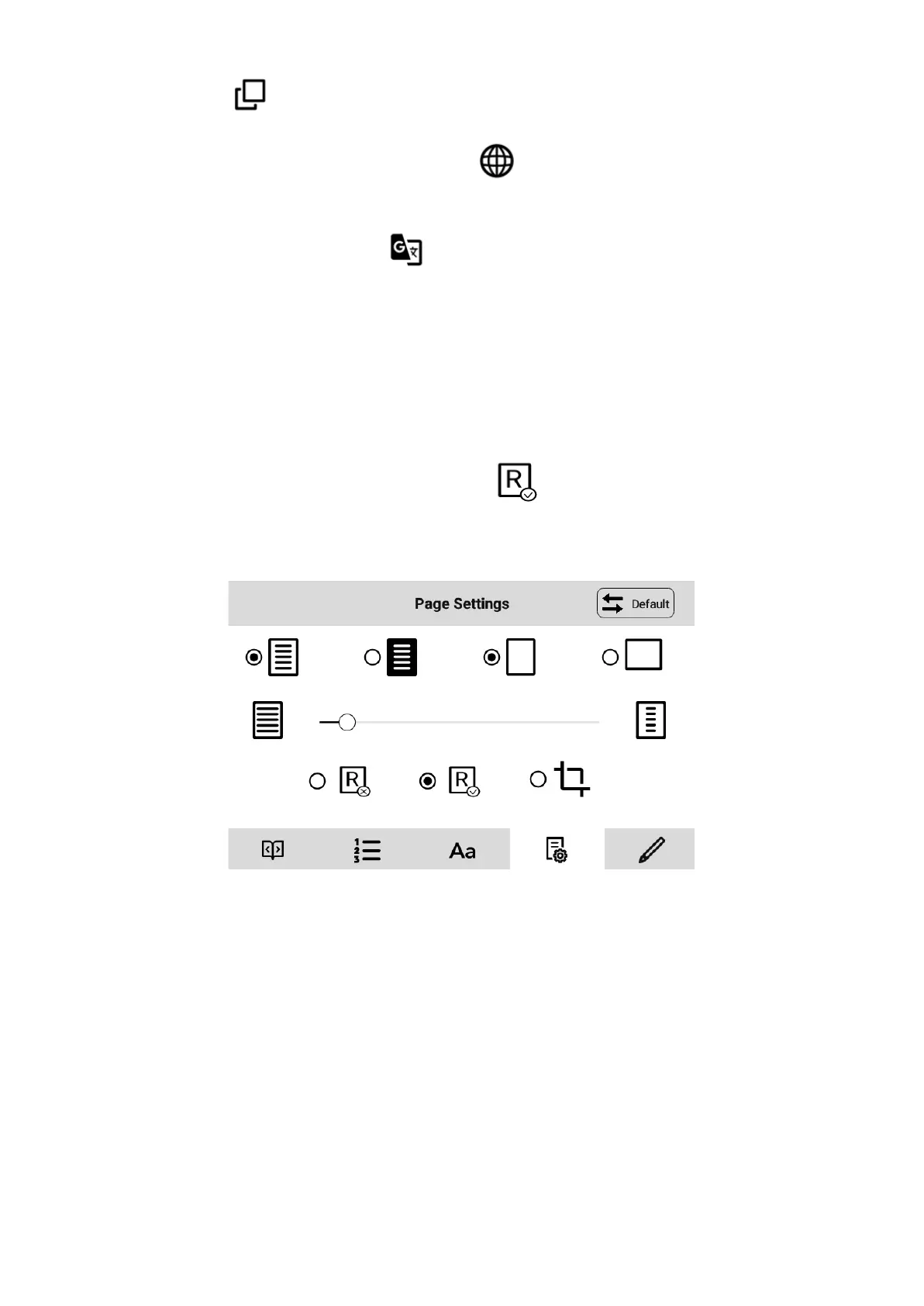
Reading books in PDF format
As you can see at the picture below, the menu for books which are in PDF format is slightly
different.
For some PDFs you can turn the Reflow mode on: This mode transforms the content
in the way which allows you to adjust text and fonts to your needs.
Dictionary
As your inkBOOK is an android device you can instal any dictionary you like, but...
We have a recomendation: Install the most powerful dictionary in the world from
inkBOOK Plus in two clicks. How to do that you will find in next chapter.
You can enjoy a very powerful dictionary on your inkBOOK - Google Translate™ Dictionary.
This dictionary will work online as well as offline if you decide to download certain
languages.
The dictionary is also able to translate not only words, but also whole sentences or selected
text fragments.


 To Next Page
 Loading...