EasyManua.ls Logo

Inmarsat IsatDock2 MARINE - User Manual

Inmarsat IsatDock2 MARINE
36 pages
Print Icon
To Next Page IconTo Next Page
Loading...
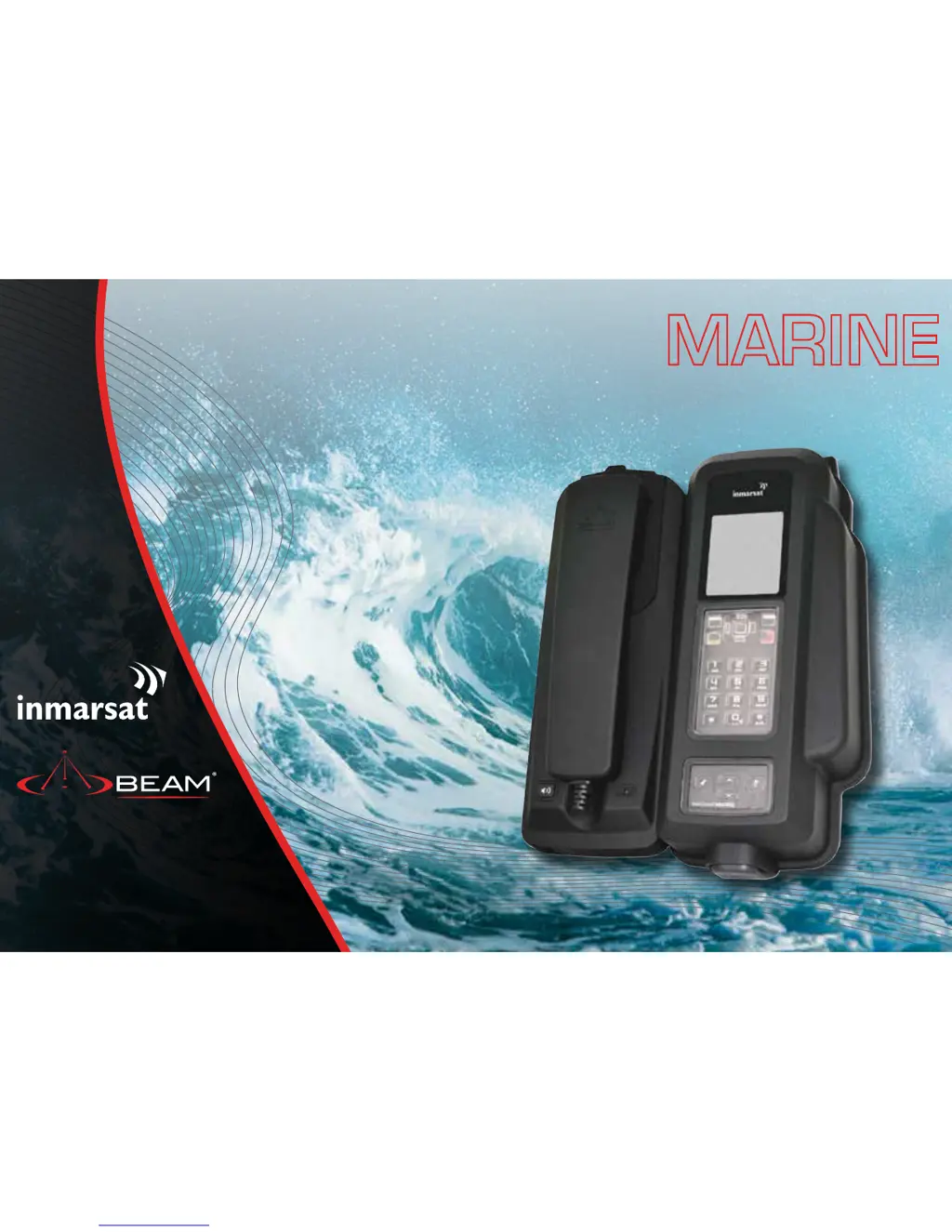
IsatDock2 MARINE
User Manual
Inmarsat Approved

Questions and Answers

  • J
    Jose TrevinoAug 1, 2025
    Why is the signal strength low on my Inmarsat Docking Station and call quality poor?
    • C
      Christopher HardyAug 1, 2025
      If you are experiencing low signal strength or poor call quality with your Inmarsat Docking Station, make sure all antenna connectors are tightened. Ensure that the antenna has a clear view of the satellite without obstructions. Verify that you are using BEAM certified antenna cabling without sharp bends or cuts. If you're using a fixed passive antenna, confirm that it is correctly oriented and pointed towards the satellite.
  • K
    kimberlyhaysAug 5, 2025
    What to do if my Inmarsat Docking Station keeps dropping calls?
    • B
      brandydavisAug 6, 2025
      Dropped calls on your Inmarsat Docking Station may occur due to satellite signal obstruction from buildings, bridges, tunnels, or large vehicles when you are moving. Check the antenna connection and ensure the antenna cable is not damaged. Make sure that only approved antenna cable has been used.
  • K
    Kathleen JohnsonAug 11, 2025
    What to do if my Inmarsat IsatDock2 has no power?
    • D
      Danielle JenkinsAug 11, 2025
      If your Inmarsat IsatDock2 has no power, check that the power is connected to the interface unit. Ensure the connector cable to the IsatDock is firmly fitted and verify all the connection cables to and from the IsatDock.
  • J
    jeremyguzmanAug 16, 2025
    What to do if my Inmarsat IsatDock2 MARINE Docking Station appears to be cycling ON/OFF and the handset is not registering?
    • H
      humphreycynthiaAug 16, 2025
      If your Inmarsat Docking Station cycles ON/OFF and the handset isn't registering, ensure the power supply provides at least 3.5A at 12 volts. If powered by a battery, check that the connections are tight and the contacts are clean.
  • R
    richard41Aug 20, 2025
    Why does my Inmarsat Docking Station and handset turn OFF every 20 minutes?
    • M
      Mrs. Alicia OrtegaAug 20, 2025
      If your Inmarsat Docking Station and handset turn off every 20 minutes, ensure the Ignition/Accessories wire is connected to power. If this wire is not connected, or if it's connected to ground, the docking station will enter sleep mode after 20 minutes by default.
  • O
    okhanAug 26, 2025
    What to do if the B party has no audio with Inmarsat Docking Station?
    • L
      lindasuttonAug 26, 2025
      If the other party has no audio when using your Inmarsat Docking Station, ensure the privacy handset is docked in its cup when not in use. Check that the MUTE function is not activated (indicated by a red light). Also, check the signal strength on the handset. Finally, ensure that the headset connector at the base of the IsatPhone 2 is not obstructed by dust or foreign objects.

Summary

IsatDock2 MARINE User Manual

Safety Information

Important Safety Notes

Crucial information to prevent equipment damage and personal injury.

Warning: Potentially Explosive Atmospheres

Safety advice for operating the device in areas with explosive risks.

Transceiver Safety Precautions

RF Exposure and Road Safety

Guidelines for RF exposure, mobile use, and critical communication reliability.

Health and Device Precautions

IsatDock2 MARINE Key Features

Design Features

Overview of the physical design, materials, and maritime grade features.

Power and Connectivity

Details on power input, RJ11/POTS, and PABX integration.

Alert, Tracking, and Other Functions

Functionality for Personal Alert, Assistance Alert, tracking, and other features.

Personal Alert and Assistance Alert Operations

Configuration and Alert Activation

Steps to configure and trigger Personal/Assistance alerts via dock or external inputs.

Equipment Overview

Component Identification Diagram

Diagram and labels identifying all physical components of the IsatDock2 MARINE.

Docking & Undocking the IsatPhone 2

Installation Guidelines

Installation Procedure

Mounting Orientations

Desk Mounting Orientation

Connecting System Interfaces

DC Power Source Installation

IsatDock2 MARINE Usage

Operation of the IsatPhone 2

Steps for starting up the IsatDock2 MARINE and the IsatPhone 2 handset.

Placing Voice Calls

Privacy Handset and Mute Functions

Advanced Alert and Tracking Configuration

Personal Alert, Assistance Alert, and Tracking Operations

How to initiate and configure Personal Alert, Assistance Alert, and tracking features.

IsatDock2 MARINE Front Panel Controls

IsatDock2 MARINE Buttons and LED Indicators

Assuring Quality of Service

Specification Summary

Electrical and Environmental Specifications

Detailed technical specifications for power, dimensions, and environmental conditions.

Trouble Shooting

BEAM Warranty Conditions

Inmarsat IsatDock2 MARINE Specifications

General IconGeneral
Product TypeDocking Station
CompatibilityIsatPhone 2
Power Input10-32V DC
Power Supply12/24V DC
Environmental ProtectionYes, when installed correctly
Ingress ProtectionIP54
InterfacesEthernet, USB
Operating Temperature-20°C to +55°C