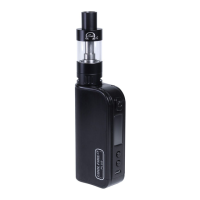
The Cool Fire IV Plus wattage can be adjusted from 6.0 to 70 Watts in .5 Watt
increments by pressing the "+" or "-" buttons. If the wattage is decreased below
6 Watts it will cycle up to 70 Watts. If the wattage is increased from 70 Watts it will
cycle down to 6 Watts. Press the button “ ” to lock the set wattage and activate
the Cool Fire IV Plus.
Enter Variable Voltage Mode
Press and hold the “ ” power button & "-" button together for 1 second to enter
variable wattage mode.
Adjust Variable Voltage
When the Cool Fire IV Plus is in variable voltage mode press and hold the "+" or
"-" button and the set voltage will ash. Hold the button down to quickly increase
or decrease the set wattage.
1312
When the Cool Fire IV Plus is not in use, press the power button “ ” three times
in succession to power o the Cool Fire IV Plus.
Always power o the Cool Fire IV Plus when it is not being used, or when it is
going to be stored in a pocket, bag or purse.
Enter Variable Wattage Mode
Press and hold the “ ” power button & "+" button together for 1 second to enter
variable wattage mode.
Adjust Variable Wattage
When the Cool Fire IV Plus is in variable wattage mode press and hold the "+" or
"-" button and the set wattage will ash. Hold the button down to quickly
increase or decrease the set wattage.
0.50Ω
0.0W
4.00V
0.50Ω
0.00V
40.0W


 To Next Page