Need help?
Do you have a question about the InnoLux Yushan V14C and is the answer not in the manual?
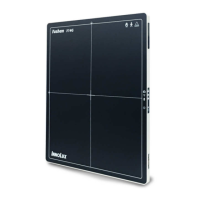
Specifies the intended applications for the INNOLUX Yushan X-Ray Flat Panel Detector in radiography.
Lists applicable standards and classification details for the device.
Details the regulatory standards and directives the device adheres to.
Specifies protection types against electrical shock and water ingress.
Highlights risks associated with the power supply and necessary safety measures.
Details potential electric shock risks and precautions for safe operation.
Instructions on how to safely handle and use cables to prevent electric shock or damage.
Guidelines for patient posture, touching parts, and using the detector with batteries.
Describes hazards like smoke, odor, or damage, and immediate actions to take.
Advises on suitable and unsuitable locations for installing the equipment.
Instructions for safely charging the battery pack using designated chargers.
Details on battery pack inspection, replacement, storage, and usage precautions.
Procedure for powering on and off the Yushan Flat Panel Detector.
Steps for taking exposures, ensuring correct LED status, and acquiring images.
Describes the automatic and manual methods for downloading acquired images.
Solutions for common problems like error LEDs, abnormal images, and connectivity issues.
 General
| Protection Level | IP65 |
|---|---|
| Model | Yushan V14C |
| Detection Range | 14 meters |
| Power Supply | 12V DC |
| Output | Relay NO/NC |


 To Next Page