Version 1.0 Preliminary 11
Smart Source (patented)
The Spitfire can be programmed to pre-select specific slots when certain classes of buttons are
transmitted. Button classes are defined in the following table.
Class Buttons
POWER POWER, PWR_OFF, SLEEP
VOLUME VOL+, VOL-, MUTE
CHANNEL 0-9, Enter, CH+, CH-, PREVIOUS
TRANSPORT
PLAY, STOP, FF, REW, PAUSE, RECORD
SETUP UP, DOWN, LEFT, RIGHT, MENU, EXIT, GUIDE, DISPLAY
PIP INPUT, PIP, PIP swap PIP Ch+ PIP Ch- PIP move
To setup smart source send the following button sequence for each class that you want to
program.
Button Status
returned
Send one of the six slot buttons TV, DVD, etc) Flash 1
Send PROGRAM Flash 2
Send any button from the desired class Flash 3
NOTE: To program the channel class you cannot use the numbers (0-9) because they are used for
device setup. Instead use another button from the channel class such as CH+. Programming a
class automatically enables smart-source mode. Smart source can be temporarily disabled by
sending the SMART button.
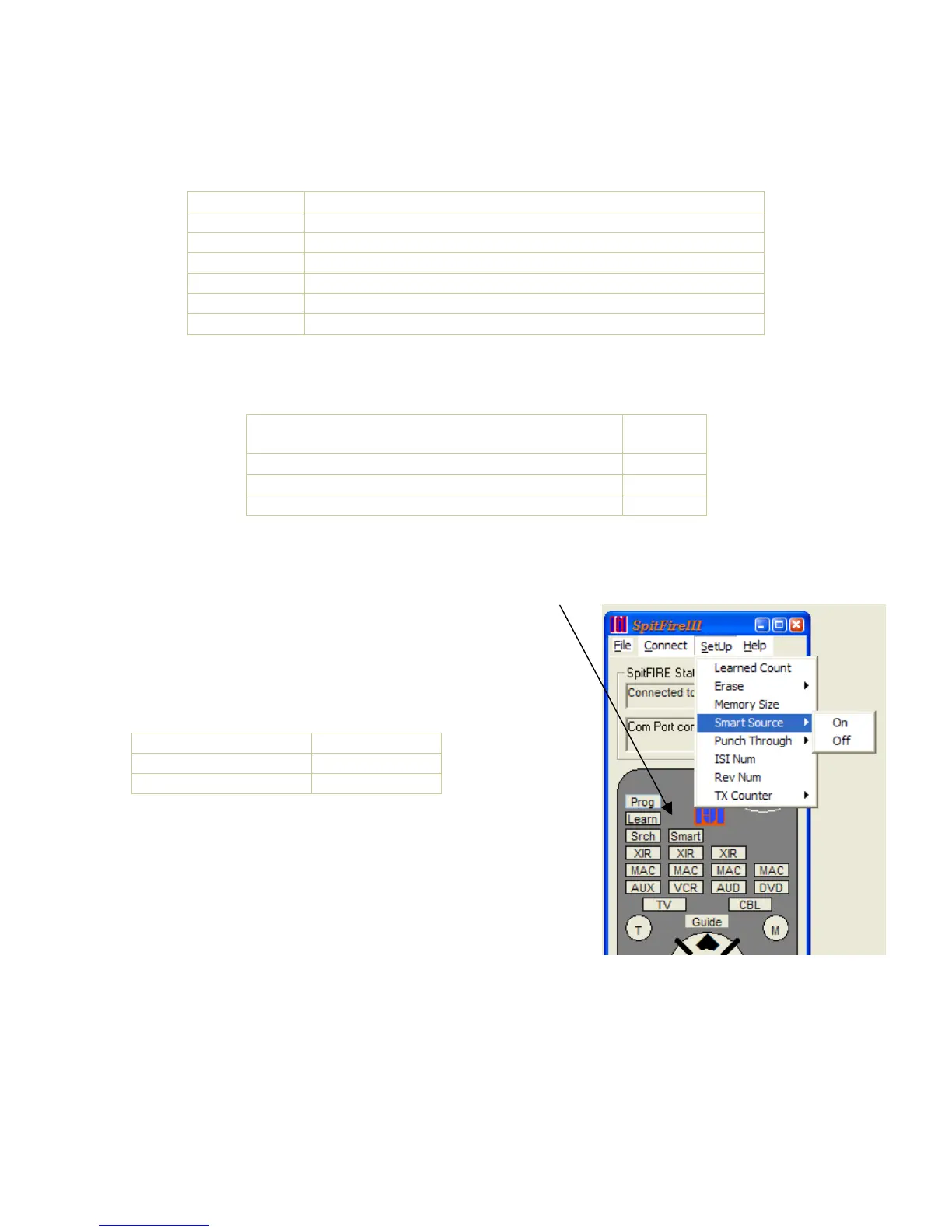
Smart Source can be handy for most remote control operation
however there may be applications where Smart Source is not
desired. Smart Source mode can be turned on or off by sending
the SmartOn or SmartOff commands.
Function Status response
Enable Smart Source Flash 2
Disable Smart Source Flash 1
Smart-Source example:
• If you want the TV to turn on and off when the POWER
button is sent, independent of what slot was selected
previously, you send; TV PROG POWER.
• If you want to select the TV whenever you adjust the
volume. Send TV PROG VOL+
• If you want to select your cable box whenever you change
the channel. Send CBL PROG CH+
• To automatically select the DVD slot whenever you send a transport button, Send DVD
PROG PLAY.
Once smart source is setup, you may never need to send a slot button. However there are times
when you may need to circumvent the automatic slot selection that smart source provides. For
example, if you need to control the channel function on your VCR but smart-source forces the


 To Next Page
 Loading...

