Version 1.0 Preliminary 21
Cloning
Once your SpitFIRE is configured exactly the way you want it, you can download all its settings
to your PC. These settings include internal device settings, external library devices, learned
library codes, macros user preferences such as the Smart Source setting. Then you can duplicate
the spitfire configuration onto multiple Spitfires with the just a couple of clicks of the mouse.
There is also partial cloning of only just the learned codes, or just the user preferences, or all the
external devices. The procedure to Clone a spitfire is ..
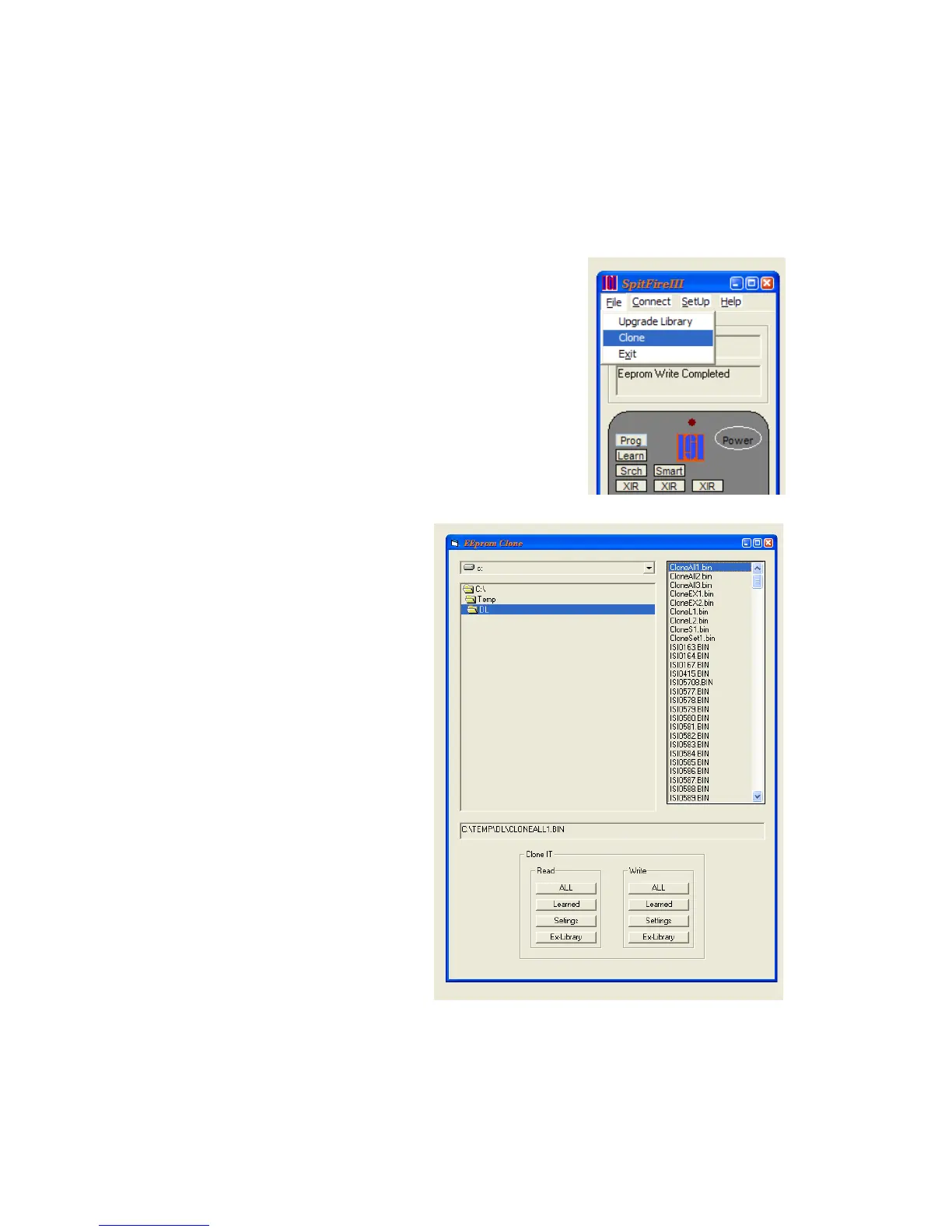
Click on the File menu option, and then select Clone.
This will open the “EEprom Clone”
window. Set the file location and
then click on the operation that you
want to perform.



 To Next Page