-16-
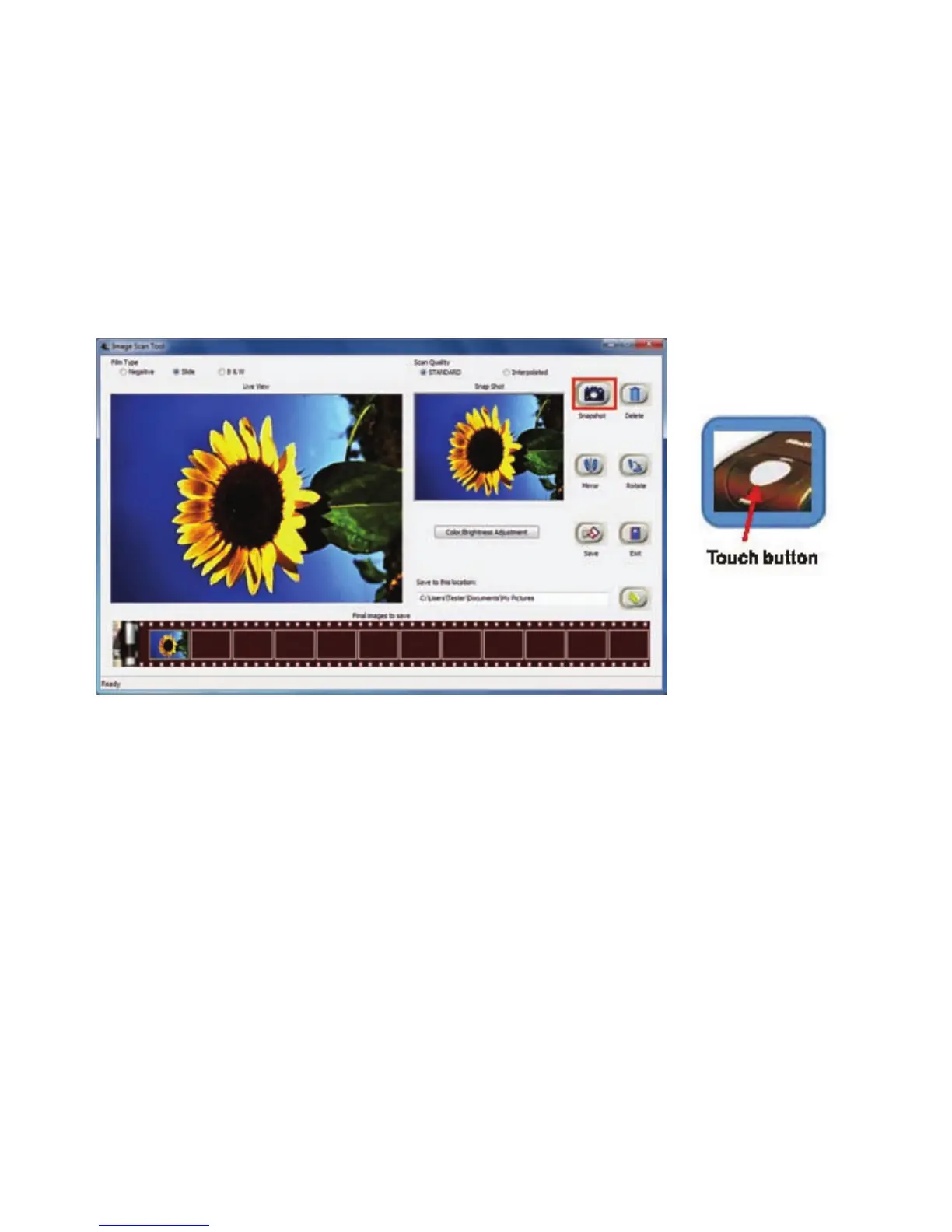
User can either click on “Snapshot” icon or press the hard key “Copy” touch button to
capture images. Captured images will be first stored in the thumbnail bar. Total of 12
thumbnailimagesareabletostoreinthebar.
Theimagecontrol,mirror,rotate,colorandbrightnessinImageScanToolispreviewinstantly
inSnapShotwindow.



 To Next Page