AMTEK Version 7.4 2019-01 Page 25 ©Inomatic 2017-2019
4.3. RX Matching Circuit
The amplitude of the received RX signals is highly correlated to the matching of the RX
board. Hence, when tuning the RX board’s matching circuit, the signals displayed in the
infoNet Software are important for the optimal tuning.
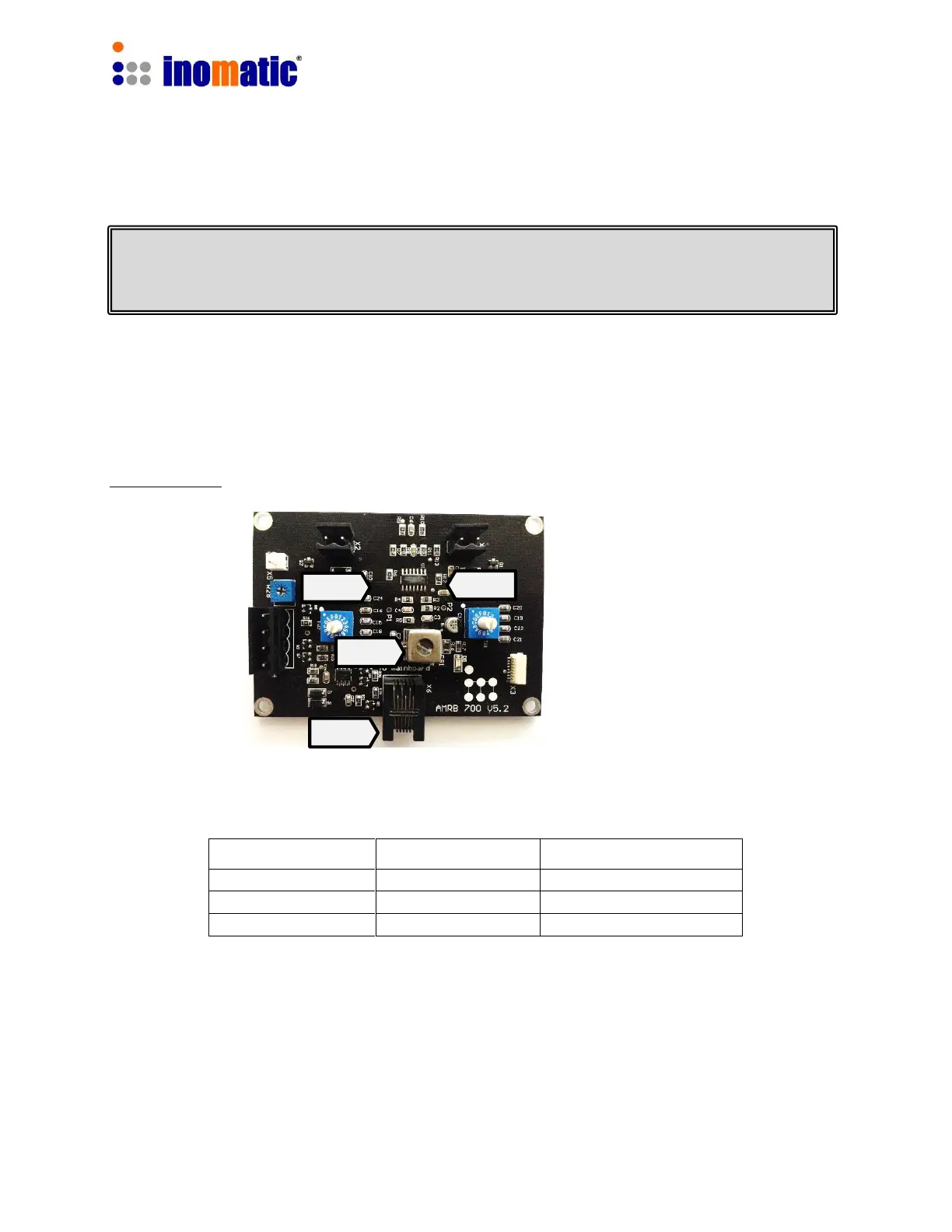
RX Matching:
Set S3 and S4 to the default values according to your system:
Depending on the tolerance of the system components and environment, the
default value might not be suited for optimum performance.
If you have to tune the inductor CS1 please do it carefully with a non-metal screw
driver, otherwise you might damage the ferrite core.
For detailed description of the RX tuning refer to the infoNet Manual.
Default setting of TW2 and TW1r different AMTEK systems
All our antennas are pre-tuned in the factory and RX antenna matching WILL NOT
HAVE TO BE ADJUSTED in almost any case. When installing the system near
metallic frames or metallic doors, resonance value may be affected.


 To Next Page
 Loading...