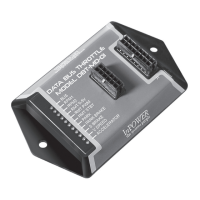
DBT-MDF20 Owner’s Manual
Document: OM-232 Version Code:
Date: Jan 24, 2020 Date:
© Copyright 2020 InPower LLC
Page
9 of 14
InPower LLC
8311 Green Meadows Drive
Lewis Center, Ohio 43035 USA
740-548-0965
www.InPowerLLC.com
Activation and Adjustment:
+5V
GND
Pin 11 White
ADJ
Pin 3 Orange
Wiper of
Potentiometer
Pin 2 Black
Remote Control for Accelerator
or Remote Accelerator Pedal
10 turn Potentiometer 10Kohms
1. Activate Standby Mode: Apply +12V to Pink Wire on J1 Harness Input
Group (J1 Pin4)
2. Activate Remote Mode: Apply +12V to Dark Blue Wire on J1 Harness
Input Group (J1 Pin7)
The module will then look for a signal from the remote potentiometer.
The RMT 0-5V (and RPM-PWM LED) will ash until it receives a
remote signal. At that point, the corresponding Remote 0-5V LED will
turn solid (RPM-PWM should turn OFF).
3. To adjust RPM with the potentiometer, start at zero and then turn
potentiometer up slowly until desired RPM is reached.
Minimum RPM: Equal to Standby Mode RPM
Maximum RPM: Preset Adjustable. Factory Default: 1500 RPM
Mode Priorities:
If more than one mode is selected at a time, the modes take the following
priorities:
RPM1 Highest - overrides all other modes
RPM2 Second - overrides lower modes
Variable RPM Third - overrides lower mode
Standby Lowest
Note: The one with the highest priority will over rule the lower priority settings.
There are no restrictions if multiple modes are egaged simulaneously, for
instance if Standby is engaged with RPM1 at the same time. If this is the
case, then since it is a higher priority, RPM1 will engage. So in this way,
Multiple modes can be requested at once with no problem with interference.


 To Next Page
 Loading...