
 Need help?
Do you have a question about the Insane Audio JL3001 and is the answer not in the manual?
Emphasizes using common sense, avoiding operation while driving, and prioritizing road safety.
Warns against opening the unit, voiding the warranty, and advises consulting a professional for grounding.
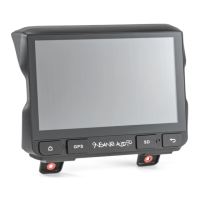
Details the function of Home, Reset, and Back buttons on the unit's interface.
Identifies storage for maps (Door #1) and microSD slot (Door #2), plus the internal microphone.
Explains the 'Six Pack' icon as the main menu for accessing applications and widgets.
Discusses the Google Play Store for downloading apps and the unit's app capabilities.
Guides on moving applications from the App Drawer to the Home Screen via drag and drop.
Defines widgets as interactive tools and explains how to add them to the Home Screen.
Provides instructions on safely cleaning the touch screen using specific materials.
Details how to disable the auto-dimming feature linked to headlights via factory settings.
Guides on accessing system settings to set the date and time manually or automatically.
Explains the Clock widget's ability to manage 'home' time zones and display multiple clocks.
Outlines three ways to adjust audio volume: dash controls, screen swipe, and steering wheel paddles.
Introduces InsaneEQ for advanced sound control via equalizer sliders and presets.
Explains using equalizer presets like 'Rock' and saving custom audio profiles.
Details how to adjust audio fader and balance between front/rear and left/right speakers.
Guides on adjusting LED backlighting, choosing preset colors, or creating custom hues.
Highlights factory-enabled safety precautions and their customizability for responsible use.
Explains settings for 'Watching video', 'Notifications', and 'Network settings' while driving.
Details using microSD cards or USB drives as music sources and required formatting (NTFS).
Describes different USB ports, including Fast Charge and the dedicated CarPlay port.
Guides on accessing the music player and switching between different media sources.
Explains how to display album artwork or the visualizer within the music player.
Guides on accessing and playing video files from microSD cards or USB drives.
Details accessing the Radio app, tuning to stations, and managing presets.
Explains how to seek stations using arrows and switch between AM and FM modes.
Describes using the AMS button for automatic radio station scanning and preset creation.
Explains using PTY to scan for stations based on program type and its limitations.
Guides on launching the Bluetooth app and connecting to various devices like smartphones.
Details changing device name, PIN, and the pairing process for smartphones.
Explains making calls and synchronizing phone contacts via the Bluetooth interface.
Guides on using the BT Music app to wirelessly stream audio from a smartphone.
Recommends best practices for connecting/disconnecting Bluetooth and managing phone hotspots.
Provides step-by-step instructions for creating a Wi-Fi hotspot on iPhones and Android phones.
Warns against using the unit's hotspot feature and advises selecting 2.4GHz for phone broadcast.
Guides on accessing Wi-Fi settings and connecting to nearby wireless networks.
Details the process of connecting to a smartphone's Wi-Fi hotspot, including password entry.
Explains how to navigate to and use the Google Play Store to download new applications.
Guides on adjusting app update settings to prevent automatic updates over Wi-Fi.
Provides steps for manually updating apps and managing installed applications.
Illustrates the process of searching for and installing an application from the Play Store.
Describes NavEngine's mapping and navigation capabilities and directs users to a separate manual.
Compares wired and wireless CarPlay connection methods, recommending wired for enhanced functionality.
Details the steps for connecting an iPhone via USB cable for wired CarPlay functionality.
Provides troubleshooting steps and guidance on accessing iPhone settings for CarPlay.
Guides on setting up wireless CarPlay and activating Siri by pressing the voice control button.
Recommends keeping Bluetooth and hotspot off when not in use and notes CarPlay app limitations.
Explains connecting Android phones for Android Auto via USB, noting compatibility and cable recommendations.
Discusses Android Auto's functionality, comparing its app limitations to the unit's native apps.
Guides on accessing the front camera, toggling between front/rear views, and initiating recording.
Provides contact information for assistance, lifetime technical support, and access to the user forum.
Explains the purpose of a factory data reset to restore original configuration and remove personal data.
Details the steps to select 'Erase all data (factory reset)' and the subsequent setup requirements.
Guides on installing Insane NavEngine by navigating to the 'igo.apk' file using the File Browser.
Guides on connecting the OBD Bluetooth adapter to the vehicle's OBDII port.
Explains how to view paired devices and remove them if necessary before connecting the adapter.
Details accessing Torque settings, choosing the OBD2 Bluetooth device, and configuring units.
Guides on configuring Torque to start automatically in the dashboard or not.
Instructs on formatting microSD cards and USB drives to NTFS using Windows Explorer for system compatibility.
 General
| Operating System | Android |
|---|---|
| Screen Size | 9-inch |
| Touchscreen | Yes |
| GPS Navigation | Yes |
| Bluetooth | Yes |
| Wi-Fi | Yes |
| USB Ports | 2 |
| Backup Camera Input | Yes |
| Resolution | 1024 x 600 |
| Processor | Quad-Core |
| RAM | 2GB |
| Storage | 32GB |
| Connectivity | Bluetooth, Wi-Fi, USB |
| GPS | Yes |
| Supported Audio Formats | MP3, WMA, AAC |
| Power Output | 4 x 45W |
| Compatibility | Jeep Wrangler JK (2007-2018) |
| Vehicle Compatibility | 2007-2018 Jeep Wrangler JK |
| Supported Video Formats | MP4, AVI |

 To Next Page