
 To Next Page
A
AndreyJun 22, 2025
Hi, how can I increase the buffer limit for internet radio function? Too many sound interruptions with "Connecting..." message, then "Buffering...25%".

Hi, how can I increase the buffer limit for internet radio function? Too many sound interruptions with "Connecting..." message, then "Buffering...25%".
Lists all included items in the product package.
Technical details and performance metrics of the device.
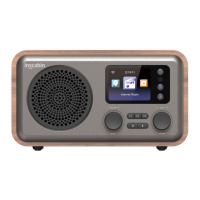
Identifies the TFT display and left speaker unit.
Describes volume, standby, menu, and preset buttons.
Details left/right buttons and SKIP/ENTER knobs for navigation.
Locates AUX, USB, power input ports, and radio antenna.
Identifies power indicator and pilot hole.
Buttons for standby, sleep timer, and alarm settings.
Controls for play/pause, track/station skip, and movement.
Accesses menus, tunes stations, and confirms selections.
Adjusts audio volume, mutes sound, and sets equalization.
Facilitates quick network connection using WPS.
Allows adjustment of screen brightness.
Steps for turning on the device and initial language selection.
Guides on connecting to available Wi-Fi networks.
How to select and play Internet radio stations.
Instructions for tuning into FM stations and playback.
Connects and plays audio via AUX, Bluetooth, or podcasts.
Plays files from USB or streams via UPnP network.
Manages standby display features and local radio tuning.
Manages media via mediaU and configures alarm functions.
Instructions for connecting and using the mobile app for control.
Restores the device to its original factory default settings.
Adjusts screen display options and power management settings.
Configures FM sensitivity, radio tuning, and playback modes.
Manages device information, software updates, and resets.
 General