EasyManua.ls Logo

Insignia NS-DXFL2C - User Manual

Insignia NS-DXFL2C
24 pages
Print Icon
To Next Page IconTo Next Page
Loading...
Before using your new product, please read these instructions to prevent any damage.
USER GUIDE
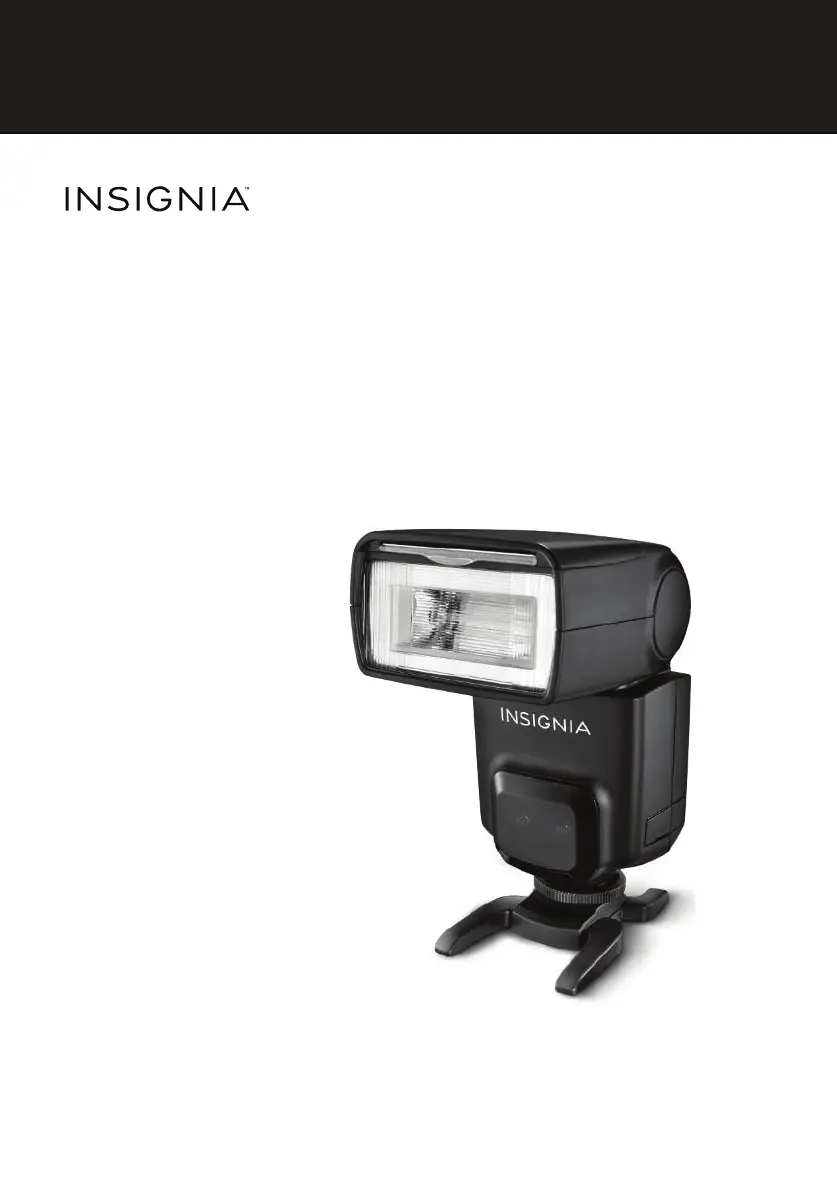
External TTL Flash
for Canon
NS-DXFL2C
NS-DXFL2C_14-1135_MAN_V2_ENG.fm Page 1 Thursday, October 16, 2014 3:18 PM

Questions and Answers

  • J
    Jean SilvaJul 27, 2025
    What to do if my Insignia NS-DXFL2C does not fire?
    • J
      jacksonchelseaJul 27, 2025
      If your Insignia Camera Flash isn't firing, here are a few things to check: * Ensure the flash's mounting foot is securely connected to the camera's hot shoe. * Wait until the flash is fully charged; the flash ready indicator should light red. * Verify that the electrical contacts on both the mounting foot and hot shoe are clean. * Confirm that the camera's flash is turned on and the correct mode is active. Also, if the flash ready indicator doesn't light, or if you see a blinking icon on the back, try replacing the batteries. If using slave mode, check that the master flash is on and there's a clear line of sight to the camera's flash. For PC sync cables, ensure secure connections. If the over-temperature protection has activated, wait 10 minutes before trying again.
  • R
    Richard FloresJul 31, 2025
    How to fix Insignia NS-DXFL2C that does not charge?
    • H
      Hector HoltJul 31, 2025
      If your Insignia Camera Flash isn't charging, make sure the batteries are installed correctly and that you're using Alkaline or NiMH AA batteries. Even if you're using an external power source, batteries must be installed. If a blinking icon appears on the flash, replace the batteries immediately.
  • M
    Michelle CallahanAug 5, 2025
    Why are my photos underexposed or overexposed with Insignia Camera Flash?
    • D
      Daniel GutierrezAug 5, 2025
      If your pictures are underexposed or overexposed when using the Insignia Camera Flash, consider these points: if there's a highly reflective object in the picture, try using the FE lock. When using high-speed sync, ensure your subject is within the flash's effective range. If you're in Manual Flash mode, switch to TTL or adjust the flash output. Also, check that the flash exposure compensation is set to zero.
  • J
    Joseph RossAug 10, 2025
    How to troubleshoot auto zoom on Insignia NS-DXFL2C Camera Flash?
    • D
      Donald NealAug 10, 2025
      If the auto zoom isn't working on your Insignia Camera Flash, first ensure that your camera is not set to manual zoom mode. Also, check that the flash's mounting foot is securely connected to the camera's hot shoe. Finally, if you see a blinking icon on the back of the flash, replace the batteries immediately.
  • R
    Robert ScottAug 15, 2025
    Why does my Insignia Camera Flash turn off by itself?
    • Q
      qfosterAug 16, 2025
      If your Insignia Camera Flash is turning off automatically, it might be entering sleep mode. When set as the master unit, it sleeps after 90 seconds of inactivity; press the shutter button halfway or the TEST button to wake it. As a slave unit, it sleeps after 60 minutes; press the TEST button to wake it up.
  • H
    halljonathanAug 21, 2025
    What to do if photos have dark corners with Insignia NS-DXFL2C?
    • C
      Charles ReyesAug 21, 2025
      If your photos have dark corners or only parts of the subject are illuminated when using the Insignia Camera Flash, check the flash coverage setting. This flash unit provides coverage between 24 and 105 mm, suitable for medium-format cameras. Try pulling the wide panel out to extend the flash coverage.

Summary

Important safety instructions

Setting up your flash

Installing the batteries

Instructions for inserting AA batteries into the flash compartment.

Attaching the flash

Steps to securely mount the flash onto the camera's hot shoe.

Using your flash

Fully automatic flash shooting

How to use the flash in E-TTL auto mode for automatic exposure.

Using Flash Exposure Compensation (FEC)

Adjusting flash output for minor exposure corrections in TTL mode.

Using the Flash Exposure Lock (FEL)

Locking flash exposure settings for specific subjects or scenes.

Setting the flashs custom functions through the camera

Over-Temperature Protection

Error codes

Troubleshooting guide

Product specifications

Insignia NS-DXFL2C Specifications

General IconGeneral
BrandInsignia
ModelNS-DXFL2C
CategoryCamera Flash
LanguageEnglish

Related product manuals