EasyManua.ls Logo

Insignia NS-TO15SS0 - User Manual

Insignia NS-TO15SS0
13 pages
Print Icon
To Next Page IconTo Next Page
Loading...
Before using your new product, please read these instructions to prevent any damage.
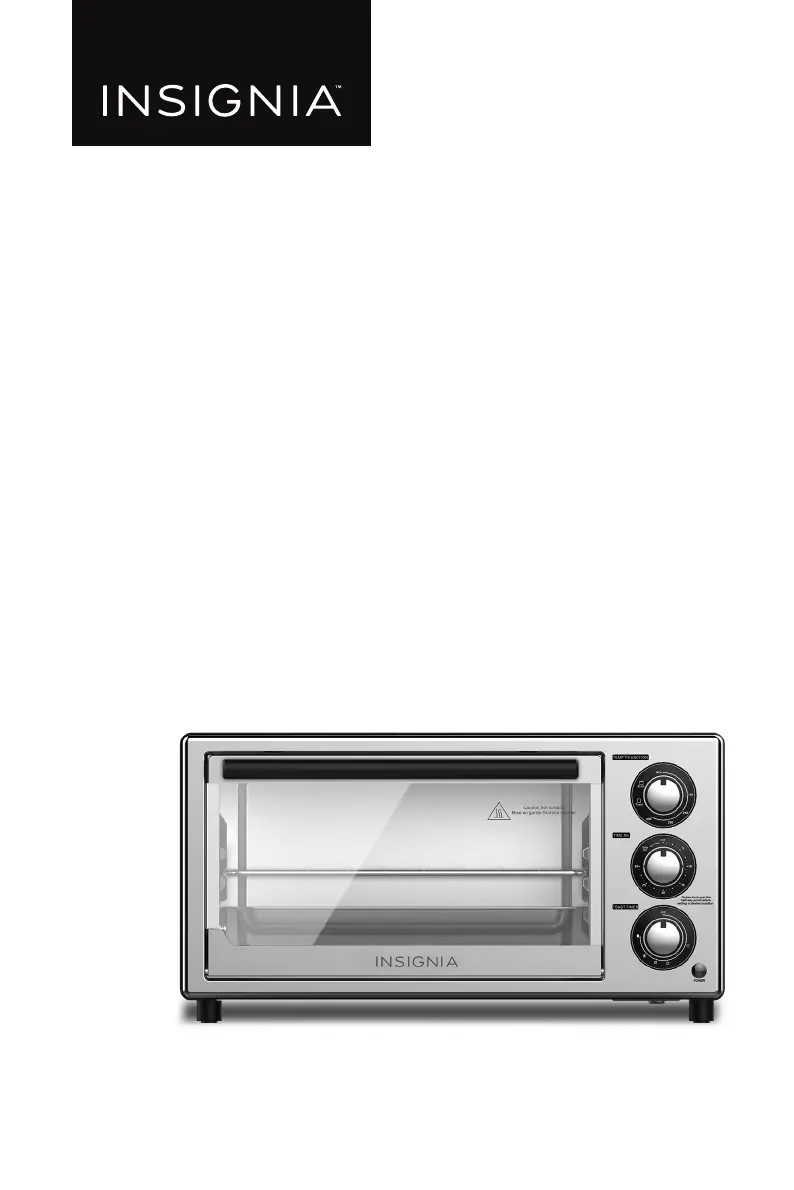
USER GUIDE
4-Slice Toaster Oven
NS-TO15SS0

Questions and Answers

  • D
    Dr. Christopher Mcguire DDSJul 28, 2025
    What to do if my Insignia Oven does not turn on?
    • Z
      zacharywilliamsJul 28, 2025
      If your Insignia Oven does not turn on, ensure it is plugged into a working 120-volt AC electrical outlet. Also, to prevent overloading the electrical circuit, your oven should be on a separate circuit from other appliances.
  • D
    Denise RyanAug 3, 2025
    Why does my Insignia NS-TO15SS0 smell like burnt food?
    • S
      Sarah DavisAug 3, 2025
      If you notice a burnt food smell from your Insignia Oven, it could be due to manufacturing residue. To resolve this, heat the oven to 450°F (232°C) for five minutes before the first use. Alternatively, there may be food buildup inside the oven, on the heating elements, or in the crumb tray. Refer to the 'Cleaning your toaster oven' section for instructions.
  • K
    Karen HerreraAug 9, 2025
    Why does my Insignia NS-TO15SS0 smoke?
    • S
      Sara KingAug 9, 2025
      A small amount of smoke is normal when you use your Insignia Oven for the first few times. However, if the smoking continues, unplug the oven, let it cool down, and empty the crumb tray. If the issue persists, stop using the oven and contact an authorized service representative.
  • N
    nataliebrownAug 15, 2025
    How to fix overcooked or undercooked food in Insignia Oven?
    • T
      Taylor WilliamsAug 15, 2025
      If your food is overcooked or undercooked in your Insignia Oven, you may need to adjust the cooking time and temperature to achieve the desired results. Because the toaster oven heats up faster and cooks quicker than a regular oven, you might also need to adjust the racks or trays. If you use your toaster oven several times in a row, the additional items may be browner because your toaster oven is already hot, so adjust the settings accordingly.
  • J
    Johnny LloydAug 20, 2025
    Why doesn't the heating element in my Insignia Oven stay on?
    • K
      Kimberly JohnsonAug 20, 2025
      The heating elements in your Insignia Oven turn on and off to maintain the selected temperature, which is normal. Also, the heating element may not glow when heating.

Summary

Introduction

Important Safeguards

Features

Package Contents

Lists all items included in the toaster oven package, such as the oven, trays, and manual.

Components Identification

Identifies the main parts of the toaster oven, including heating elements, door, handle, and control panel.

Control Panel Operation

Temperature and Function Selection

Explains the function of the knob for adjusting temperature and selecting modes like Toast or Broil.

General Timer Settings

Describes the timer knob for setting cooking duration, including the 'Stay On' option.

Toast Timer and Darkness Control

Details the knob used to set toast darkness and cooking time for toast.

Power Indicator Light

Notes the light that indicates when the toaster oven is operational.

Initial Setup and Preparation

Pre-Use Cleaning and Placement

Outlines steps like removing stickers, cleaning the unit, and placing it on a flat surface before first use.

First Use Precautions

Mentions potential initial smoke/smell and the importance of adequate clearance around the unit during use.

Operating Your Toaster Oven

Setting Temperatures and Cooking Times

Guides on selecting temperatures for Bake, Warm, Defrost and setting cooking duration using the TIME Min knob.

Toasting Function Details

Details using the TOAST-TIMER knob to control toast darkness and cooking time.

Safe Food Removal

Advises on safely removing cooked food and racks, warning about hot surfaces.

Cleaning and Maintenance

Cleaning Oven Exterior and Crumb Tray

Instructions for cleaning the oven's housing with a damp cloth and the removable crumb tray.

Cleaning Racks and Food Tray

How to clean the wire rack and food tray, including options for dishwasher cleaning.

Storing Your Toaster Oven

Storage Guidelines

Recommendations for storing the toaster oven, emphasizing cooling completely and placing it in a dry location.

Troubleshooting Common Issues

Food Cooking and Temperature Issues

Addresses issues with food cooking levels and explains normal heating element cycling.

Addressing Smells and Smoke

Explains causes for burnt smells and smoke, suggesting cleaning or service for persistent issues.

Oven Not Turning On or Staying On

Troubleshoots oven power issues by checking the plug connection and electrical circuit.

Product Specifications

Dimensions, Power, and Certifications

Details physical dimensions, weight, power, voltage, cord length, and product certifications.

Temperature Range

Lists the operational temperature range for the toaster oven.

One-Year Limited Warranty

Warranty Coverage and Duration

Defines the warranty period as one year and explains what defects are covered by Insignia.

Obtaining Warranty Service

Provides instructions on how to obtain warranty service, including contact details and required documentation.

Warranty Validity Location

Specifies warranty validity location and lists common exclusions like misuse, cosmetic damage, or unauthorized repairs.

Warranty Exclusions

Lists common exclusions from warranty coverage, such as misuse, cosmetic damage, or unauthorized repairs.

Insignia NS-TO15SS0 Specifications

General IconGeneral
BrandInsignia
ModelNS-TO15SS0
TypeToaster Oven
Capacity0.5 cu. ft.
Power1500 W
Temperature Range150°F to 450°F
Interior LightYes
ColorStainless Steel
Number of Racks2
FunctionsBake, Broil, Toast

Related product manuals