EasyManua.ls Logo

Insignia NS-TWM45W1 - User Manual

Insignia NS-TWM45W1
47 pages
Print Icon
To Next Page IconTo Next Page
Loading...
Before using your new product, please read these instructions to prevent any damage.
USER GUIDE
High Efficiency
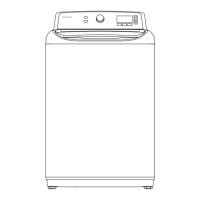
Top Load Washer
NS-TWM45W1

Questions and Answers

  • S
    senglishAug 17, 2025
    Why won't my Insignia Washer start?
    • C
      Cynthia Reynolds DDSAug 17, 2025
      Your Insignia Washer might not start for several reasons. Ensure it's plugged in, the lid is closed, and the water source faucets are open. Also, make sure you press the Start/Pause button. Check if the child lock or Delay option is enabled. Finally, check the fuse or reset the circuit breaker.
  • D
    davidoliverAug 20, 2025
    What to do if my Insignia NS-TWM45W1 doesn’t drain or spin?
    • O
      Olivia Monroe DDSAug 20, 2025
      If your Insignia Washer isn’t draining or spinning, ensure the lid is closed and press the Start/Pause button. Check that the drain hose isn’t kinked and that its height is within the specified limits. Also, check the fuse or reset the circuit breaker. The pipes to your sewer system may also be clogged.
  • N
    nathanrobinsonAug 22, 2025
    How to fix water leaks from my Insignia Washer?
    • G
      George BaxterAug 23, 2025
      To fix water leaks from your Insignia Washer, ensure all hose connections are tight and that the end of the drain hose is correctly inserted and secured to the drainage system. Avoid overloading the washer and use a high-efficiency detergent to reduce over-sudsing.
  • J
    Jessica FlynnAug 25, 2025
    Why is my Insignia NS-TWM45W1 Washer vibrating or too noisy?
    • J
      Jennifer HolderAug 26, 2025
      An Insignia Washer that vibrates or is too noisy may not be set on a level surface or might be touching another object. Also, make sure that the laundry load is balanced, and try to manually redistribute clothes inside the tub.
  • T
    tvazquezAug 28, 2025
    What to do if the lid of my Insignia NS-TWM45W1 is locked or doesn’t open?
    • J
      John MooreAug 28, 2025
      If the lid of your Insignia Washer is locked or doesn’t open, press the Start/Pause button to pause the washer. After pausing, allow a few seconds for the lid lock to release. If the lid is locked when the washer isn’t running, press the Power button to turn on the washer. If power fails while the washer is running, the lid unlocks when power is restored.
  • C
    Christine Frey DDSAug 30, 2025
    Why is there no water or not enough water in my Insignia Washer, or why is detergent/softener still in the compartment?
    • T
      Teresa RhodesAug 31, 2025
      If there's no water or not enough water in your Insignia Washer, or if detergent/softener remains in the compartment, ensure both faucets are fully turned on and that the water pressure is within the required range. Make sure the water inlet hoses aren’t kinked, and disconnect the hoses to clean the filter screens, as they may be clogged.
  • G
    George SanfordSep 2, 2025
    Why does my Insignia NS-TWM45W1 keep stopping?
    • G
      gallegosjeremySep 2, 2025
      If your Insignia Washer keeps stopping, ensure the power outlet is working. Close the lid, then press the Start/Pause button. Sometimes the washer may pause between stages in the cycle, so wait to see if it starts again. Also, clean the hose filter screens periodically, as they may be clogged, and check the fuse or reset the circuit breaker.
  • M
    michellegallagherSep 5, 2025
    Why is the water temperature not correct in my Insignia Washer?
    • J
      Jamie MasseySep 5, 2025
      If the water temperature isn’t correct in your Insignia Washer, ensure you’ve selected the correct temperature and that the water source faucets are fully opened. Verify that the hoses are connected to the correct faucet and water intake connections, then flush the lines. Also, disconnect the hoses and clean the hose filter screens, as they may be clogged.
  • D
    Darlene Hoffman PhDSep 8, 2025
    What to do if load is too wet at the end of Insignia NS-TWM45W1 cycle?
    • J
      Jennifer WrightSep 8, 2025
      If your load is too wet at the end of the Insignia Washer cycle, use a high-efficiency detergent to reduce over-sudsing. The load may also be too small.
  • A
    Adam BurkeSep 12, 2025
    How to reduce suds in my Insignia NS-TWM45W1 Washer load?
    • B
      Brandy ColemanSep 12, 2025
      To reduce suds in your Insignia Washer load, use a high-efficiency detergent to prevent over-sudsing. If you have soft water, reduce the amount of detergent. For small or lightly soiled loads, also reduce the amount of detergent.

Summary

Safety and Precautions

General Safety Guidelines

Covers introduction, important safety instructions, basic precautions, and warnings.

Installation and Usage Safety

Details safety for installing, operating, and maintaining the washer.

Grounding and Location Safety

Addresses electrical grounding requirements and safe installation locations.

Installation and Setup

Package Contents and Components

Lists included items and identifies main washer parts for installation.

Washer Dimensions and Requirements

Details physical dimensions, installation clearances, electrical, and water needs.

Connecting Hoses and Leveling

Step-by-step guide for connecting water/drain hoses and leveling the unit.

Powering On and Testing

Instructions for connecting power, running a test cycle, and protecting the power cord.

Operating and Maintenance

Washing a Load of Laundry

Guide on loading, adding detergent, selecting cycles, and starting the wash.

Advanced Operation Features

Covers setting delayed start times and using optional cycle features.

Child Lock and Storage

How to use child lock and prepare the washer for storage.

Washer Maintenance and Cleaning

Instructions for cleaning the exterior, interior, control panel, and compartments.

Support and Specifications

Troubleshooting Common Issues

Solutions for problems like washer not starting, leaks, noise, or load issues.

Understanding Error Codes

Explains error codes displayed by the washer and their solutions.

Product Specifications

Lists the technical specifications of the washing machine.

One-Year Limited Warranty

Details the warranty coverage, terms, and how to obtain service.

Insignia NS-TWM45W1 Specifications

General IconGeneral
StyleTop-Loading
ColorWhite
Washer Capacity4.5 cu ft
Dryer Capactity-
Max Spin Speed-
Spin Speeds1
Spin Class-
Number of Cycles12
Cycle SelectionsSpeed Wash
WashQuick Wash
OptionsExtra Rinse
No spin and No heatFabric Softener
HoursAdd-a-Garment
Noise level-
Temperature Selections5
Cold)5 (Hot
Energy Class-
Annual Energy Consumption200 kWh
Annual Water Consumption-
Water Consumption Per Cycle-
Voltage120 V
Frequency60 Hz
Current10 A
Weight and Dimensions IconWeight and Dimensions
Depth29 in
Height45 in
Width27 in
Net Weight62.5 kg

Related product manuals