EasyManua.ls Logo

Inspire SLEEP REMOTE 2580 - User Manual

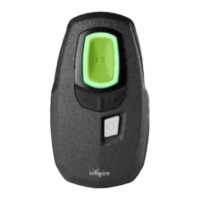
Inspire SLEEP REMOTE 2580
72 pages
Print Icon
To Next Page IconTo Next Page
Loading...
INSPIRE SLEEP REMOTE™
Rx Only
Inspire Sleep Remote Model 2580
200-423-001_Rev A_2580 Manual US.book Page 1

Questions and Answers

  • J
    Joseph AcevedoAug 13, 2025
    What to do if Inspire SLEEP REMOTE 2580 Medical Equipment sleep remote lights do not turn on when shaken?
    • D
      Douglas CohenAug 13, 2025
      If the sleep remote lights do not turn on when gently shaken, it could be due to several reasons. The stimulation strength might be set too low; in this case, pick up or gently shake the sleep remote to check therapy status. If the status ring is solid green, stimulation is on, but you may want to increase the stimulation strength. If you still do not feel stimulation, contact your doctor. Alternatively, your generator may need attention from your doctor, indicated by the generator status light on the back of the sleep remote being on. As another option, try pressing the Therapy Off button and wait 10 seconds; if the remote lights still do not turn on, replace the remote batteries.
  • G
    graynathanielAug 21, 2025
    Why does my Inspire Medical Equipment beep three times after pressing a button?
    • W
      William HernandezAug 21, 2025
      If you hear three beeps several seconds after pressing a button on your Inspire Medical Equipment, it means a setting in your generator has changed. Review current therapy settings and try your change again. You can also decrease or increase stimulation.
  • N
    Nancy BridgesAug 25, 2025
    What to do if my Inspire Medical Equipment sleep remote falls into water?
    • G
      gwatsonAug 25, 2025
      If your Inspire Medical Equipment sleep remote falls into water, immediately remove it from the water, dry it with a towel, remove the batteries, and dry the battery compartment if needed. Allow the battery compartment to air dry at room temperature for at least 24 hours before inserting new batteries.
  • C
    Christopher CookAug 28, 2025
    How to pair Inspire SLEEP REMOTE 2580 Medical Equipment with mobile phone?
    • L
      ltorresAug 28, 2025
      To resolve pairing issues with your Inspire Medical Equipment, first ensure you are using the correct procedure: download the Inspire Mobile App, open it, and follow the app instructions. Be sure to press the pairing button to confirm pairing as soon as prompted by the Inspire Mobile App. Also, verify that the Bluetooth connection is enabled in your mobile phone’s settings.
  • A
    avilaianSep 1, 2025
    What to do if Inspire Mobile App is not connecting to the sleep remote?
    • C
      Carlos AllenSep 1, 2025
      If the Inspire Mobile App is not connecting to the sleep remote, re-pair with the Inspire Mobile App. Also, ensure that the Bluetooth connection is enabled in your mobile phone’s settings.
  • M
    Michael GloverSep 4, 2025
    What happens if Inspire Medical Equipment sleep remote falls off a table?
    • R
      Richard BoydSep 4, 2025
      The Inspire Medical Equipment sleep remote is designed to withstand a short drop and still operate normally, even if the case is chipped or otherwise damaged.
  • C
    Christian PalmerSep 8, 2025
    What to do if no lights turn on after pressing a button on Inspire Medical Equipment?
    • C
      Christian WhiteSep 8, 2025
      If no lights turn on after you press a button on your Inspire Medical Equipment, check the orientation of the batteries and replace them with new ones if needed. If the problem persists, contact your doctor.
  • C
    Christopher ChambersNov 15, 2025
    What to do if Inspire Medical Equipment sleep remote lights don't change after pressing a button?
    • A
      Anthony PierceNov 16, 2025
      If you feel a change after pressing a button on your Inspire Medical Equipment sleep remote, but the lights don't change, it could be due to a few reasons. The sleep remote might be too far from the generator; try holding it closer and review the positioning instructions. Electronic devices might be interfering with the communication; turn them off or move away from them. You can also pick up or gently shake the sleep remote to check therapy status. If the status ring is white, therapy is off, so turn it on again. Also, your stimulation may be delayed or paused. Pick up or gently shake the sleep remote to check therapy status. If the status ring is slowly dimming and brightening green, therapy is on and stimulation is paused. Stimulation will automatically start after the Start Delay or pa...

Summary

Introduction to Inspire

About This Manual

Provides information on using and maintaining the Inspire Sleep Remote and therapy.

Package Contents

Lists items included in the sleep remote package.

Inspire Therapy Overview

Your Inspire System

Describes the implanted components and external devices of the Inspire system.

Therapy Summary

Explains how Inspire therapy works during sleep.

Safety Information

Warnings and Precautions

Details safety hazards and necessary precautions for remote use.

Interference Guidelines

Explains potential interference sources and recommendations.

Using the Sleep Remote

Sleep Remote Buttons

Identifies and explains the function of each button on the sleep remote.

Status Ring

Describes the status ring lights and their meanings.

Stimulation Strength Gauge

Explains the gauge indicating current stimulation levels and limits.

Status Lights

Details the meaning of various status lights on the back of the remote.

Remote Operations

Bluetooth Pairing

Steps to connect the sleep remote to a mobile phone.

Positioning and Communication

Instructions on how to position the remote for generator communication.

Turning Therapy On;Off;Pause

Step-by-step guide for managing therapy states.

Adjusting Stimulation Strength

How to increase or decrease therapy stimulation levels.

Living with Your System

Travel Information

Guidance for traveling with the Inspire system.

When to Call Your Doctor

Conditions requiring consultation with a healthcare provider.

Manufacturer Information

Contact details and website for Inspire Medical Systems.

Maintaining Your Sleep Remote

Sleep Remote Batteries

Information on battery type, replacement, and cautions.

Replacing Batteries

Step-by-step instructions for changing remote batteries.

Cleaning and Handling

Guidance on how to clean and safely handle the remote.

Generator Battery Status

How to check the status of the implanted generator's battery.

Troubleshooting

Troubleshooting Indicators and Response

Solutions for issues with remote lights and responsiveness.

Troubleshooting Stimulation Issues

Addresses problems related to stimulation levels.

Troubleshooting Connectivity

Solutions for issues connecting the remote or app.

Specifications and Compliance

Technical Specifications

Lists the technical details and operating parameters of the remote.

FCC Compliance

Statements regarding the device's compliance with FCC rules.

Product Warranty

Warranty Summary

Overview of the limited warranty provided by Inspire.

Terms and Conditions

Details the terms and conditions of the product warranty.

Inspire SLEEP REMOTE 2580 Specifications

General IconGeneral
BrandInspire
ModelSLEEP REMOTE 2580
CategoryMedical Equipment
LanguageEnglish

Related product manuals