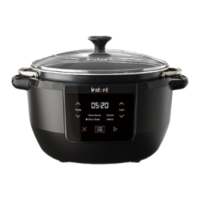
This document is a user manual for the Instant™ Superior Slow Cooker, providing comprehensive instructions for its operation, maintenance, and safety.
Function Description
The Instant™ Superior Slow Cooker is a versatile kitchen appliance designed for cooking healthy and delicious meals. It offers multiple cooking programs, including Slow Cook, Steam, and Sauté, and also features a Warm function to keep food ready for serving. The appliance aims to simplify cooking with its user-friendly control panel and various smart programs.
Important Technical Specifications
- Model: SCMC8000
- Volume: 7.1 Liters
- Wattage: 800W
- Power: 220-240V~, 50-60 Hz
- Weight: 3.54 kg
- Dimensions: 38.5 x 35.6 x 26.0 cm
Usage Features
Control Panel:
The control panel is designed for ease of use and readability, featuring:
- Smart Program indicators: Lights show the active Smart Program.
- Temperature controls: Arrows to increase or decrease temperature.
- Status display: Shows temperature, cooking time, Keep Warm time, and status messages.
- Time controls: Arrows to increase or decrease time.
- Cancel button: Stops the current program.
- Menu button: Selects Smart Programs.
- Start button: Initiates the selected program.
Status Messages:
The display provides various status messages:
- OFF: Unit is ready.
- OFF [dimmed]: Unit is in low-power Standby mode.
- On: Preheat mode.
- H: Temperature set to high.
- Lo: Temperature set to low.
- End: Smart Program ended (Keep Warm is off).
- 05:20 (example): Smart Program: cooking time remaining or Keep Warm: time food has been warming.
- Hot: Sauté Smart Program is ready to add food.
- C*: Error (refer to Error Codes section).
Sound On/Off:
- Turn sound on: In Standby mode, press and hold Time Up and Time Down arrows until "S On" displays.
- Turn sound off: In Standby mode, press and hold Time Up and Time Down buttons until "SOFF" displays. Audible safety alerts (beeps) cannot be turned off.
Reset Smart Programs:
- Reset Individual Smart Programs: In Cooking Setting mode, press and hold Menu and Cancel until the cooker returns to Standby and shows OFF. This restores the cooking time and temperature to factory default.
- Reset All Smart Programs: In Standby mode, press and hold Cancel until the cooker beeps. This restores all Smart Program cooking times and temperatures to factory default.
Initial Setup:
- Clean before use: Wash the cooking pot with hot water and soap, rinse, and dry. The cooking pot is also dishwasher-safe. Wipe the heating element inside the cooker base with a soft cloth.
- Plug in cord: Connect the electrical cord to an electrical outlet.
Slow Cook Program:
This program allows for low-heat, simmering cooking, similar to a traditional slow cooker, offering deep flavor and tender results.
- Cooking Tips:
- Sautéing before slow cooking can brown food for a roasted texture or reduce sauce afterward.
- Leaner meats cook faster than hearty meats (e.g., pot roast, brisket).
- Bone-in meats require 7 to 10 hours.
- Fill the pot at least half full for best results.
- Use "wet roasting" recipes for roasting meats.
- Ensure enough liquid to cover vegetables; root vegetables take longer and should be placed at the bottom.
- Cooking Settings:
- Default Cook Time: 6 hours (06:00)
- Min Cook Time: 30 minutes (00:30)
- Max Cook Time: 24 hours (24:00)
- Default Temp: High
- Temp Options: Low, High
- Other settings: Keep Warm is ON by default.
- How to Slow Cook:
- Prepare ingredients.
- Place cooking pot into cooker base.
- Add ingredients.
- Place lid on top.
- Press Menu to select Slow Cook.
- Adjust cooking time with Time Up/Down arrows.
- Adjust temperature (Lo or Hi) with Temp Up/Down arrows.
- Press Start. Cooking time begins counting down.
- Cooking time or temperature can be adjusted during preheating or cooking; press Start to confirm.
- Cancel the program at any time by pressing Cancel.
- End cooking: When cooking completes, Keep Warm begins. The display shows "End" when Keep Warm is done. Press Cancel to end the program or Keep Warm, and the display shows OFF.
Steam Program:
Functions like a regular stovetop steamer, using boiling liquid to cook food with hot steam.
- Cooking Settings:
- Default Cook Time: 10 minutes (00:10)
- Min Cook Time: 0 minute (00:00)
- Max Cook Time: 4 hours (04:00)
- Other settings: Temperature is not adjustable. Keep Warm is not available.
- How to Steam:
- Prepare ingredients.
- Place cooking pot into cooker base.
- Add liquid and ingredients.
- Place lid on top.
- Press Menu to select Steam.
- Adjust cooking time with Time Up/Down arrows.
- Press Start. Preheating starts, then cooking time counts down.
- Cooking time can be adjusted during preheating or cooking; press Start to confirm.
- Cancel the program at any time by pressing Cancel.
- End cooking: When cooking completes, the display shows "End." Press Cancel to end the program, and the display shows OFF.
Sauté Program:
Used for frying or sautéing, deepening flavors, simmering, thickening, or reducing sauces.
- Cooking Settings:
- Default Cook Time: 30 minutes (00:30)
- Min Cook Time: 1 minute (00:01)
- Max Cook Time: 1 hour (01:00)
- Default Temp: 320°F / 160°C
- Temp Options: 320°F / 160°C, 275°F / 135°C, 230°F / 110°C
- Other settings: Keep Warm is not available.
- How to Sauté:
- Prepare ingredients.
- Place cooking pot into cooker base.
- Add cooking oil.
- Press Menu to select Sauté.
- Adjust cooking time with Time Up/Down arrows.
- Adjust cooking temperature with Temp Up/Down arrows.
- Press Start. The display shows "On."
- Cook:
- When the display shows "Hot," add ingredients.
- The display will count down the time.
- Cooking time or temperature can be adjusted during preheating or cooking; press Start to confirm.
- Cancel the program at any time by pressing Cancel.
- End cooking: When cooking completes, the display shows "End." You can open the lid and remove the cooking pot.
- Sautéing before Slow Cooking:
- Sauté ingredients as above.
- Press Cancel.
- Start the Slow Cook Smart Program.
- Deglazing:
- Remove food from the cooking pot.
- Add water, broth, or wine.
- Use a wooden spoon or silicone spatula to loosen stuck food.
Warm Program:
Used to reheat food or keep it warm after Slow Cook and Steam programs.
- Cooking Settings:
- Default Cook Time: 10 hours (10:00)
- Min Cook Time: 10 minutes (00:10)
- Max Cook Time: 10 hours (10:00)
- Default Temp: High
- Temp Options: Low, High
- How to heat food:
- Place cooking pot into cooker base.
- Add ingredients.
- Place lid on top.
- Press Menu to select Warm.
- Adjust cooking time with Time Up/Down arrows.
- Adjust temperature (Lo or Hi) with Temp Up/Down arrows.
- Press Start. Heating time starts counting down.
- Heating time or temperature can be adjusted at any time; press Start to confirm.
- Cancel heating at any time by pressing Cancel or opening the lid.
- How to keep warm after cooking:
- Automatic warming starts after a cooking program, displaying time passed up to 10 hours.
- Press Cancel to turn off automatic warming.
Troubleshooting:
The manual includes a troubleshooting section for common issues:
- Display remains blank: Check power connection/outlet, inspect power cord for damage. If damage is noticed, contact Consumer Care. If the cooker's electrical fuse has blown, contact Consumer Care.
- Occasional clicking/cracking sound: This is normal due to power switching and expanding pressure board when changing temperatures.
- Bottom of cooking pot is wet: Wipe exterior surfaces of the inner pot and ensure the heating element is dry before inserting the inner pot.
- Error code appears: Refer to the Error Codes section (e.g., C1 for faulty sensor, requiring contact with Consumer Care).
Maintenance Features
Cleaning:
Clean the Instant™ Superior Slow Cooker after each use. Unplug and allow all parts to cool to room temperature before cleaning. Ensure all surfaces are dry before use or storage.
- Lid:
- Hand wash with hot water and mild dish soap or wash in the dishwasher (top rack).
- Dry all surfaces before storing.
- Can be stored on the cooking pot after cleaning.
- Cooking pot:
- Wash after each use.
- Hand wash with hot water and mild dish soap or wash in the dishwasher*.
- Hard water stains may require a vinegar-dampened sponge and scrubbing.
- For tough or burned food residue, soak in hot water for a few hours before cleaning.
- Dry all exterior surfaces before placing in the cooker base.
- Power cord:
- Use a barely-damp cloth to wipe any particles off the cord.
- Always disconnect from the power source before cleaning.
- Cooker base:
- Wipe the inside of the cooker base and the condensation rim with a barely-damp cloth, and allow to air dry.
- Clean the outside of the cooker base and the control panel with a soft, barely-damp cloth or sponge.
- *Note: Some discoloration may occur after machine washing, but this will not affect the cooker's safety or performance.
Safety Instructions:
The manual emphasizes important safeguards:
- Placement: Place on a stable, non-combustible, level countertop. Ensure all parts are dry before placing the cooking pot. Do not place near hot gas/electric burners, heated ovens, water, or flame. Do not use outdoors or block bottom vents.
- General Use: The cooking pot becomes extremely hot and heavy when full. Use oven mitts for handling hot pots and accessories. Place hot accessories on a heat-resistant surface. Use care when lifting the cooking pot to avoid burns.
- Cooking: Use extreme caution with hot food, oil, or liquids. Do not use without the inner cooking pot. Do not touch hot surfaces (lid, appliance, accessories) during or immediately after cooking; use side handles for moving. Do not deep fry. Do not move while in use. Do not allow children or persons with reduced capabilities to operate without supervision. Not for commercial use. Do not leave unattended. Do not use for unintended purposes. This appliance cooks with high heat and steam; inappropriate use may cause burns. Do not remove the lid with unprotected hands or lean over the appliance when removing the lid. Do not touch the heating element after use due to residual heat.
- Overfill: Do not overfill the cooking pot; leave at least 2.5cm free space. Do not place oversized foods that prevent the lid from covering the pot.
- Accessories: Use only Instant Brands authorized accessories. Do not use included accessories in microwave, toaster oven, convection, conventional oven, ceramic cooktop, electric coil, gas range, or outdoor grill.
- Care and Storage: Allow to cool to room temperature before cleaning/storage. Do not store materials other than the cooking pot in the cooker base. Do not place combustible materials (paper, cardboard, plastic, Styrofoam, wood) in the cooker base.
- Power Cord: A short cord is used to reduce risks. Keep appliance and cord away from children. Do not drape cord over counter edges or use outlets below counter. Do not use extension cords. Do not let the power cord touch hot surfaces or open flame. Do not use with power converters, adapters, timer switches, or remote-control systems. Plug into an earthed electrical outlet. Do not remove EARTH. If detachable, attach to appliance first, then wall outlet.
- Electrical Warning: The cooker base contains electrical components. Disconnect, select Cancel, then remove plug from power source. Unplug when not in use, before adding/removing parts, and before cleaning. Regularly inspect the appliance and power cord. Do not operate if damaged; contact Customer Care. Do not attempt to repair, replace, or modify components. Do not tamper with safety mechanisms. Do not put liquid or food into the cooker base without the inner cooking pot. Do not immerse power cord, plug, or appliance in water. Use only with 220-240 V~, 50-60 Hz electrical systems for Australia and New Zealand. Do not clean by rinsing under a tap.
Warranty:
A Limited Warranty is provided by Instant Brands (Australia) Pty Ltd for one year from the original consumer purchase date. It covers defects in materials or workmanship and allows for repair or replacement at Instant Brands Australia's discretion. The warranty is voided by unauthorized modifications, commercial use, or use contrary to operating instructions. Claims require proof of purchase and contacting Instant Brands Australia. The warranty does not cover damage from accident, misuse, neglect, improper assembly, lack of maintenance, force majeure, or use of unauthorized parts. Consumer rights under Australian Consumer Law are also outlined.

 Need help?
 General

 To Next Page