
 Need help?
Do you have a question about the Instar IN-3010 and is the answer not in the manual?
Read safety warnings carefully and keep them in a safe place. Avoid hazards.
Details on camera housing, I/O relay, resolution, and interchangeable lenses.
Network protocols, Ethernet interface, Wi-Fi support, webserver, DDNS, and PoE.
Video compression, snapshot/recording, framerate, motion detection, and FTP uploads.
Identifies and describes the front, rear, and bottom components of the camera.
Guides through connecting the camera to the network via WiFi or LAN cable.
Addresses problems with the green LED not lighting up or flickering.
Details direct PC connection and IN-LAN adapter usage.
Steps for installing the INSTAR Camera Tool and finding the camera on the network.
Explains how to troubleshoot and manually assign IP addresses.
Guides on using 'ipconfig' to check computer network settings.
Provides default username and password for initial camera login.
Instructions for installing the ActiveX control for Internet Explorer.
Overview of the web user interface layout and options.
Information on using different browsers and plugin requirements.
How to choose the language for the web user interface.
Procedure for saving and restoring camera configuration settings.
Steps to download and install firmware and WebUI updates.
How to reset camera software to factory defaults and restart the operating system.
Setting the camera's IP address via DHCP or manual configuration.
Steps to connect the camera to a local WiFi network.
Configuring a personal DDNS address for remote access.
Information on setting up port forwarding rules in routers for remote access.
Using DynDNS.org or NoIP with custom HTTP ports.
Configuring UPnP and using ADSL for direct modem connection.
Setting the default view (Setup View or Simple View) on camera startup.
Adding multiple cameras and using the simplified view for daily operations.
Displays camera parameters and allows setting a custom identification name.
Synchronizing time and configuring user levels with access rights.
Adjusting pan/tilt, setting presets, and camera calibration.
Configuring front LED behavior and IR LED control for night vision.
Viewing login history, IP addresses, and system notifications.
Adjusting sensitivity and managing false alarms for motion detection.
Connecting an external motion detector to the camera's I/O relay.
Automating alarm activation using time intervals.
Configuring email alerts with SMTP server details.
Setting up FTP server details for uploading alarm snapshots.
Sending HTTP requests to a server for alarm event detection.
Functions for taking snapshots, recording video, and audio communication.
Accessing the online FAQ section for assistance.
Setting the directory for video recordings in Internet Explorer.
Adjusting rate, resolution, mode, brightness, and contrast.
Options for image flipping, mirroring, and alarm/relay functions.
Using the control pad to pan, tilt, and patrol the camera.
Saving up to 15 camera orientations and recalling them.
Instructions for resetting the camera to factory default settings via the reset button.
Updating firmware via Camera Tool or WebUI.
Detailed steps for downloading and applying firmware updates.
Adjusting the lens for optimal focus between 1m and 10m.
Guide to downloading and integrating the InstarVision app with the camera.
Choosing a unique name to identify each camera in the app.
Entering the camera's IP address or DDNS and HTTP port.
Inputting the camera login credentials for app access.
Selecting the specific INSTAR camera model within the app.
Overview of InstarVision's capabilities including motion detection and recording.
Information on downloading the software and obtaining a trial version.
Recommends setting a static IP for stable camera integration.
Steps for searching and assigning cameras to channels in the software.
Using direct paths for video streams with compatible third-party software.
Paths for accessing MJPEG, ASF streams, and snapshots over the local network.
Steps for accessing video streams via the internet using DDNS and port forwarding.
Details on sensor type, resolution, lens, viewing angle, and illumination.
Information on video compression, framerate, and resolutions.
Protocols, wireless standards, encryption, and PoE standards.
Details on infrared LEDs, audio, pan/tilt, power supply, and consumption.
CPU, memory, graphics card, and supported operating systems.
Details on the 2-year warranty, exclusions, and service contact.
Guidelines for proper disposal of old electrical appliances according to WEEE directive.
How to change the camera's web interface language.
Explains color shifts due to lens and IR filter usage.
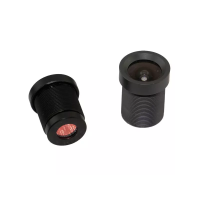
Options for upgrading to wideangle or telefocus lenses.
Where to download the latest firmware and WebUI updates.
Steps to find the Wi-Fi interface MAC address using 'arp -a'.
Information on compatibility between different INSTAR VGA cameras.
Information on expanding the range of available accessories.
 General
| Camera Type | IP Camera |
|---|---|
| Lens | 3.6 mm |
| Field of View | 60° |
| Connectivity | Wi-Fi, Ethernet |
| Sensor | CMOS |
| Compression | H.264 |
| Frame Rate | 25 fps |
| Night Vision | Yes |
| Power Supply | 5V DC |
| Network Interface | Ethernet |
| Resolution | 1280x720 (720p) |
| Viewing Angle | 60° |

 To Next Page
