Contents
Getting Started
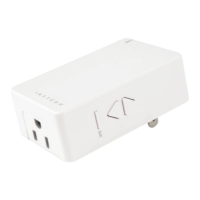
INSTEON On/Off Module 4
Device Overview
Buttons
Installation
Leave Your Appliance On
INSTEON Links
Understanding Linking 6
Links are One-Way
Links Remember a Device’s State
Controllers
Responders
Controller-Only 7
Responder-Only
Grouping Devices
Use Cross Linking
Linking to the INSTEON Hub 8
Linking with a Single-Button Controller 9
Linking with a Multi-Button Controller 10
Multi-Linking or Making a Scene 11
Unlinking from a Single-Button Controller 12
Unlinking from a Multi-Button Controller 13
Multi-Unlinking or Removing a Scene 14
Local Programming
About Local Programming 16
Local Programming
Navigation
Local Programming Features
Local Programming Flow Chart 17
Software-Only Features
Beep on Button Press 19
Disable Local Programming
Blink on Trafc
Error Blink
Appendix
Specications 22
Troubleshooting 25
Certications and Warnings 27
Product Warranty 28


 To Next Page
 Loading...