EasyManua.ls Logo

INSTEON In-LineLinc 2475DA1 - User Manual

INSTEON In-LineLinc 2475DA1
14 pages
Print Icon
To Next Page IconTo Next Page
Loading...
Page 1 of 14 2475DA1 - Rev: 1/21/2014 7:52 AM
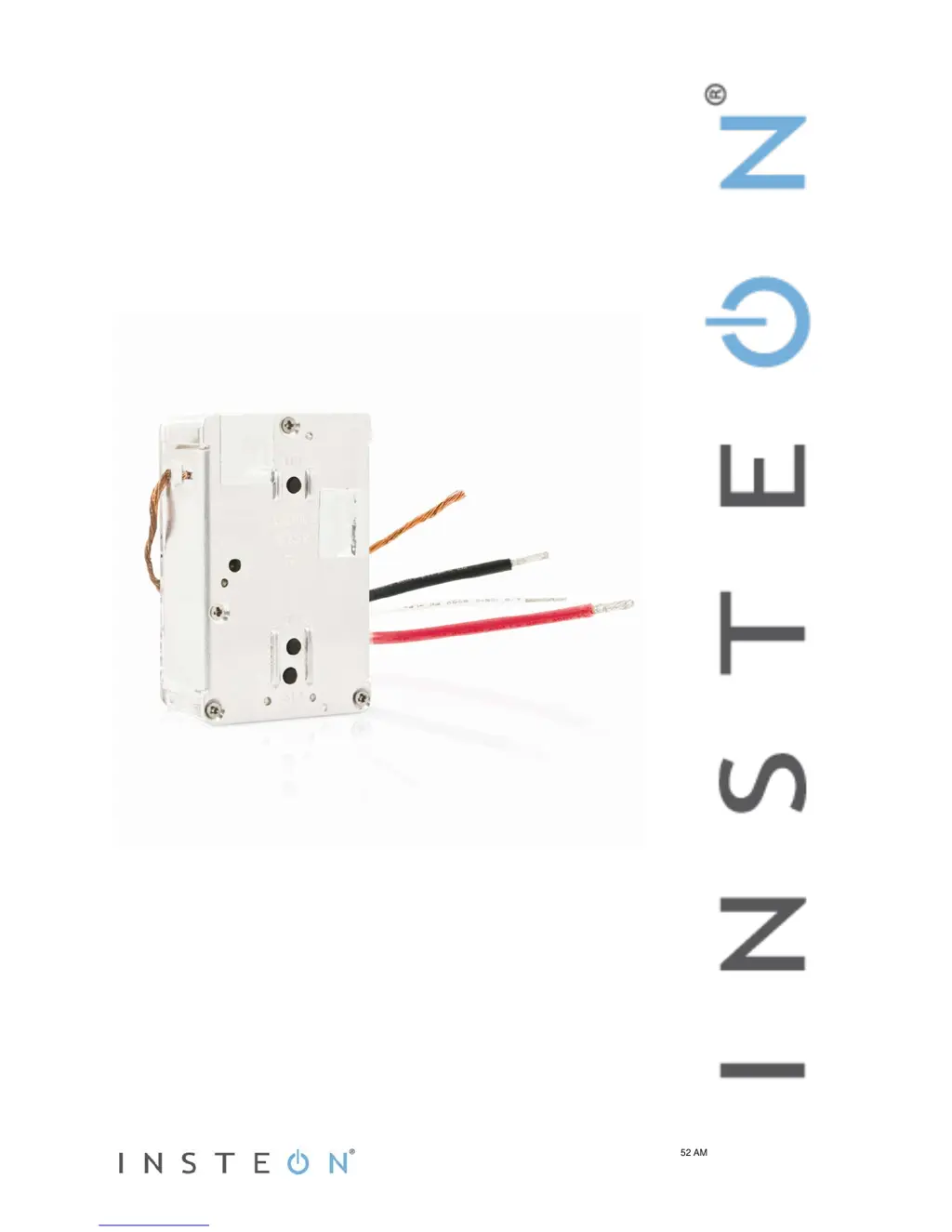
In-LineLinc
Dimmer
INSTEON
®
In-LineLinc Dimmer, Dual-Band
Owner’s Manual (#2475DA1)

Questions and Answers

  • J
    Jennifer LawsonJul 27, 2025
    Why won't my INSTEON In-LineLinc 2475DA1 add to a scene or respond to the controller?
    • C
      Charles RasmussenJul 27, 2025
      If your INSTEON Dimmer doesn't add to a scene or respond to a controller, it might be due to a few reasons. First, the controller may have been reset without removing the dimmer from a scene; try re-adding the In-LineLinc Dimmer to the controller. Also, the INSTEON signal might be too weak. Since all INSTEON devices act as network repeaters, adding more devices or moving existing ones can help. Large appliances may also produce electrical noise; consider installing a powerline noise filter (FilterLinc #1626-10) to minimize signal attenuation.
  • F
    frenchmariaAug 1, 2025
    How to fix INSTEON In-LineLinc 2475DA1 if it won’t turn on?
    • E
      Elijah FoxAug 1, 2025
      If your INSTEON Dimmer is not turning on, and the Status LED is off, the issue might be that the In-LineLinc Dimmer isn't getting power. Ensure the circuit breaker is turned on. Also, check the junction box wires to ensure all connections are tight and no bare wires are exposed.
  • M
    Mark FischerAug 5, 2025
    Why is my INSTEON In-LineLinc 2475DA1 Dimmer taking a long time to respond?
    • J
      Joshua WilliamsonAug 6, 2025
      If your INSTEON Dimmer is responding slowly to a controller, it could be that the controller is sending commands to a responder that is no longer in use. Remove any unused responders from the controller. If that doesn’t work, perform a factory reset on the controller.
  • A
    Angela NashAug 10, 2025
    What to do if INSTEON In-LineLinc 2475DA1 is locked up?
    • M
      mary82Aug 10, 2025
      If the INSTEON Dimmer is locked up, it might be due to a surge or excessive noise on the powerline. To resolve this, temporarily remove power from the In-LineLinc Dimmer, usually by opening the breaker feeding it.
  • M
    Michele HowardAug 15, 2025
    Why the INSTEON In-LineLinc 2475DA1 Dimmer turns off but doesn't turn on?
    • D
      David BarrettAug 15, 2025
      If your controller can turn off the INSTEON Dimmer but not turn it on, the In-LineLinc Dimmer may be added to a scene at its off state. Re-add In-LineLinc Dimmer to a scene on the controller while the load is on.
  • A
    Albert CookAug 21, 2025
    Why did my INSTEON Dimmer turn on by itself?
    • S
      stevenbrooksAug 21, 2025
      If the load turned on by itself, another controller or timer could have triggered the INSTEON Dimmer. Perform a factory reset to resolve this issue.

Summary

In-LineLinc Dimmer Features and Box Contents

Features and Benefits

Highlights key advantages and functionalities of the In-LineLinc Dimmer, including scene support and dual-band communication.

Whats in the Box

Lists all components included with the In-LineLinc Dimmer Dual-Band, such as the dimmer and wire nuts.

Installation and Wiring Guide

Cautions and Warnings

Important safety precautions and warnings before installing the In-LineLinc Dimmer, covering electrical hazards and proper usage.

Recommended Installation Practices

Guidelines for safely and correctly installing the In-LineLinc Dimmer, including indoor use and circuit protection.

Identifying Electrical Wires

Explains how to identify Line, Neutral, Load, and Ground wires in your home for correct connection.

Tools Needed for Installation

Lists the necessary tools, such as screwdrivers and a voltage meter, required to install the In-LineLinc Dimmer.

Installing the In-LineLinc Dimmer

Step-by-step instructions for physically installing the In-LineLinc Dimmer into a junction box and connecting wires.

Operating the In-LineLinc Dimmer

LED Status Indicators

Explains the meaning of different LED colors and blinking patterns indicating the dimmer's status.

ON and OFF Button Functions

Details the functionality of the ON, OFF, and Set buttons for controlling the load and device settings.

Setting Local On-Level

How to adjust and set the default brightness level for the light when it is turned on locally.

INSTEON Scene Setup and Advanced Features

Beeper Behavior

Explains the audible feedback provided by the In-LineLinc Dimmer during setup and operation.

Setting Up INSTEON Scenes

Instructions for adding the dimmer as a responder to INSTEON scenes and removing it.

Using as a Phase Bridge

Utilizing the dimmer to bridge electrical phases for INSTEON network communication between devices.

Configuration and Maintenance

Phase Bridging Detection Mode

Procedure to activate phase bridging detection mode on the dimmer for network connectivity.

Power Restoration Behavior

How the dimmer retains its settings and returns the connected load to its previous state after a power outage.

X10 Programming

Information on setting up X10 primary and scene addresses for the device.

Factory Reset Procedures

Instructions on how to perform a factory reset on the In-LineLinc Dimmer to clear all user settings.

Local Ramp Rate Adjustment

Understanding Ramp Rate

Defines ramp rate as the time taken to brighten or dim lights and its adjustment range.

Setting Local Ramp Rate

Steps to adjust the local ramp rate using the dimmer's buttons and testing the new rate.

Specifications and Certifications

General Specifications

Details product name, brand, UPC, FCC ID, patent information, and warranty period.

INSTEON Specifications

Information on INSTEON I.D., scene memberships, supported commands, and RF range.

Mechanical Specifications

Details mounting, wire colors/gauges, button count, LED type, dimensions, and weight.

Electrical Specifications

Covers voltage, frequency, maximum load, load types, and standby power consumption.

Safety Approvals and Certifications

Lists safety approvals like ETL and certifications such as FCC and IC Canada.

Troubleshooting Common Issues

Dimmer Not Controlling Load

Troubleshooting steps for when the dimmer does not control the load or the status LED is off.

Scene Addition or Response Issues

Resolving problems with adding the dimmer to scenes or its response to controllers.

Slow Response or Load Turn-On

Addressing issues like slow responses, loads turning on by themselves, or inability to turn on.

Dimmer Locked Up

Solutions for when the In-LineLinc Dimmer appears to be locked up, possibly due to power surges.

Certification and Warranty Information

Product Certification

Details on Intertek ETL testing and North American ETL Listed mark compliance.

FCC and Industry Canada Compliance

Statement regarding compliance with FCC Rules and Industry Canada license-exempt RSS-210.

Limited Warranty

Information on the two-year limited warranty, coverage, and claim process.

Warranty Limitations and Disclaimer

Details on warranty exclusions, disclaimers, and limitations on liability.

INSTEON In-LineLinc 2475DA1 Specifications

General IconGeneral
BrandINSTEON
ModelIn-LineLinc 2475DA1
CategoryDimmer
LanguageEnglish

Related product manuals