Need help?
Do you have a question about the INSYS MoRoS LAN PRO 2.0 and is the answer not in the manual?
Safety warnings regarding moisture, overvoltage, and overcurrent hazards.
Precautions for handling repairs and opening the device.
Warnings about chemical damage to the device housing.
Details physical specifications, voltage, current, weight, dimensions, temperature, humidity, and IP rating.
Describes the technological characteristics like Ethernet switch and interface types.
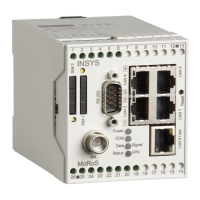
Explains the function and meaning of various LEDs on the front panel.
Details the functions of control elements like the reset key.
Describes serial and Ethernet ports on the front panel.
Details the terminal connections for outputs on the top of the device.
Describes terminal connections for power, inputs, and reset on the bottom.
Provides the pinout for the 9-pin Sub-D serial interface connector.
Details the pin allocation for the RJ45 Ethernet connector.
Details web interface access, DHCP, static IP, NAT, and DSL configuration.
Covers VPN capabilities, authentication methods, and firewall settings.
Explains port mirroring, NTP, proxy, URL filter, logging, and firmware updates.
Critical safety warnings regarding electrical components and moisture during installation.
Steps for mounting the device on a DIN rail and connecting power.
Step-by-step instructions for safely removing the device from the DIN rail.
Steps to connect the device to a PC and network.
How to configure the device's IP, access the web interface, and authenticate.
Detailed guide on using the web interface for configuration and operation.
Instructions for secure access using the HTTPS protocol.
Essential settings for web interface, IP addresses, and static routes.
Detailed configuration for external network interface, including DSL, routing, firewall, and port forwarding.
Setup and configuration for VPN server and client functionalities.
Configuration and status of digital inputs and outputs for triggering events or actions.
Configuration of Ethernet switch ports, including speed, duplex, and LED displays.
Configuration of server services like DNS forwarding, Dynamic DNS, DHCP, Serial Ethernet Gateway, Proxy, and URL Filter.
Managing system settings like messages, time, device reset, and firmware updates.
Downloading and uploading device configuration files for backup and deployment.
Using ping packets to test network connectivity.
The terms of the GNU General Public License.
The terms of the GNU Library General Public License.
Other applicable software licenses, including OpenVPN, LZO, and OpenSSL.
 General
| WAN Ports | 1 |
|---|---|
| LAN Ports | 4 |
| Operating Temperature | -20°C to +60°C |
| Device Type | Industrial Router |
| Ethernet Ports | 5 |
| Protection Class | IP30 |
| Serial Interface | RS232/RS485 |

 To Next Page