12
> Before Start > Part Names >Install > Initial Setup > Playback
Advanced Setup | Firmware Update | Others
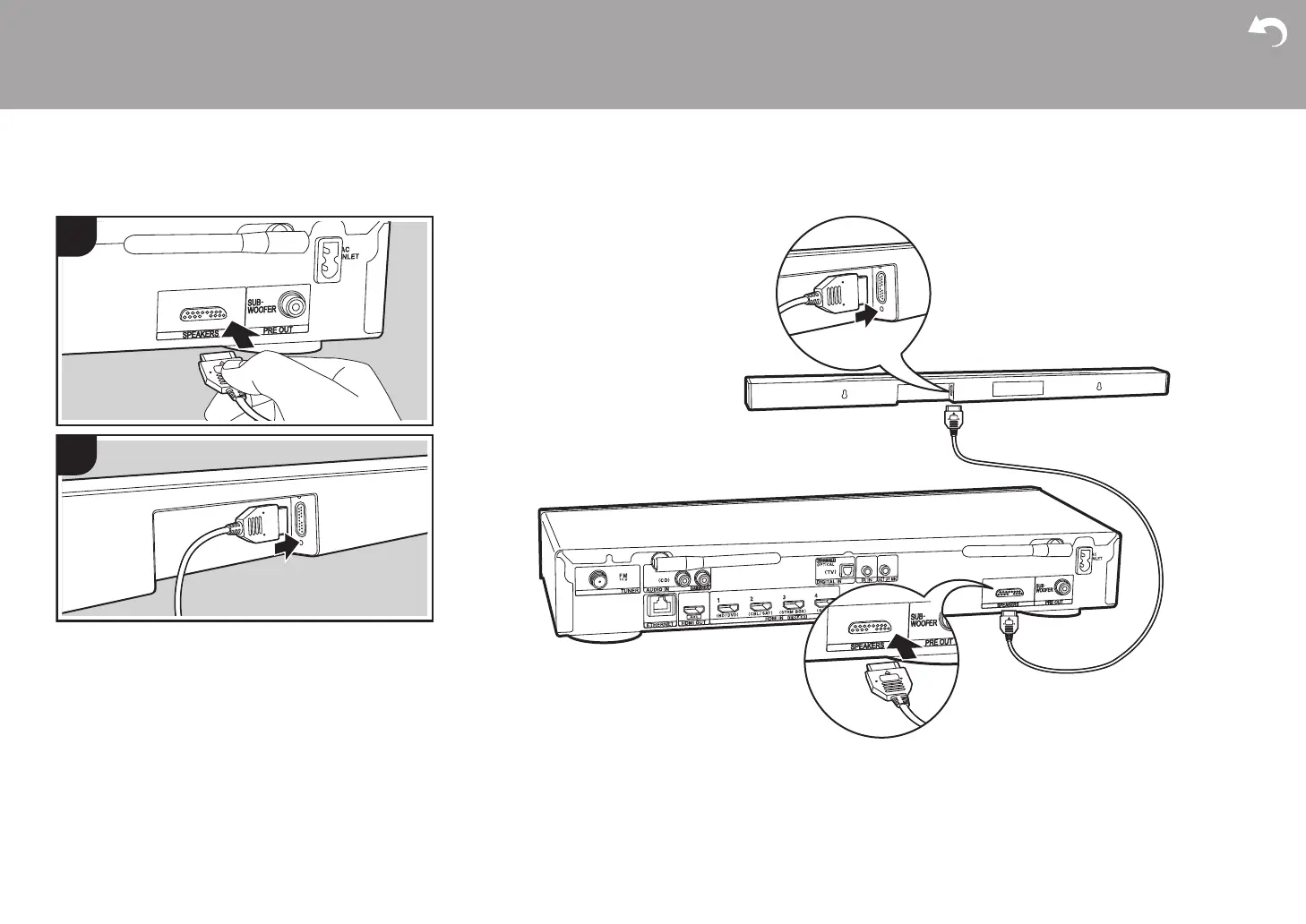
a Sound bar connection cable
Connecting the sound bar
Refer to the illustration to connect the sound bar. Match the
facing of the cable connector to the port, and make sure
that it is pushed in all the way.


 To Next Page