43
> Before Start > Part Names > Install > Initial Setup > Playback
Advanced Setup | Firmware Update | Others
2. Speaker
You can make changes to the connection environment of the speakers and change the
volume level. Settings are automatically configured if you use AccuEQ Room Calibration.
This setting cannot be selected if headphones are connected or audio is output from the
speakers of the TV because "5. Hardware" - "HDMI" - "Audio TV Out" is set to "On".
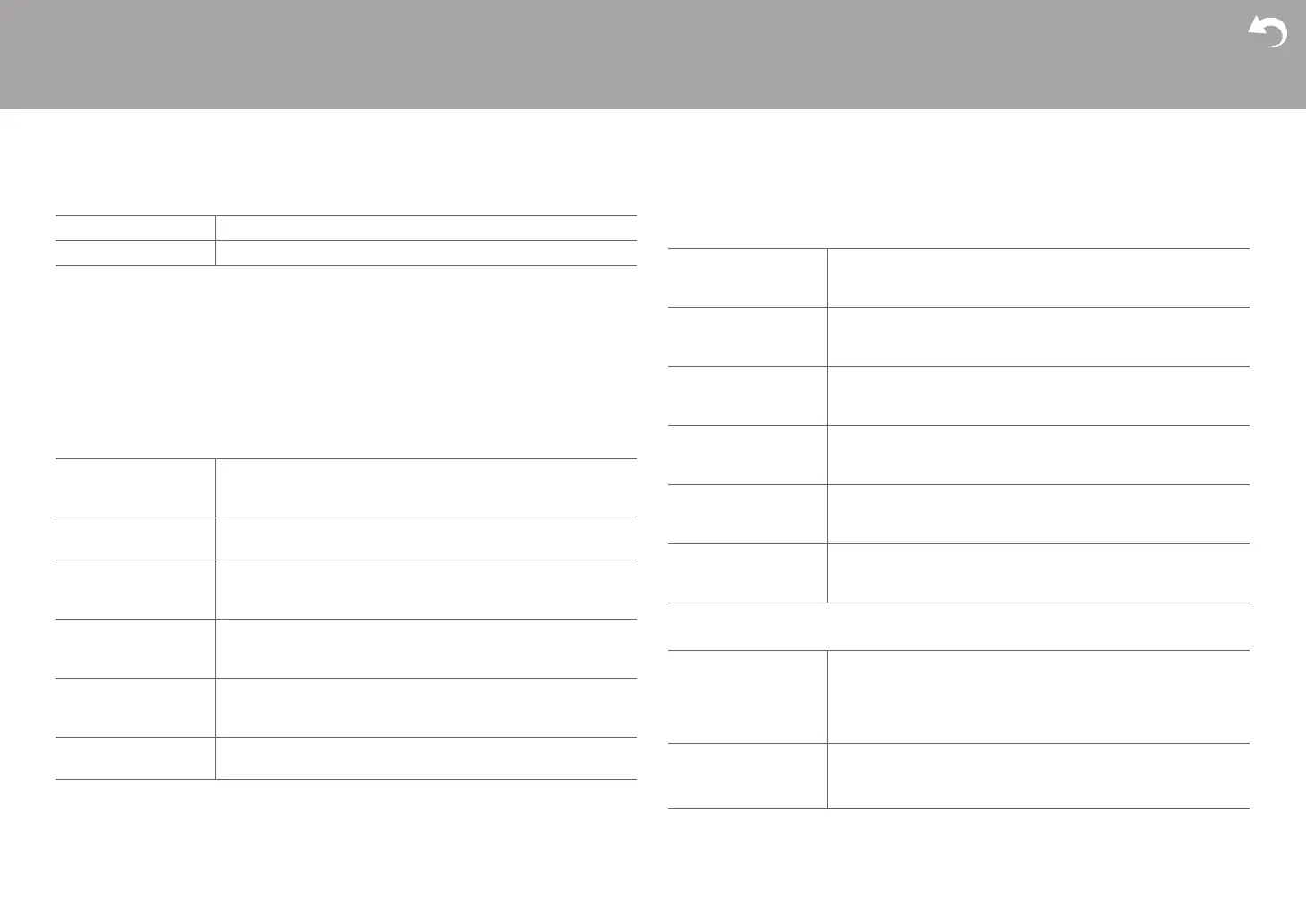
■ 1. Distance
Set the distance from each speaker to the listening position.
0 Distance units can be switched by pressing Mode on the remote controller. When the unit
is set as feet, you can set between 0.1 ft and 30.0 ft in increments of 0.1 ft. When the unit
is set as meters, you can set between 0.03 m and 9.00 m in increments of 0.03 m.
■ 2. Level Calibration
■ 3. Dolby Enabled Speaker
CD Assign the CD input selector. (Default Value is "AUDIO 1")
TV Assign the TV input selector. (Default Value is "-----")
Front Left (Default Value is "12.0ft”) This setting cannot be selected. When
the setting for "Center" is changed, this is changed to the same
value.
Center Specify the distance between each speaker and the listening
position. (Default Value is "12.0ft")
Front Right (Default Value is "12.0ft”) This setting cannot be selected. When
the setting for "Center" is changed, this is changed to the same
value.
Height Left (Default Value is "12.0ft”) This setting cannot be selected. When
the setting for "Center" is changed, this is changed to the same
value.
Height Right (Default Value is "12.0ft”) This setting cannot be selected. When
the setting for "Center" is changed, this is changed to the same
value.
Subwoofer Specify the distance between each speaker and the listening
position. (Default Value is "12.0ft")
Front Left Select a value between "j12 dB" and "i12 dB" (in 1 dB
increments). A test tone will be output each time you change the
value. Select the desired level (Default Value is "0 dB").
Center Select a value between "j12 dB" and "i12 dB" (in 1 dB
increments). A test tone will be output each time you change the
value. Select the desired level (Default Value is "0 dB").
Front Right Select a value between "j12 dB" and "i12 dB" (in 1 dB
increments). A test tone will be output each time you change the
value. Select the desired level (Default Value is "0 dB").
Height Left Select a value between "j12 dB" and "i12 dB" (in 1 dB
increments). A test tone will be output each time you change the
value. Select the desired level (Default Value is "0 dB").
Height Right Select a value between "j12 dB" and "i12 dB" (in 1 dB
increments). A test tone will be output each time you change the
value. Select the desired level (Default Value is "0 dB").
Subwoofer Select a value between "j15 dB" and "i12 dB" (in 1 dB
increments). A test tone will be output each time you change the
value. Select the desired level (Default Value is "0 dB").
Dolby Enabled
Speaker to Ceiling
Set the distance between the sound bar and the ceiling. Select
between "0.1ft/0.03m" to "15.0ft/4.50m" (0.1ft/0.03m units).
(Default Value is "6.0ft")
0 Distance units (feet/meters) can be switched by pressing
Mode on the remote controller.
AccuReflex You can enhance the reflection effect from the ceiling.
"On (Default Value)": Use this function
"Off": Do not use this function


 To Next Page