2/7 161951_V13_QSG_Electronic_Pipettes.docx
Selecting a Pipetting Mode
With your electronic pipette, you have the choice of building protocols by selecting from a menu of
predefined programming modes, or you can create custom multi-stepped protocols.
Liquid transfers when aspirate and dispense volumes are equal.
Dispense multiple aliquots of the same volume.
Aspirate two liquids divided by an air gap, followed by dispense.
Multiple mixing by aspiration and dispensing of defined volume.
Control the aspiration and dispensing up to the set volume.
Liquid transfers of viscous or high vapor pressure liquids.
Dispense multiple aliquots of different volumes.
Aspirate multiple aliquots of different volumes.
Aspirate two liquids divided by an air gap, followed by dispense and mix.
Aspirate a transfer volume followed by dispense and mix sequences.
Allows to create and store of up to 40 multi-stepped pipetting protocols.
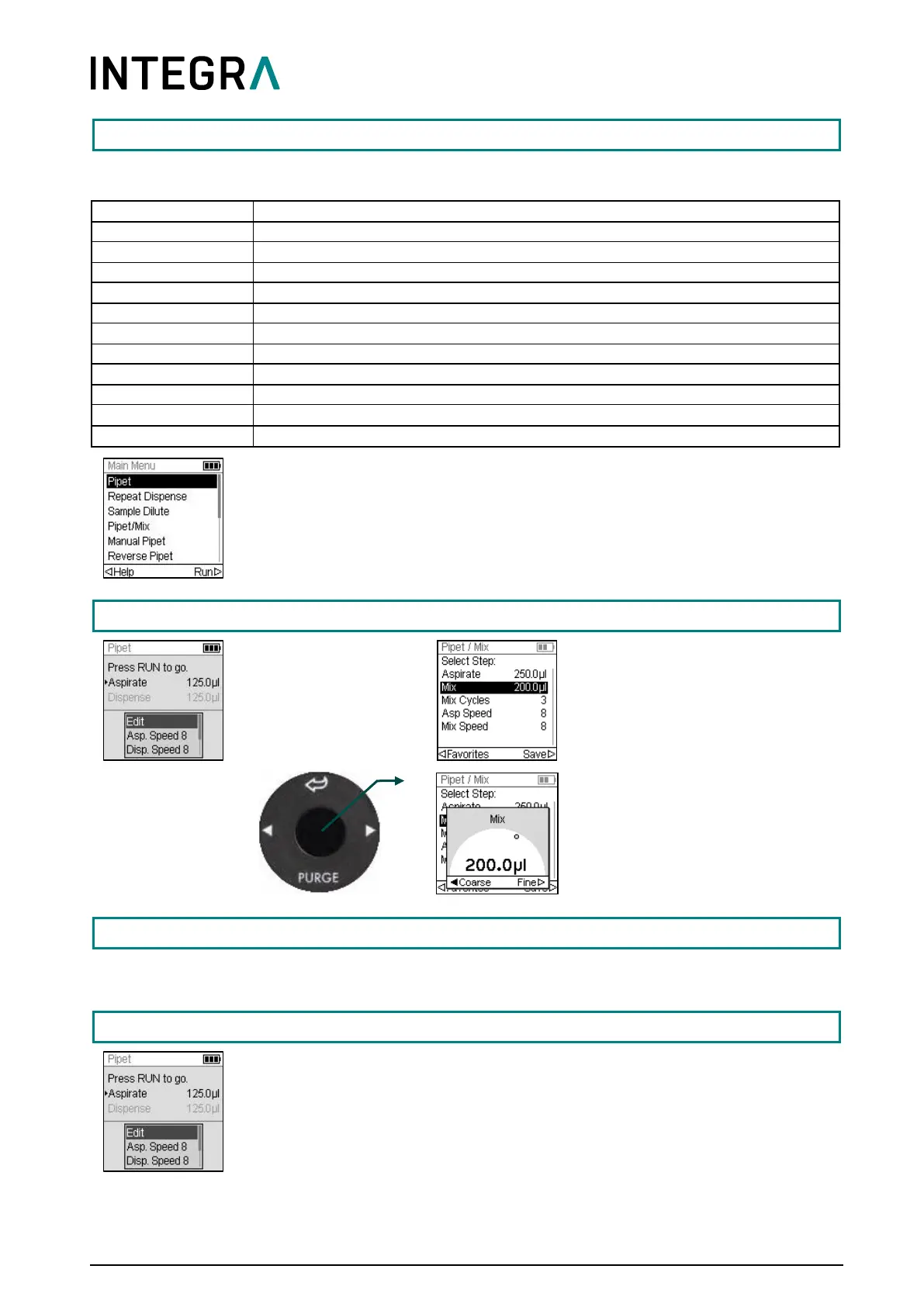
From the Main Menu, use the Touch wheel to scroll to your desired function-
based programming mode. Press OK to enter the mode and to start defining
parameters.
Setting/Changing Variables
Scroll to Edit and
press OK.
A list of editable steps is
displayed.
Select a step and press OK.
Use the Touch wheel to set the
value and press OK.
Press to save your settings.
The Toolbox provides a variety of options, as setting personal preferences like the Touch wheel spin
sensitivity, calibration, computer connectivity and device information.
Insert the GripTips into the liquid to be transferred. Press and release RUN to
aspirate the volume selected in the first step (marked with a triangle on the
Run screen).
Your pipette will prompt you to press RUN at each successive step.



 To Next Page