11
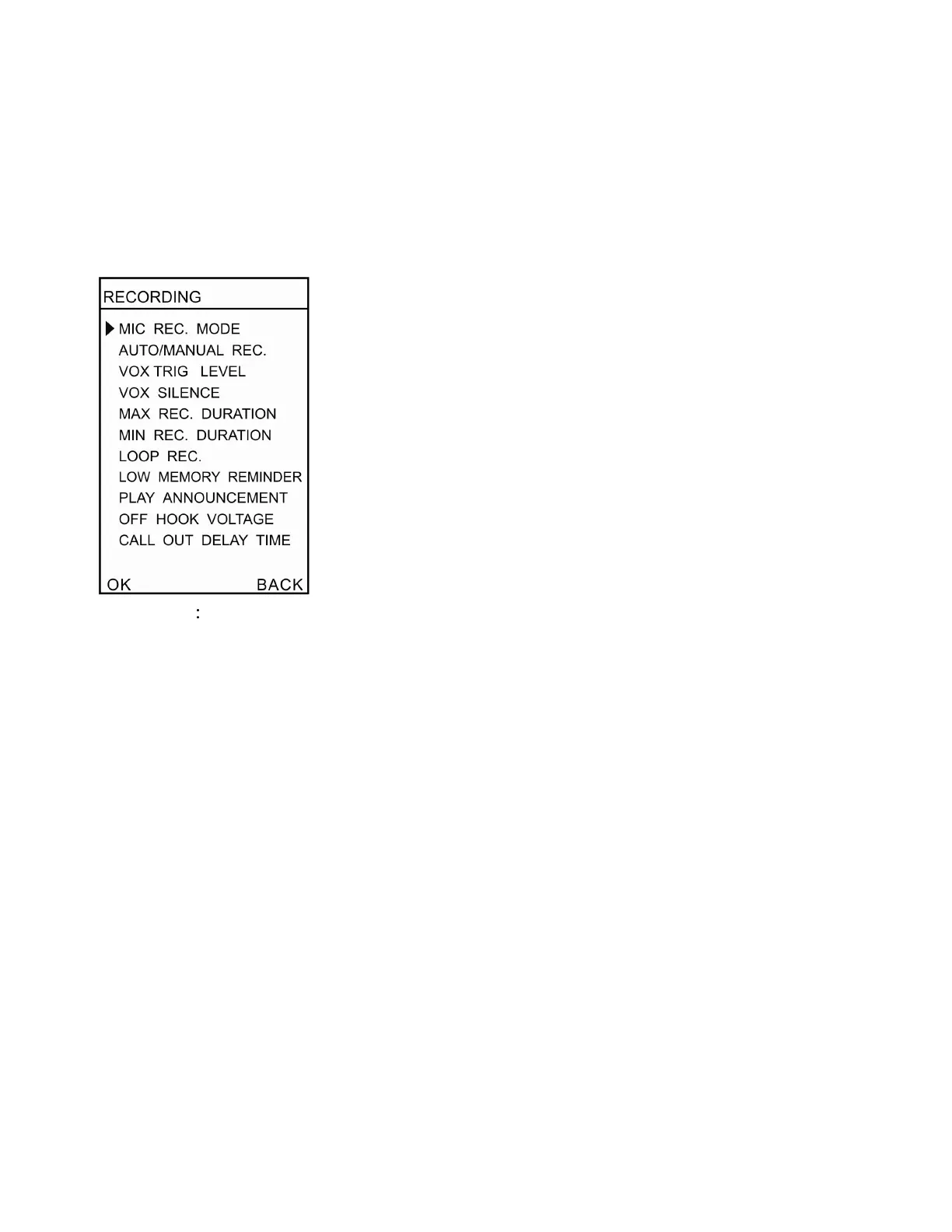
Appendix A – Menu Options
General Operation
(A).Recording Parameters
1 .MIC REC Mode
:
The selector switch on the side of the device must be in the MIC position for these settings.
(1)Manual
Press RECORD to start, STOP to terminate.
(2)Automatic (Voice Trigger)
When voice level is higher than settings, it starts recording automatically.
2. Auto / Manual Rec.
You can set channel recording conditions
(1)Manual Recording
Press RECORD to start, STOP to terminate
(2)Automatic Recording
When line voltage is lower than settings, it starts recording automatically
(3)Voice Trigger
When voice level is higher than settings, it starts recording automatically.
3 .VOX Trig Level
Adjust voice level in voice trigger conditions. Setting range is 1-10.
4. VOX Silence
Adjust silent time to terminate recording in voice trigger conditions. Setting Range is 5-99 sec
5. Max REC Duration
Set maximum recording time for single call. Setting range is 10 min ~ ∞


 To Next Page