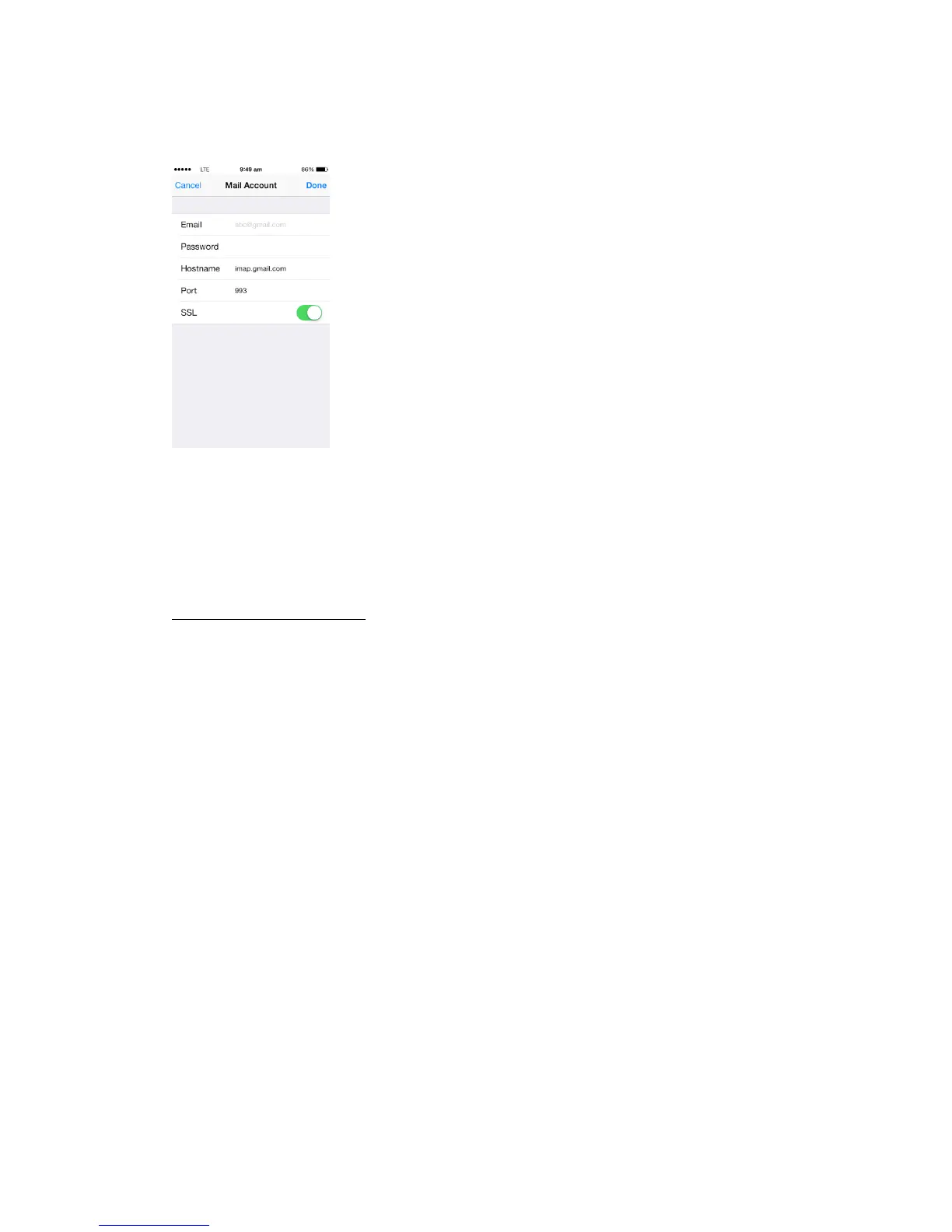
Step 4: Follow the onscreen steps and provide the required information to configure your email
account. To add more email accounts, repeat the above steps.
The app keeps the configuration of the most common email service providers. It will
automatically configure those settings. If your email account is not listed and you don’t know its
configuration settings, please contact your email provider and ask them to provide this information
Incoming Mail Server Settings:
Hostname: <IMAP incoming mail server>
Port: <Incoming server port number>
SSL: <Incoming server supports SSL? Yes or No>


 To Next Page