EasyManua.ls Logo

Inteno EG400 - User Manual

Inteno EG400
24 pages
Print Icon
To Next Page IconTo Next Page
Loading...
EG400
Ethernet/SFP WiFi Router
Installation Guide
Question and Answer IconNeed help?

Do you have a question about the Inteno EG400 and is the answer not in the manual?

Summary

CE Declaration of Conformity

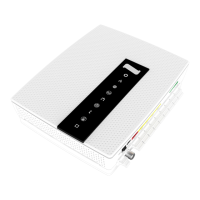
Top Panel Overview

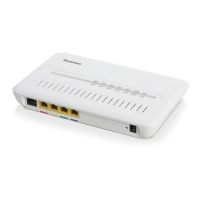
Back Panel Overview

Initial Setup: Start Box Contents

Connecting the WAN;Broadband

Connecting Devices via LAN

Front Panel LED Status and Functions

Status LED

Explanation of the Status LED's states for power and boot status.

Broadband (WAN) LED

Meaning of the Broadband (WAN) LED's colors for connection status.

Internet LED

Information on the Internet LED's indicators for internet connectivity.

Wireless (Wi-Fi) Status

Describes the status of the 2.4 GHz and 5 GHz wireless networks.

Ethernet Port Status

Indicates the connection status for LAN ports.

WPS Functionality

Information on initiating and monitoring the WPS function.

Tel 1;Tel 2 Status

Details on voice device registration and enablement status.

DECT Status

Indicates DECT device connection and pairing status.

External Device Status (EXT)

Shows the status of detected external devices.

Troubleshooting Common Issues

Power and Status Indicator Check

Guidance on checking power and the Status indicator light.

Broadband and Internet Indicator Issues

Troubleshooting steps for red or off Broadband and Internet lights.

Ethernet Indicator Light

Steps to resolve issues with the Ethernet indicator light.

Reset Button Function

Procedure for resetting the modem to factory settings.

Summary

CE Declaration of Conformity

Top Panel Overview

Back Panel Overview

Initial Setup: Start Box Contents

Connecting the WAN;Broadband

Connecting Devices via LAN

Front Panel LED Status and Functions

Status LED

Explanation of the Status LED's states for power and boot status.

Broadband (WAN) LED

Meaning of the Broadband (WAN) LED's colors for connection status.

Internet LED

Information on the Internet LED's indicators for internet connectivity.

Wireless (Wi-Fi) Status

Describes the status of the 2.4 GHz and 5 GHz wireless networks.

Ethernet Port Status

Indicates the connection status for LAN ports.

WPS Functionality

Information on initiating and monitoring the WPS function.

Tel 1;Tel 2 Status

Details on voice device registration and enablement status.

DECT Status

Indicates DECT device connection and pairing status.

External Device Status (EXT)

Shows the status of detected external devices.

Troubleshooting Common Issues

Power and Status Indicator Check

Guidance on checking power and the Status indicator light.

Broadband and Internet Indicator Issues

Troubleshooting steps for red or off Broadband and Internet lights.

Ethernet Indicator Light

Steps to resolve issues with the Ethernet indicator light.

Reset Button Function

Procedure for resetting the modem to factory settings.

Inteno EG400 Specifications

General IconGeneral
ModelEG400
TypeWireless Router
Frequency Bands2.4 GHz
SecurityWPA, WPA2
Power Supply12V DC
Antennas2 x External

Related product manuals