EasyManua.ls Logo

Inteno zap100 - User Manual

Inteno zap100
9 pages
Print Icon
To Next Page IconTo Next Page
Loading...
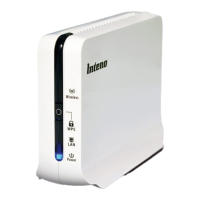
Inteno ZAP100
Installation Guide
Wireless IPTV at home
Svenska: Trådlös IPTV hemma
Suomi: Langaton IPTV kotiin
Norsk: Trådløst IPTV hjemme
Question and Answer IconNeed help?

Do you have a question about the Inteno zap100 and is the answer not in the manual?

Summary

Inteno ZAP100 Overview

Installation Steps

Identify the main unit (AP)

Locate and identify the main unit (AP) of the Inteno ZAP100 device.

Connect the main unit (AP) to the power adapter

Connect the main unit (AP) to its designated power adapter.

Identify the client

Locate and identify the client unit of the Inteno ZAP100 device.

Connect the client to the power adapter

Connect the client unit to its designated power adapter.

Connect the main unit to broadband

Connect the main unit (AP) to your broadband gateway or outlet.

Connect the client to your digital-tv settop box

Connect the client unit to your digital-tv settop box (IPTV).

AP and Client connected confirmation

Verify that the AP and Client units are successfully connected.

Troubleshooting and Advanced Features

Wireless LED Status Issues

Guidance for when the Wireless LED is not lit on the devices.

AP operational status

Information on AP connection and operational status.

Turn off flashing blue LAN LED

Instructions on how to turn off the flashing blue LAN LED.

Connect a second client

Steps to connect an additional client unit to the main unit.

Troubleshooting Common Issues

Common issues and their solutions for the Inteno ZAP100.

Summary

Inteno ZAP100 Overview

Installation Steps

Identify the main unit (AP)

Locate and identify the main unit (AP) of the Inteno ZAP100 device.

Connect the main unit (AP) to the power adapter

Connect the main unit (AP) to its designated power adapter.

Identify the client

Locate and identify the client unit of the Inteno ZAP100 device.

Connect the client to the power adapter

Connect the client unit to its designated power adapter.

Connect the main unit to broadband

Connect the main unit (AP) to your broadband gateway or outlet.

Connect the client to your digital-tv settop box

Connect the client unit to your digital-tv settop box (IPTV).

AP and Client connected confirmation

Verify that the AP and Client units are successfully connected.

Troubleshooting and Advanced Features

Wireless LED Status Issues

Guidance for when the Wireless LED is not lit on the devices.

AP operational status

Information on AP connection and operational status.

Turn off flashing blue LAN LED

Instructions on how to turn off the flashing blue LAN LED.

Connect a second client

Steps to connect an additional client unit to the main unit.

Troubleshooting Common Issues

Common issues and their solutions for the Inteno ZAP100.

Inteno zap100 Specifications

General IconGeneral
TypeWireless Access Point
Antenna TypeInternal
Weight150 g
Frequency Bands2.4 GHz
Power Supply12V DC
ModelInteno zap100
Antennas2