Item No. 8105082 – 12/2013 Page 4 of 6
Changing a Test Protocol Temporarily
To make changes to the setup temporarily:
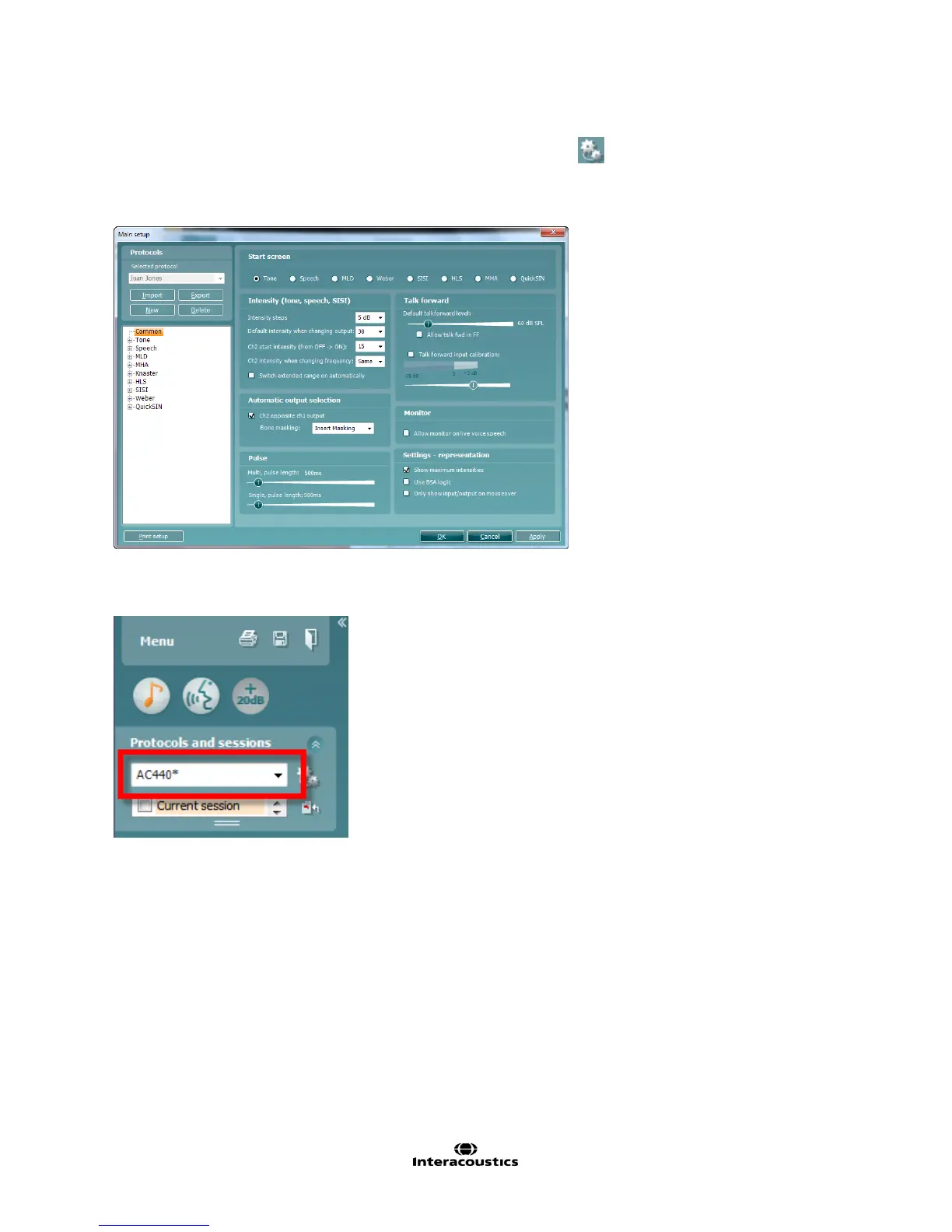
1. From the drop down menu, ensure that the desired protocol to be changed is the chosen one.
2. Enter the Temporary Setup by clicking the button in the front screen (or alternatively select
Menu/Setup/Temporary setup).
3. The Temporary Setup is identical to the Main setup. Browse the setup options to make temporary changes
as if creating a test protocol and click OK.
After the temporary changes have been applied, there will be an asterisk (*) beside the protocol name.



 To Next Page