Item No. 8105095 – 12/2013 Page 4 of 5
Setting up the bone anchored devices
Using the SKS10 with the Affinity
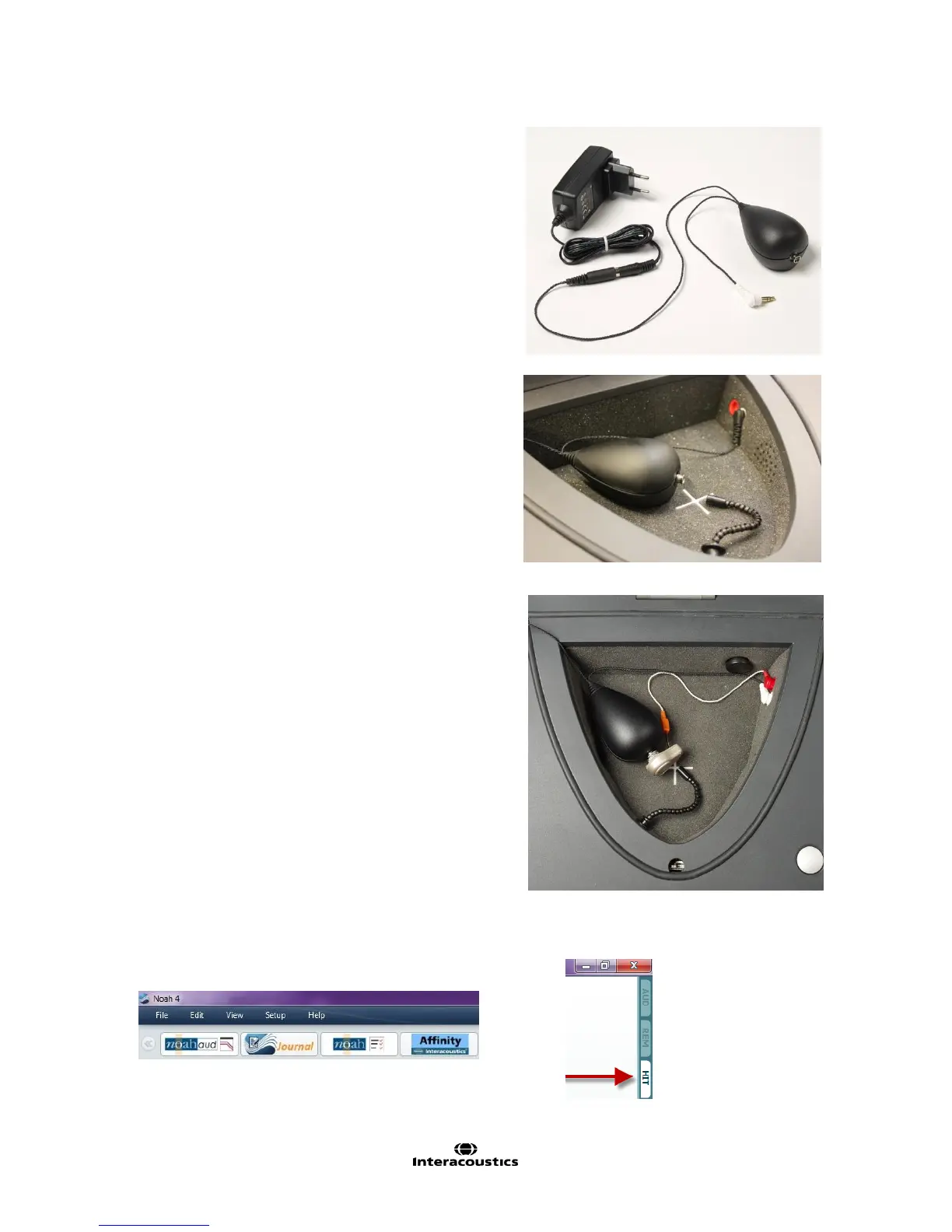
1. Connect the skull simulator to its external power supply.
2. Plug the power supply into the wall socket.
3. Place the skull simulator in the test chamber.
4. Plug it into the measurement microphone plug of the
Affinity
2
test chamber.
NOTE: it is also possible to use the SKS10 with the TBS25
test chamber.
5. Snap the bone anchored device onto the abutment of the
skull simulator.
6. If checking battery drain, insert the battery pill in the
sound processor and connect it in the red socket.
7. Ensure that the sound processor microphones are in the
center of the cross.
8. Launch the Affinity
2
software.
9. When Affinity
2
software is open, select the HIT tab.



 To Next Page