EasyManua.ls Logo

Interfit F121 200WS - User Manual

Interfit F121 200WS
2 pages
Print Icon
To Next Page IconTo Next Page
Loading...
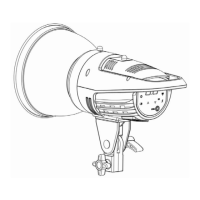
F121 Studio Light Instruction
Thank you for purchasing the Interfit F121 flash light with touch screen. It benefits
from several features including; a large power output and built-in regulating circuit,
which can ensure stepless dimming and accurate colour temperature. The output of
the modelling lamp can be adjusted independently or in line with the flash tube
power adjustment. It has fast recycling speed and accurate power adjustments. It
benefits from touch screen controls and can be triggered remotely using the Interfit
on-camera remote INT910 (Sold separately). Please read these instructions before
using the Interfit F121. Thank you.
Function instruction
A. sensor I. power switch
B. beep indicator J. sync socket φ3.5
C. modelling lamp indicator K. decrease power button
D. modelling lamp mode button L. test button
E. flash tube power display M. recycling indicator
F. beep on/off button
N. wireless channel/sensor
selection button
G. increase power button O. channel indicator
H. power socket P. sensor indicator
Operation Instructions
1. Please ensure the power switch is in the OFF position before connecting the
power lead. Once connected, change the power switch to ON and the unit will
power up.
2. Once the unit has finished charging, the OK indicator will be lit. Then press the
Test Button [L] to test the flash.
Question and Answer IconNeed help?

Do you have a question about the Interfit F121 200WS and is the answer not in the manual?

Summary

F121 Studio Light Overview

Function Instruction Diagram

Diagram illustrating the controls and indicators of the F121 Studio Light.

Operation Instructions

Steps for powering on and testing the F121 Studio Light unit.

Modelling Lamp and Flash Control

Modelling Lamp Modes

Explanation of how to change and operate the modelling lamp modes.

Flash Power Adjustment

Details on increasing and decreasing the flash power output.

Wireless and Remote Operation

Wireless Channel Settings

Guide to selecting wireless channels and sensor triggering modes.

Remote Trigger Requirement

Information on the need for the Interfit INT910 remote.

Important Usage Directions

Safety Precautions

Key safety advice for operating the F121 Studio Light.

Technical Specifications

Detailed technical data and specifications for the F121 Studio Light.

Interfit F121 200WS Specifications

General IconGeneral
Maximum Power200 Ws
Power Output200 Ws
Fan CoolingYes
TriggeringSync Cord
Power SettingsFull, 1/2, 1/4, 1/8, 1/16, 1/32