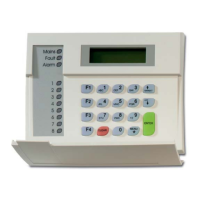
2 / 2 P/N 1052492 (ML) • REV C • ISS 24JUN19
RAS DIP switch settings
Figure 1, item 3: SW1 DIP switches. These are used to identify
the RAS address. See Figure 2 for settings.
Figure 1, item 4: SW2 “A, B, C, Term”. These are used to
terminate the data bus and enable other functions, as
described below.
SW2-1, A Area 9–16
OFF: The 8-area LEDs display the status of areas 1 to 8.
ON: The 8-area LEDs display the status of areas 9 to 16.
SW2-2, B Keypad backlight
OFF: The keyboard backlight times out.
ON: The keyboard backlight stays on continuously.
SW2-3, C Magnetic card format (ATS1105 only)
OFF: ATS format.
ON: Non-ATS formats (for example, credit cards, any cards
with data on track 2).
SW2-4, TERM
OFF: Not the last device on the data bus.
ON: Terminates the data bus if this RAS is the last device on
the data bus. See also the ATS control panel installation guide.
Readers connections (ATS1105 only)
See Figure 1, terminal J2.
+5 V supply and data connections for ATS magnetic card
readers (ATS1105 only).
• 1: D1/D Read data pulse / Wiegand D1 line
• 2: D0/C Read clock pulse / Wiegand D0 line
• 3: GND (0V)
• 4: +5 V
• 5: +12 V
Additional functionality
• To adjust LCD contrast, press Menu * and or
• To adjust buzzer volume, press Clear and to increase
and to decrease the volume
Specifications
10.5 to 13.8 V, 12 V nom.
Maximum current consumption
Number code combinations:
4 digits
9 digits
Regulatory information
PLACED ON THE MARKET BY:
UTC Fire & Security Americas Corporation, Inc.
3211 Progress Drive, Lincolnton, NC, 28092,
USA
AUTHORIZED EU REPRESENTATIVE:
UTC Fire & Security B.V.
Kelvinstraat 7, 6003 DH Weert, Netherlands
Product warnings
and disclaimers
THESE PRODUCTS ARE INTENDED FOR
SALE TO AND INSTALLATION BY QUALIFIED
PROFESSIONALS. UTC FIRE & SECURITY
CANNOT PROVIDE ANY ASSURANCE THAT
ANY PERSON OR ENTITY BUYING ITS
PRODUCTS, INCLUDING ANY “AUTHORIZED
DEALER” OR “AUTHORIZED RESELLER”, IS
PROPERLY TRAINED OR EXPERIENCED TO
CORRECTLY INSTALL FIRE AND SECURITY
RELATED PRODUCTS.
For more information on warranty disclaimers and
product safety information, please check
https://firesecurityproducts.com/policy/product-
warning/ or scan the QR code.
2012/19/EU (WEEE directive): Products marked
with this symbol cannot be disposed of as
unsorted municipal waste in the European Union.
For proper recycling, return this product to your
local supplier upon the purchase of equivalent
new equipment, or dispose of it at designated
collection points. For more information see:
www.recyclethis.info
Contact information
www.utcfireandsecurity.com or www.interlogix.com
For customer support, see www.utcfssecurityproducts.eu
DA: Installationsvejledning
Montering af enheden
For at undgå problemer med sabotagekonkant skal enheden
monteres på en plan overflade. Fastgør bunddelen med
skruer. Isæt printpladen og fastgør denne med den
medfølgende skrue. Påsæt låget og sikre dette med den
medfølgende skrue.
Hvis der kræves vægsabotage, skal du også isætte en skrue i
midden af RAS’ens bunddel (se Figur 1, punkt 2).
Tilslutning af ras’en til en centralenhed
Figur 1, punkt 1: I installationsmanualer til centralenheden
finder du en vejledning.
LED's
• Rx: LED blinker for at angive, at der modtages polling via
databussen fra ATS-central. Hvis LED'en ikke blinker, er
centralenheden ikke driftsklar, eller der er fejl på
databussen (oftest kabel- eller monterings-fejl).


 To Next Page
 Loading...