Need help?
Do you have a question about the Intermatic EI400WC and is the answer not in the manual?
Specifies the electrical load capacities for resistive, tungsten, ballast, motors, and DC loads.
Highlights electrical shock, fire hazards, and precautions for battery handling and device usage.
Provides guidance on following local codes and prompt battery replacement for timer longevity.
Instructions for ensuring the battery is installed, connected, and the display initializes correctly.
Procedure to reset the timer settings by holding ON/OFF and pressing the RESET button.
Turn off power at the service panel and trim building wires to the specified length.
Connect timer wires to wall wires for a single-switch setup, noting the unused red wire.
Detailed instructions for wiring in a three-way switch setup, including identifying wires and terminal connections.
Tuck wires into the box and mount the timer using screws, then install the wall plate.
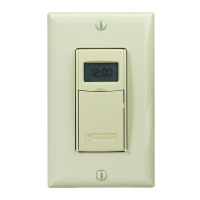
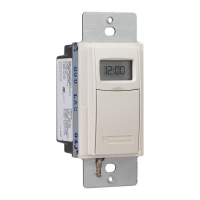
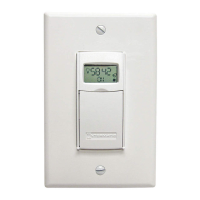
The Intermatic Model E1400 Series is a digital auto shut-off timer designed for various electrical loads, offering convenient control and energy savings. It functions by automatically turning off connected devices after a user-defined period, preventing unnecessary power consumption.
The timer operates by allowing users to set a specific duration for which a connected load will remain powered ON. Once this duration expires, the timer automatically shuts off the load. This functionality is particularly useful for applications where devices need to operate for a set time, such as lighting, fans, or other electrical equipment, ensuring they are not left on indefinitely. The timer can be configured for single-switch setups, where it directly controls a load, or for 3-way switch setups, allowing control from multiple locations. In a 3-way setup, a remote switch can be used to toggle the timer ON/OFF or to restart a countdown without cycling the power. The timer also supports multi-switch setups, enabling multiple timers to be mounted adjacently without derating.
The timer features a user-friendly interface with a keypad for setting and operating. To turn the timer ON, users simply press the ON/OFF button on the cover. The display will then show the remaining time until shut-off, along with an ON light bulb icon indicating that the load is powered. Pressing the ON/OFF button again will turn the timer OFF.
Setting the timer interval is straightforward. Users can press and hold the "+" and "-" buttons simultaneously to enter the setting mode. The display will show various time intervals, from 1 second up to 24 hours, which can be fine-tuned using the "+" or "-" buttons. Once the desired time is set, the display confirms the selection and saves it.
The timer includes several special operating tips. Users can check the current timer setting by pressing the "+" or "-" button. If the timer is locked, settings cannot be adjusted. However, if unlocked, users can adjust the timer setting after turning it OFF. A "Pause" function allows users to temporarily suspend a countdown in progress, with flashing pause bars on the display. Pressing "Pause" again resumes the countdown.
For situations requiring a quicker shut-off, users can shorten a countdown by pressing and holding the "-" or ON/OFF button until the desired time is displayed. To lengthen a countdown, users can press and hold the "+" button. If the timer is locked, lengthening is limited to the programmed setting. If unlocked, it can be increased up to 24 hours. A convenient feature is the ability to restart a countdown without powering off the controlled circuit by quickly pressing the cover twice. This is useful for devices like discharge lighting or refrigeration equipment that should not cycle off completely.
The timer also offers a "Warning" option, which can be configured to provide alerts before shut-off. Options include "Off" (no warning), "Beep" (three beeps every 30 seconds starting 3 minutes before shut-off, with a bell icon on the display), "Flash" (controlled lights flash once 3 minutes before shut-off, with a sunburst icon), or "All" (both beep and flash, with both icons displayed).
A "Locking" option provides security by preventing unauthorized changes to the timer settings. Options include "None" (no locking), "Pause" (users cannot use the Pause function), "Time" (users can review but not change the time setting, though they can adjust a running countdown within the locked shut-off setting), and "All" (both pause and setting changes are locked).
The timer is powered by a single lithium CR2 battery, which operates the ON/OFF function and maintains the display. The screen will flash "BATT" and "REPL" when the battery is low, indicating it needs replacement. The battery can be changed without removing AC power, and the timer settings remain in memory indefinitely even without battery or AC power. To test the battery, pressing the ON/OFF button should result in an audible "click." It is crucial to replace the battery as soon as the "BATT" and "REPL" messages appear to prevent leakage and potential damage to the timer. Used batteries should be disposed of promptly according to local regulations, and the battery should be kept away from children.
 General
| Type | Electronic Timer |
|---|---|
| Voltage | 120 VAC |
| Programmable | Yes |
| Number of Programs | 7 |
| Display | LCD |
| Horsepower | 1/2 HP |
| Amperage | 15A |
| Enclosure | Plastic |
| Battery Backup | Yes |
| Mounting | Wall |

 To Next Page