
 Need help?
Do you have a question about the InTouch ROSSMONT Waver Master WR-2CH and is the answer not in the manual?
Details about the data label on the product, including model name, product code, voltage, etc.
General safety precautions and important checks before operating the product.
Precautions against electric shock, positioning, and protection from water/humidity.
Recommendation for wall socket positioning and creating a drip loop to prevent water damage.
Important operational limit stating only one device can be connected per channel.
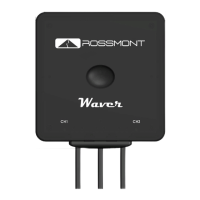
Instructions for performing a hard reset on the Waver device via touch button or app.
Important note for Android users regarding WiFi access pop-ups during setup.
Details the factory default username and password for initial login.
Explains the benefits and function of the Infrastructure mode for network connectivity.
Important warning not to select a device model different from the one actually connected.
Instructions on how to schedule pump operation throughout the day using the chart feature.
Describes methods for setting pump power curves, using points or presets.
Important note on authorizing app access to the microphone for voice commands.
Step-by-step guide for updating firmware when the Waver is connected in direct mode.
Step-by-step guide for updating firmware when the Waver is connected in infrastructure mode.
Important warning about LED behavior and not unplugging the Waver during firmware flashing.
Instructions on how to perform a factory default configuration (hard reset) on the Waver unit.
Step-by-step guide for setting up infrastructure mode automatically by connecting to the home network.
Step-by-step guide for manually setting up infrastructure mode by configuring IP addresses and network details.
Important warning against using the touch button with wet hands or on a humid surface to prevent false readings.
Description of the 'Hard Reset' function activated by tapping and holding the touch button for 15 seconds.
Description of the 'Quick Hard Reset' activated by a short tap after plugging in the power cord.
 General
| Category | Controller |
|---|---|
| Model | WR-2CH |
| Channels | 2 |
| Power Supply | 12V DC |
| Signal-to-Noise Ratio | 80dB |

 To Next Page