4
5
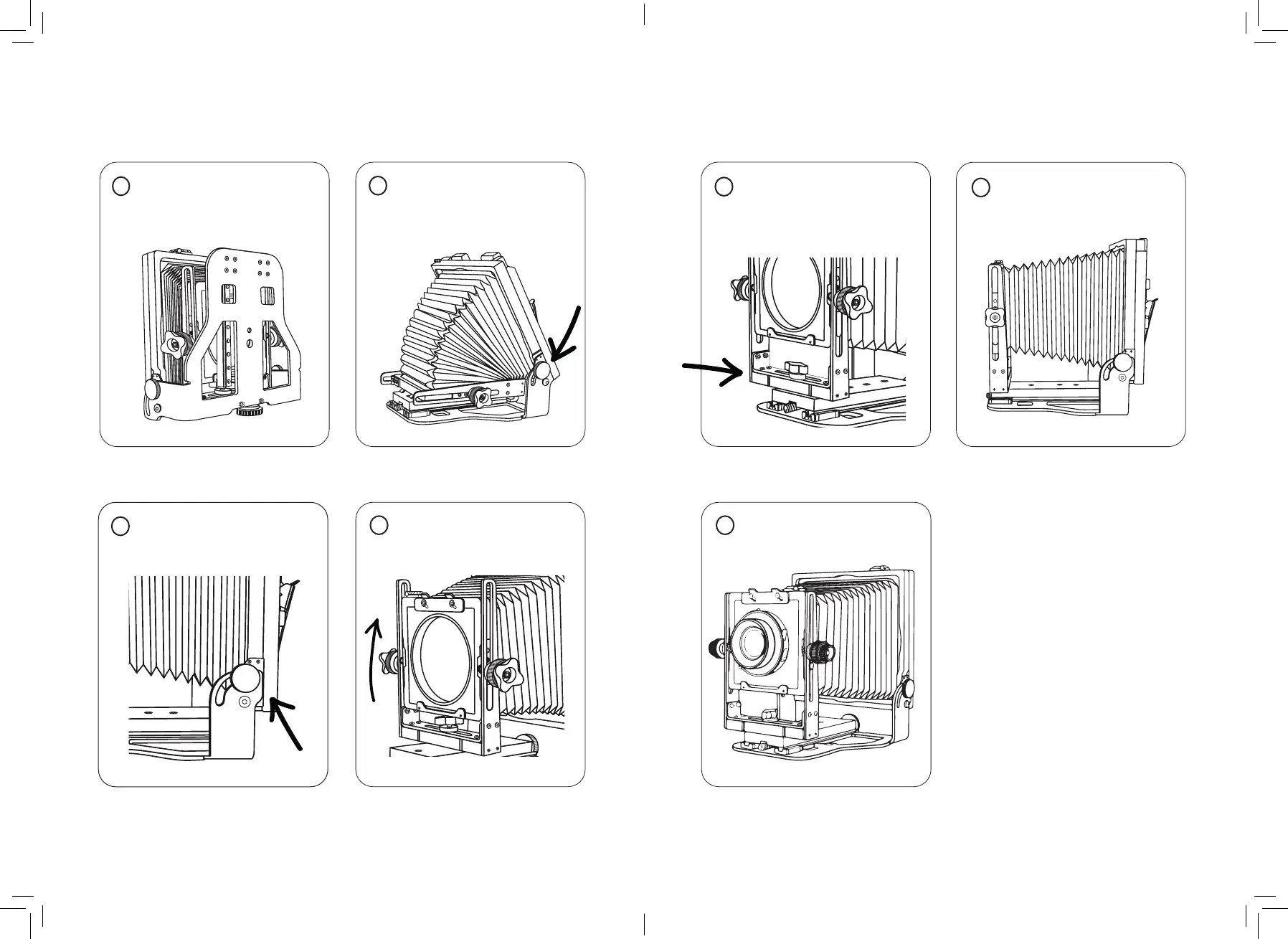
Setting up
1 While folded screw tripod
mount into camera base and
attach to tripod.
3 Tighten screws and lock
rear standard at 90°.
4 Raise front standard and
tighten controls.
5 Screw front standard
into desired base mount
(see page 10 for guidance).
6 Check everything is
zeroed and locked down.
7 Mount your lens and you
are ready to go!
QUICK TIPS:
• Lens board size: 96mm x
99mm
• Adjust lens board screws
and Graflok clips with a
2mm Hex/Allen key
• Tripod mounts: 1/4” and
3/8”
• Lens mounting guide on
page 10
2 Loosen rear standard
screws and raise the rear
while pulling front forwards.


 To Next Page
 Loading...