11
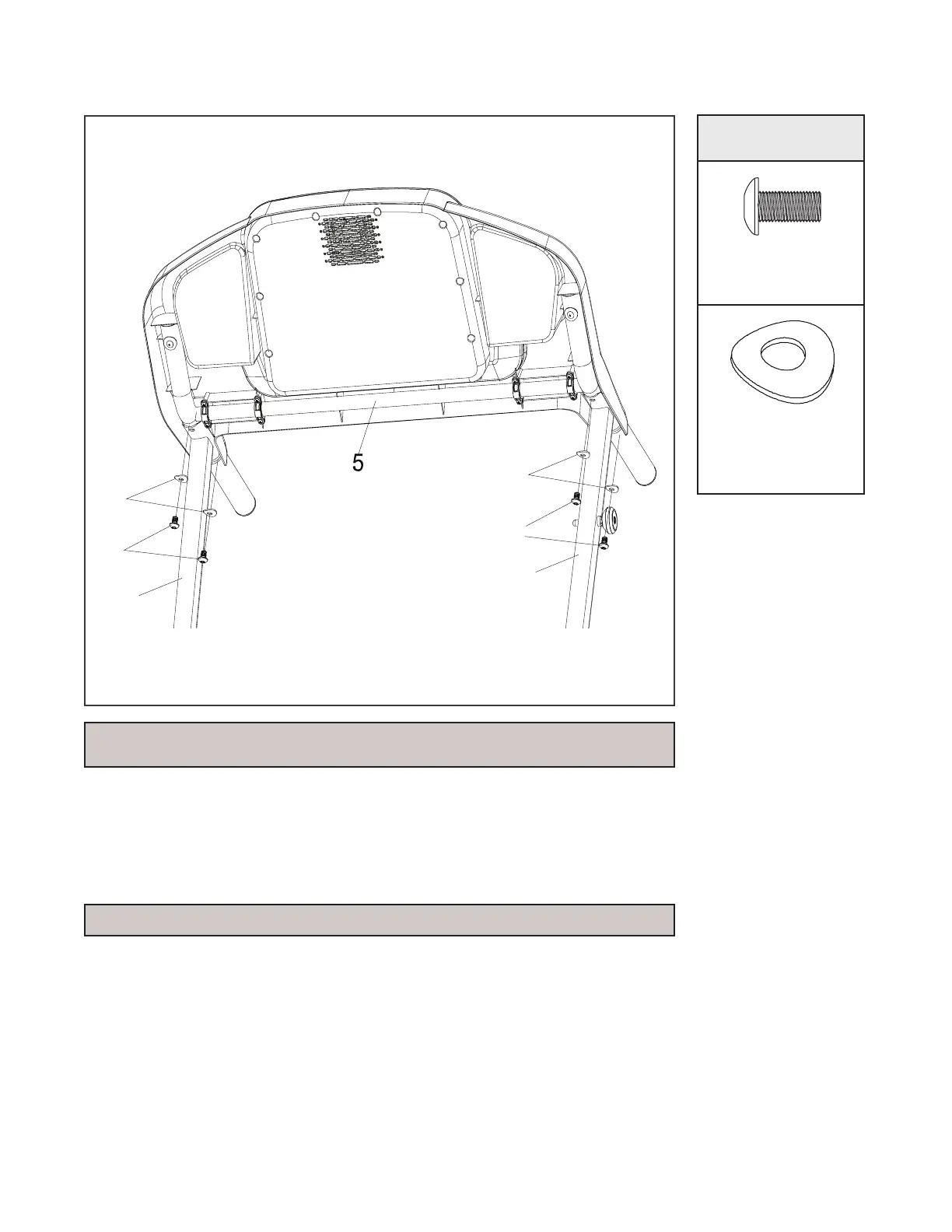
ASSEMBLY STEP 5
94
95
3
94
95
4
1. Open HARDWARE FOR STEP 5.
2. Install the CONSOLE SUPPORT (5) onto the UPRIGHTS (L,R)
(4,3) with the 4 BUTTON HEAD SOCKET BOLTS (94) and 4
CURVED WASHERS (95) by using the ALLEN WRENCH.
HARDWARE
HARDWARE
Bolt (94)
Qty: 4
Curved
Washer (95)
Qty: 4
NOTE: Be careful not to pinch the computer cables when attaching
the console.
NOTE: Please tighten all screws after assembly is complete.



 To Next Page