14
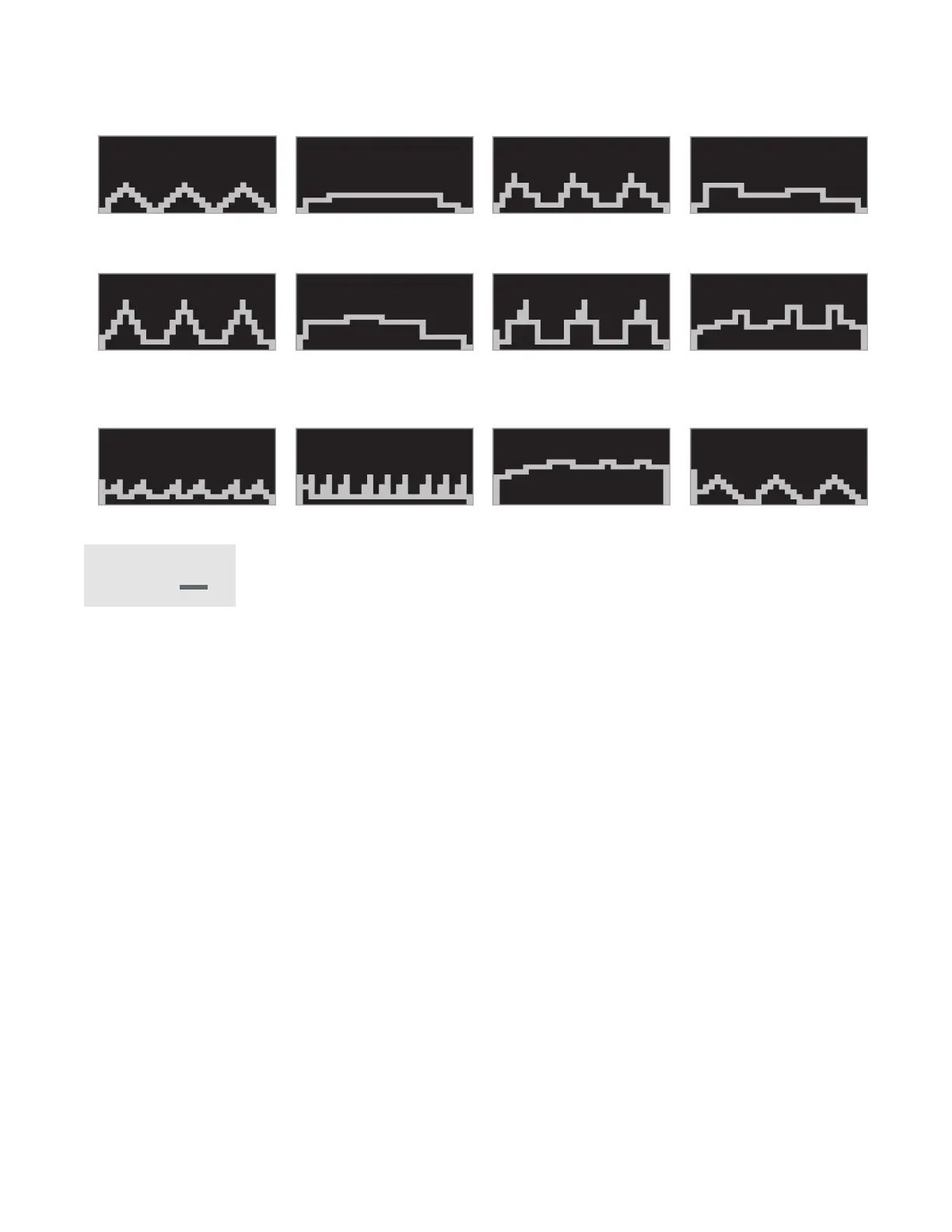
PRESET PROGRAM PROFILES
PROGRAMMABLE FEATURES
The i300 Treadmill provides 12 programs (P1,P2,P3……P12). Each program has its specic speed
variations.
To Select and Start a Preset Program
1. Make sure the machine is in the stop position, single press Stop to enter into resetting state. Press
Program to choose desired program (P1,P2, …..P12), then press and release Start to begin the
program with default values.
2. Each program will continue 30 minutes. This is the preset value. After every one minute during the
program, the Speed will be adjusted automatically. The Speed setting can also be adjusted manually
at any time during the program. 3 Seconds before the ending of a program a buzzer will sound three
times, then the running belt will come to a stop.
Key:
Speed
P1
P9
P5
P2
P10
P6
P3
P11
P7
P4
P12
P8


 To Next Page