9
ASSEMBLY STEP 3
94
94
79
95
2
104
94
95
94
79
3
4
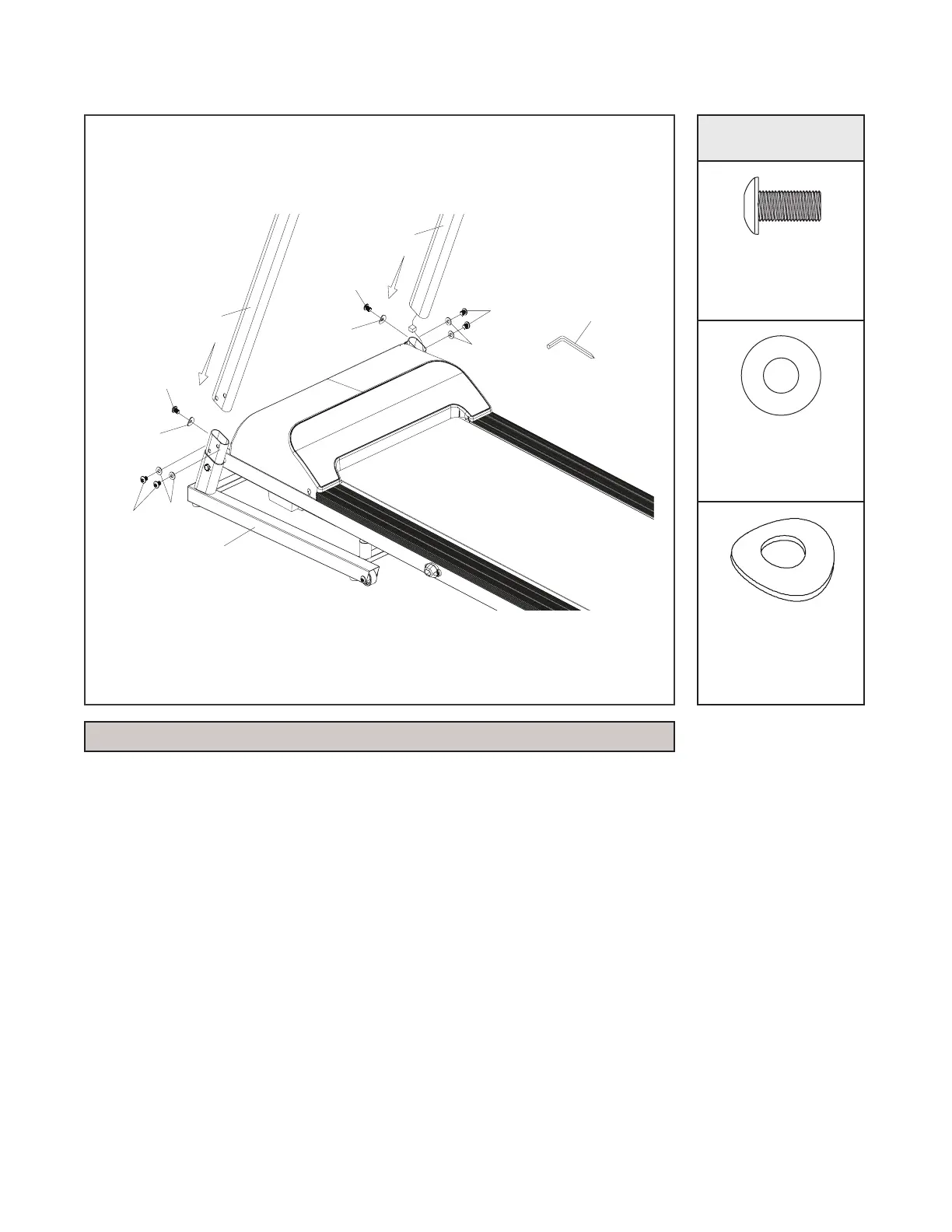
1. Open HARDWARE FOR STEP 3.
2. Insert the UPRIGHTS (L, R)(3,4) into the FRAME BASE (2) with
the 6 BUTTON HEAD SOCKET BOLTS (94), 4 FLAT WASH-
ERS (79) and 2 CURVED WASHERS (95) by using the ALLEN
WRENCH. (Please x the screw without tightening it.)
HARDWARE
Bolt (94)
Qty: 6
Flat Washer (79)
Qty: 4
Curved
Washer (95)
Qty: 2
NOTE: this step may work better with a second person assisting.


 To Next Page