1
2
3
4
5
6
7
8
9
10
11
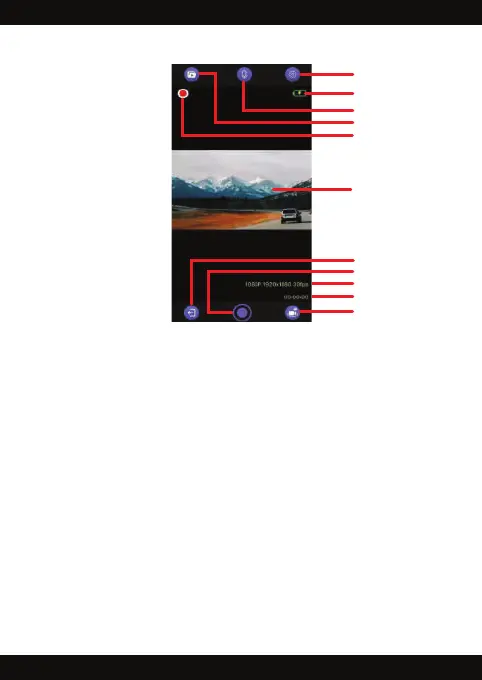
1. Settings: Select to access and set menu functions
2. Battery: Displays the level of remaining battery power
3. Microphone: Select to turn the microphone On / Off
4. Video and Image library: Select to view videos and images captured
so you can download them to your phone
5. Recording indicator: Flashes while the WiFi DashCam Pro is recording
6. Video Display: Shows the real time feed from the WiFi DashCam Pro
7. Disconnect the WiFi system: Select to disconnect the WiFi network
8. Record: Select to record in video mode or take pictures in image mode
9. Video quality: Displays video pixel dimensions and frame rate
10. Video time counter: Displays the running time of a video
11. Video or Image mode: Select to choose video or image mode
GoPlus CamPro App Functions



 To Next Page