EasyManua.ls Logo

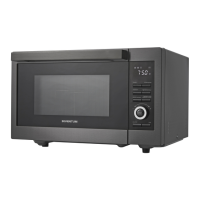
inventum IMC6035RT - User Manual

inventum IMC6035RT
96 pages
Go to English
Print Icon
To Next Page IconTo Next Page
Loading...
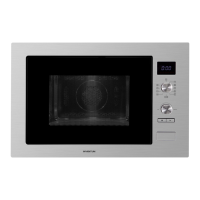
IMC6035RT
Inbouwmagnetron
Built-in microwave oven
Einbau-Mikrowelle
Micro-ondes intégré
Gebruikershandleiding
User manual
Benutzerhandbuch
Manuel d'utilisation
7-28
29-49
50-71
72-93
47 - 002 - 01.10.2020

Questions and Answers

  • A
    alunaAug 10, 2025
    Why my inventum IMC6035RT does not start?
    • M
      Michael FosterAug 10, 2025
      Your Inventum Microwave Oven might not be starting due to several reasons: there could be no power supply, so check and replace the fuse if needed; the mains cable might not be properly connected, ensure it's correctly plugged into the mains socket; or there may be a power interruption in the kitchen, so verify if the power is working.
  • S
    Stephanie DuranAug 16, 2025
    Why does it take longer to heat food in my inventum IMC6035RT?
    • K
      Kristi ByrdAug 16, 2025
      Several factors can cause longer heating times in your Inventum Microwave Oven. The selected microwave power might be too low, so try selecting a higher power. Larger portions of food require more time, so increase the cooking time accordingly. Also, if the food is cold, stir it during cooking to ensure even heating.
  • M
    Mary LopezAug 22, 2025
    What to do if the microwave function does not start on my inventum IMC6035RT?
    • J
      Jeff ReyesAug 22, 2025
      If the microwave function on your Inventum Microwave Oven isn't starting, it might be because the door isn't closed correctly. Check for any blockages preventing the door from closing properly and remove them. Then, ensure the door is fully and correctly closed.
  • L
    Lindsey DixonAug 28, 2025
    What to do if my inventum IMC6035RT display shows '00:00'?
    • A
      Anthony BaldwinAug 28, 2025
      If your Inventum Microwave Oven display shows '00:00', it indicates that the power was interrupted. You will need to set the clock.
  • R
    rhillSep 3, 2025
    Why can't I select a function or setting on my Inventum Microwave Oven?
    • R
      Robert Savage Jr.Sep 3, 2025
      If you're unable to select a function or setting on your Inventum Microwave Oven, it's likely because the temperature, power, or combined setting isn't available for the function you've chosen. Ensure you select a setting that is compatible with the selected function.

Summary

Safety

Safety Instructions and Precautions

Essential safety guidelines for appliance operation, covering general precautions, child safety, and electrical safety.

Installation

Installation Safety and Preparation

Crucial safety guidelines, unpacking, and preparation steps for correct appliance installation.

Installing and Connecting the Appliance

Procedure for fitting the appliance into furniture and connecting it to the power supply.

Operation

Cooking Functions Overview

Details on operating oven, quick-preheat, and microwave functions.

Advanced Cooking Modes and Programs

Guide to using Combi functions, automatic programs, and power settings.

Cleaning and maintenance

Troubleshooting

Troubleshooting Procedure and Table

Steps to resolve issues, including a table of common problems, causes, and solutions.

General terms and conditions of service and warranty

inventum IMC6035RT Specifications

General IconGeneral
TypeMicrowave oven
Power Output700 W
TurntableYes
Microwave Power700 W
Number of Power Levels5
Weight10.5 kg
Turntable diameter25.5 cm
MaterialStainless Steel
Capacity20 liters

Related product manuals