EasyManua.ls Logo

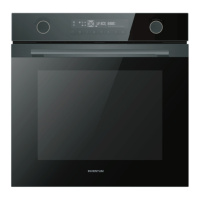
inventum IOM6272BK - User Manual

inventum IOM6272BK
88 pages
Go to English
Print Icon
To Next Page IconTo Next Page
Loading...
IOM6272BK
Inbouwoven multifunctioneel
Built-in oven multifunctional
Einbau-Ofen Multifunktion
Four intégré multifonction
Gebruikershandleiding
User manual
Benutzerhandbuch
Manuel d'utilisation
7-26
27-45
46-65
66-85
52 - 002 - 01.10.2020

Questions and Answers

  • B
    Bradley HerreraAug 11, 2025
    How to fix an inventum IOM6272BK Oven that does not start?
    • D
      Denise TaylorAug 11, 2025
      If your Inventum Oven doesn't start, first check the fuse and replace it if necessary. Also, ensure the mains cable is correctly connected to the mains socket.
  • K
    Kyle LynnAug 18, 2025
    What to do if a function or setting cannot be selected on inventum IOM6272BK Oven?
    • M
      Mary BrayAug 18, 2025
      If a function or setting cannot be selected on your Inventum Oven, ensure that you select a setting that is available for the selected function.
  • M
    Michelle JacksonAug 26, 2025
    What to do if the Inventum Oven display shows '00:00'?
    • M
      Miss Beth GarciaAug 26, 2025
      If your Inventum Oven display shows ‘00:00’, it means the power was interrupted. You should set the clock. Please refer to section 'Setting the clock'.
  • W
    William WolfeSep 2, 2025
    Why won't my Inventum Oven start when the display shows a lock?
    • P
      Paul WilliamsSep 2, 2025
      If your Inventum Oven doesn't start and the clock display shows a lock, it means the child lock is activated. Deactivate the child lock. Please refer to section 'Activating and deactivating the child lock'.

Summary

Safety

Safety Instructions

Essential safety guidelines for operating the appliance safely.

Installation

Safety Instructions for Installation

Critical safety precautions to ensure safe installation.

Appliance Installation Steps

Step-by-step guide for physically installing the oven into cabinetry.

Connecting the Appliance

Instructions for correctly connecting the oven to the electrical mains supply.

Operation

Setting the Cooking Time

How to set the desired duration for cooking a dish.

Using the Delayed-Start Function

Instructions for scheduling the oven's start time for automatic cooking.

Using the Oven Function

Guide to selecting and operating various oven cooking modes.

Using the Quick-Preheat Function

How to rapidly preheat the oven to a set temperature.

Using the Temperature Sensor

Instructions for using the food probe to measure internal food temperatures.

Cleaning and Maintenance

General Cleaning Precautions

Important warnings and cautions to observe before cleaning the appliance.

Removing and Installing the Door

Instructions for safely removing and reattaching the oven door.

Troubleshooting

General Troubleshooting Procedure

Steps to follow when encountering appliance problems and seeking solutions.

Troubleshooting Table

A table listing common problems, their possible causes, and solutions.

Product Fiche

inventum IOM6272BK Specifications

General IconGeneral
Brandinventum
ModelIOM6272BK
CategoryOven
LanguageEnglish

Related product manuals