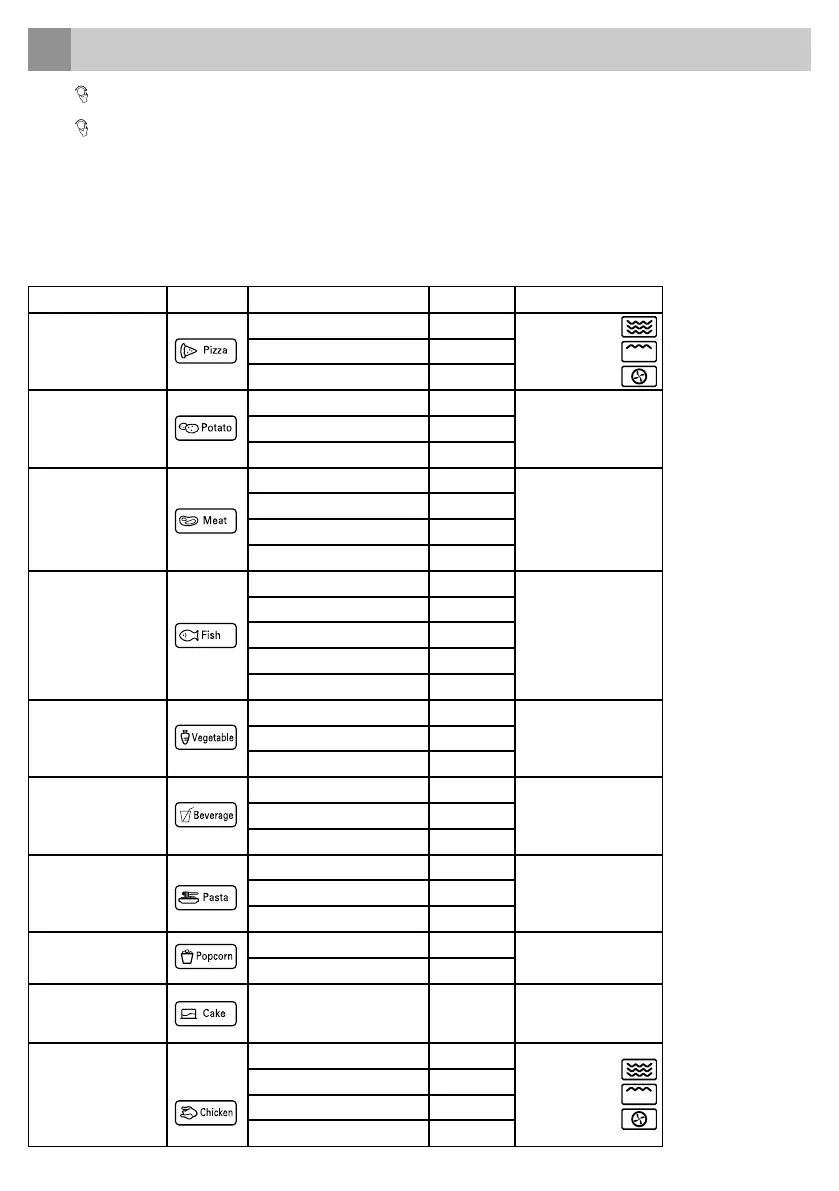
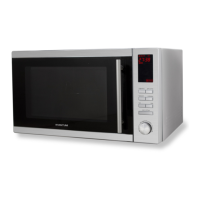
Overview auto menu
Menu Icon Weight (g) Display Power
A 1
PIZZA
200 200
C-4300 300
400 400
A 2
POTATO
1 (± 230 g) 1
MICROWAVE P1002 (± 460 g) 2
3 (± 690 g) 3
A 3
MEAT
150 150
C-2
(MN255C)
MICROWAVE P100
(MN304C/MN305C)
300 300
450 450
600 600
A 4
FISH
150 150
MICROWAVE P80
250 250
350 350
450 450
650 650
A 5
VEGETABLES
150 150
MICROWAVE P100350 350
500 500
A 6
BEVERAGE/
COFFEE
1 (± 240 g) 1
MICROWAVE P1002 (± 480 g) 2
3 (± 720 g) 3
A 7
PASTA
50 (with 450 ml. water) 50
MICROWAVE P80100 (with 800 ml. water) 100
150 (with 1200 ml. water) 150
A 8
POPCORN
50 50
MICROWAVE P100
100 100
A 9 CAKE 475 475
CONVECTION WITH
PREHEAT
ON 160°C
A 10
CHICKEN
500 500
C-4
750 750
1000 1000
1200 1200
auto menu
12
• Turn to the right to select the desired menu and A 1, A 2, A 3..... A 10 will be displayed.
• Press the button START/+30 SEC. to confirm the menu
• Turn
to select the desired weight and the display will show g.
• Press the button START/+30 SEC. to start the menu.
Extra:
• When you choose the menu A 9 - cake, please do not place the cake into the oven at the beginning. The oven first needs to be preheated to
160°C. After several minutes, the buzzer will ring twice to remind you to place the cake into the oven. After placing the cake in the oven, press
START/+30 SEC. again to start the baking. The time will countdown and the cake will be baked perfectly.
• While preparing chicken with menu A 10, the oven will ring twice. This is normal. To get a better grilling result you should turn over the chicken.
Close the door and press the button START/+30 SEC. again to continue grilling. When you do nothing the oven will continue grilling.
24 • English


 To Next Page