replacing the battery
12
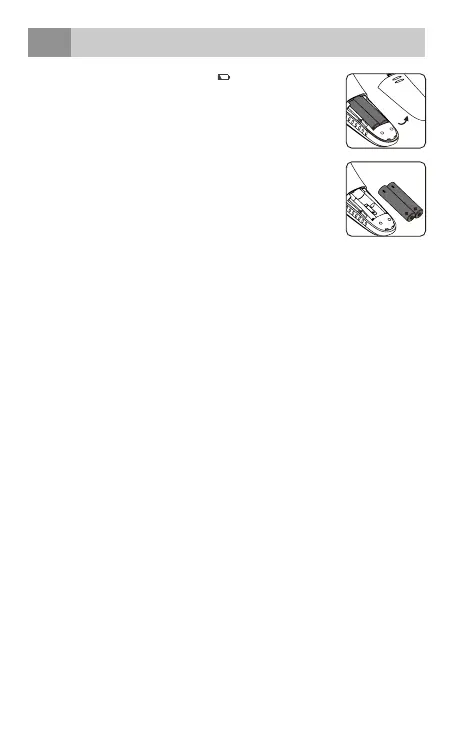
When the low battery indicator “
” appears on the
LCD, or the thermometer does not function at all, you
should replace the batteries as soon as possible.
The thermometer is supplied with two batteries
(2xAAA). Remove the battery cover and take out the
batteries. Insert new AAA batteries into the
battery compartment.
Make sure you are installing the batteries properly, be
sure to match the positive and negative ends of the
battery to the marking in the battery compartment of
the thermometer.
Replace the battery compartment cover and press to close.
Caution:
• To protect the environment, dispose of exhausted batteries
according to national or local regulations.
• Keep batteries out of the reach of children.
36 • English



 To Next Page