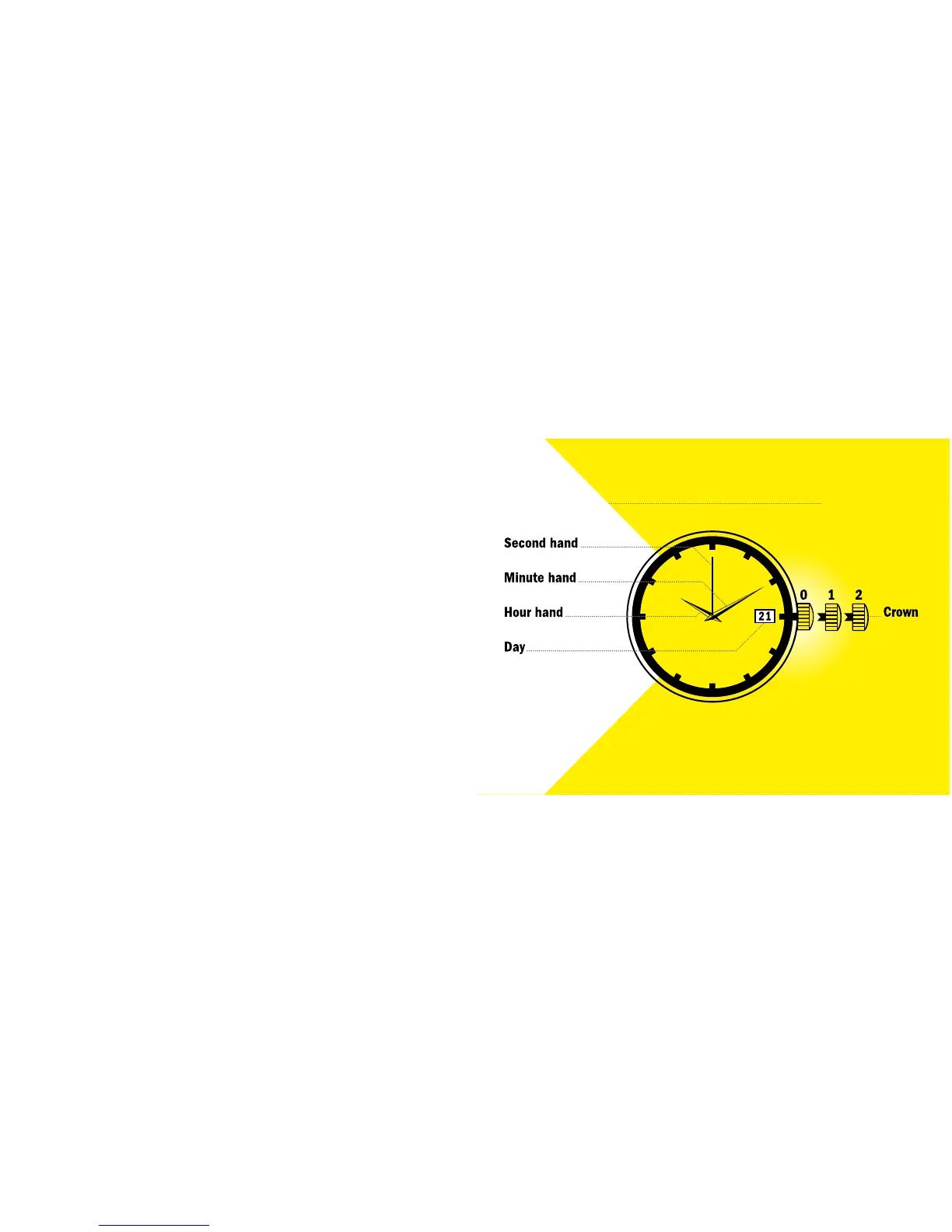
WATCHES WITH TIME AND DATE
Display Elements
Control Buttons
WATCHES WITH TIME AND DATE
Setting the Time and Date
1. Pull out the crown to position 1. The watch stops.
2. Turn the crown until you reach the correct date.
3. Pull out the crown to position 2.
4. Turn the crown until you reach the correct time.
5. Push the crown back into position 0. The watch will begin running again.


 To Next Page