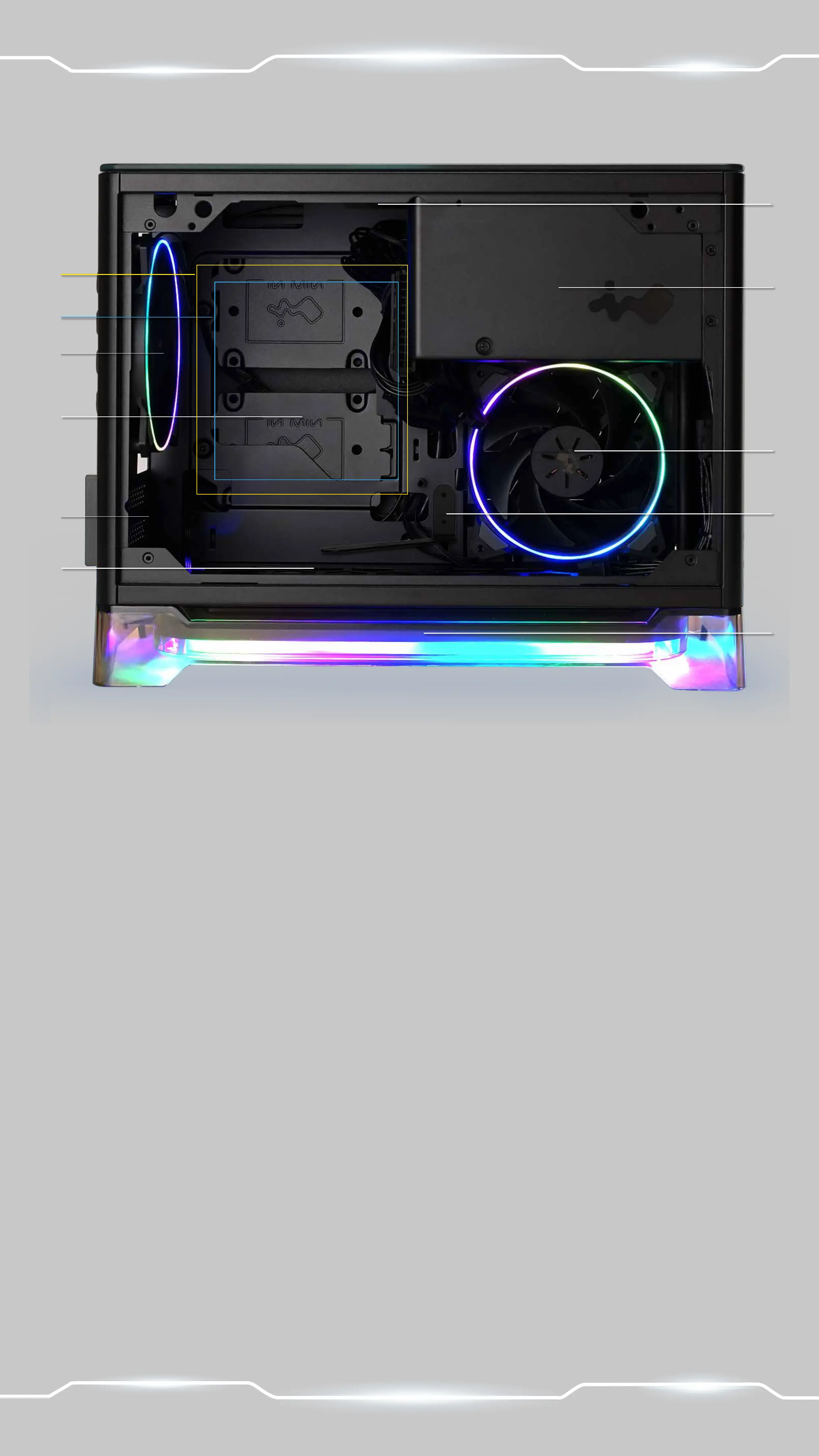
a. 2.5 Drive Bay
b. Side Fan Mounting Area
c. Rear Fan/ Radiator Mounting Area
d. Bottom Fan Mounting Area
e. Motherboard Mounting Area
f . CPU Cooler Installation Cut-Out Hole
g. PCI-E Expansion Slot
h. Extra PCI-E Supporting Mounting Hole
i. Power Supply Area
j. Fan Dust Filter
k. Wireless Mobile Device Charging Area
a
b
c
g
j
e
f
d
h
i
k


 To Next Page