2
Setting Up Your Bluetooth Serial Adapter
The Bluetooth Serial Adapter is compatible with DTE – Data Terminal Equipment
(i.e. PC) RS-232 devices. Use the provided Null Modem Adapter to connect to
DCE – Data Communications Equipment serial devices (i.e. modem). Follow the
steps below to configure the adapter for initial use.
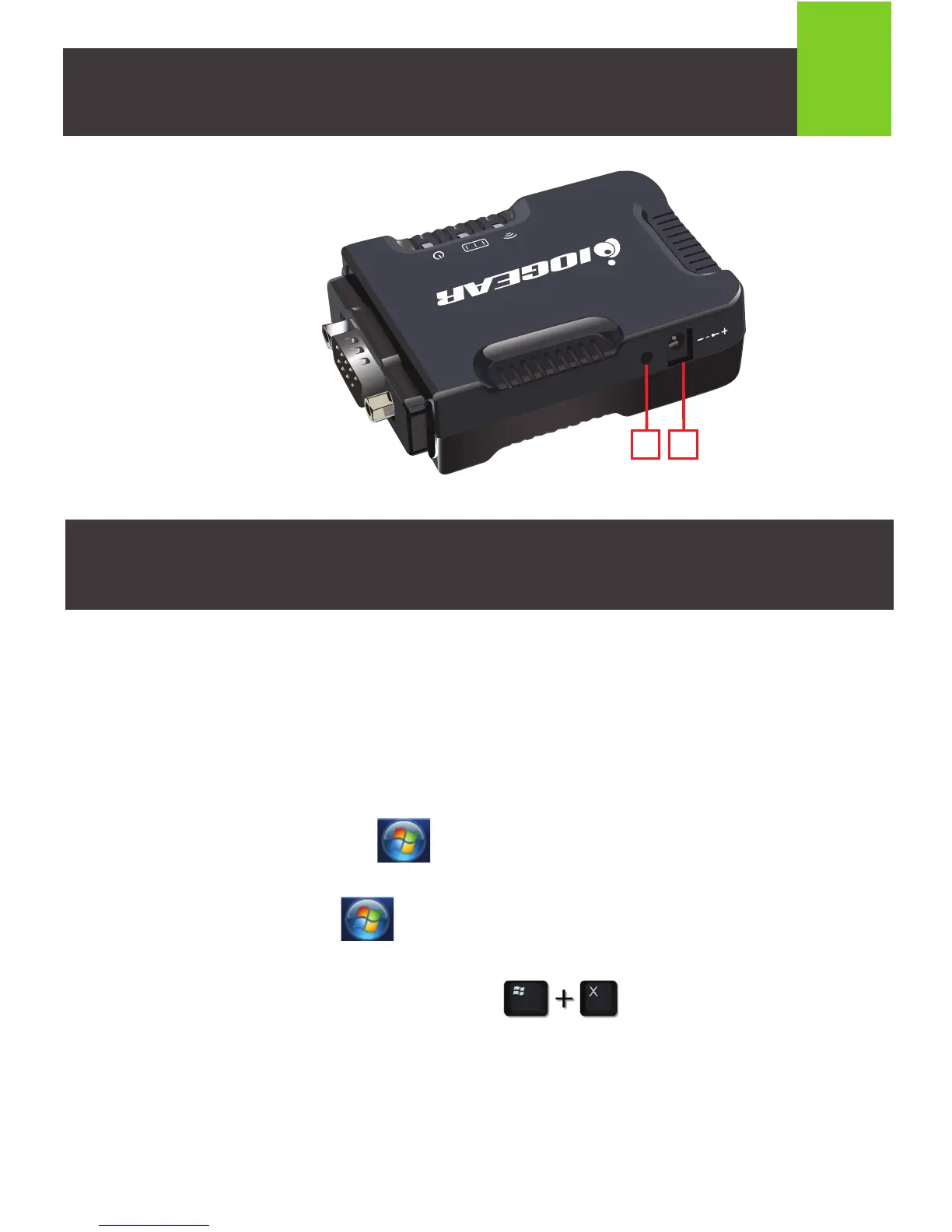
Left View:
5. Mode Button
6. DC Power Jack
5
Configuring the Bluetooth Serial Adapter on Your PC
1. Windows
®
Vista: Press the button on the desktop taskbar, go to Settings
and select Control Panel.
Windows
®
7: Press the button on the desktop taskbar and select
Control Panel.
Windows
®
8.1 / Windows
®
10: Press the keys and select
Control Panel.



 To Next Page