4
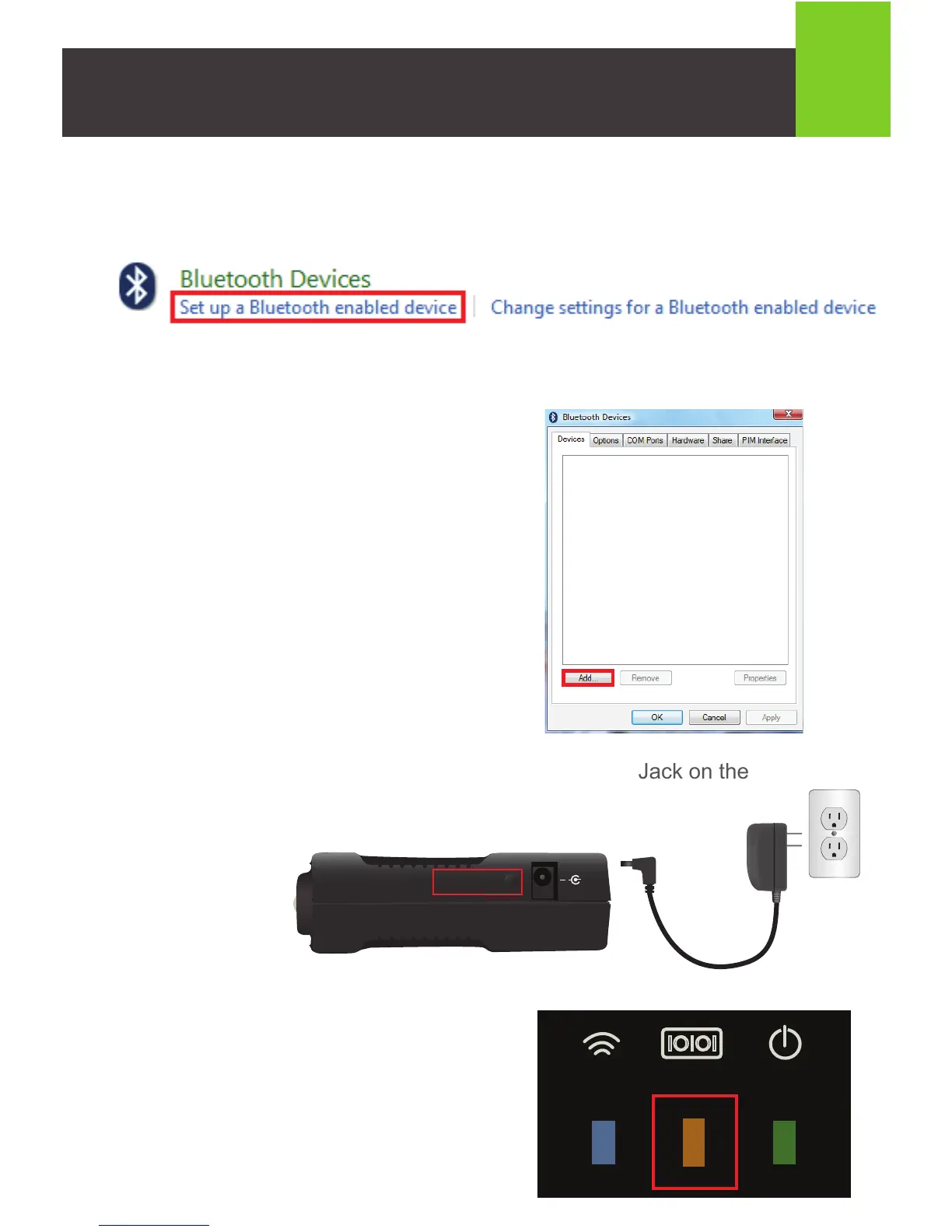
4. Windows Vista: Click the Add button.
5. Connect the included power adapter to the DC Power Jack on the
Bluetooth Serial Adapter. Push and hold the
CFG / RST button for one second.
3. Windows Vista: Scroll down to “Bluetooth Devices” and click on Set up a
Bluetooth enabled device.
Windows 7 / Windows 8.1 / Windows 10: Skip to step 5.
6. The device will enter Configuration mode
when the Mode LED lights solid orange.
CFG / RST
+
IOIOI



 To Next Page