
 Need help?
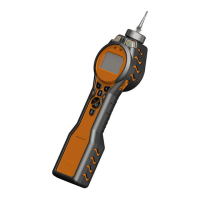
Do you have a question about the ion science PhoCheck TIGER and is the answer not in the manual?
Read and understand this user manual before operating the instrument.
Avoid abrasive/chemical detergents for cleaning; use a damp cloth.
Avoid atmospheres with adverse effects on instrument materials.
Service must be in a Non Hazardous environment by authorized centres.
Charge in a Non Hazardous environment only.
Use specific battery types and avoid hazardous locations.
Designed for hazardous atmospheres; ingress protection reduced when removed.
Check instrument functionality before entering hazardous areas.
USB port is only for use in a Non Hazardous environment.
Information about the manufacturer and product description.
Conformance to ATEX, IECEx, EMC, and FCC standards.
Adherence to ISO 9001 and other quality standards.
Utilizes Photo-ionization Detector (PID) for VOC detection.
Covers Survey and Health & Safety modes for various applications.
Highlights intuitive interface, PC software, and USB capability.
Describes Lithium-ion battery and audio/visual alarms.
Recommends reading manual pages 7 & 8 before initial use.
Step-by-step guide for turning the TIGER on and off.
Ensuring sufficient charge and recommending charging.
Configuring gas type and alarm thresholds.
Guidance on loading and setting up the PC software.
Description of soft keys, arrow keys, and enter/on/off button.
Explains the functions of soft keys A and B.
Details on Up/Down, Enter/On/Off, and Escape keys.
Divides the display into status icons, main screen, units, and soft key areas.
Describes icons for Health & Safety, Peak Hold, Memory, USB, and Battery.
Icons for Backlight, Sound, Alarm Bell, Flashlight, and Lock.
Displays readings or a function bar during setup.
Icons appearing in soft key areas for selection.
Information, Zone(s), Gas selection, Options, Health & Safety, Data logging.
Sleep, Zeroing, Peak hold, Average, Data log.
Procedures for turning the TIGER on and off.
How to put the TIGER into sleep mode.
Selecting absolute or relative zero.
Setting zones and initiating single/multiple data logging.
Performing STEL and TWA calculations.
Changing gas type and activating peak hold.
Setting average readings and accessing the options menu.
Selecting factory or custom calibration.
Adjusting low and high alarm levels.
Accessing various data screens like gas, alarms, firmware.
Minimum system requirements for TIGER PC software.
Step-by-step instructions for installing the software.
Navigating through the setup wizard screens.
Installing necessary drivers for the TIGER.
Connecting the instrument to the PC via USB cable.
Accessing instrument details after connection.
Viewing current status and details of the TIGER.
Displaying available software updates and features.
Configuring instrument settings: backlight, sound, units, soft menu.
Settings for Lock, Zeroing, Clock, Lamp, and Datalog.
Defining zones, vibration, and TWA/STEL settings.
Defining custom calibration parameters using PC software.
Uploading settings and calibration data to the TIGER.
Viewing, modifying, and downloading gas tables and setting alarm levels.
Displaying and updating the instrument's firmware.
Retrieving and viewing logged data from the TIGER.
Viewing and exporting Health & Safety readings.
Recording and restoring instrument settings.
Terms of license, warranty, liability, and governing law for the software.
Precautions related to charging the instrument.
Safety guidelines for replacing battery cells.
Details on connecting battery packs.
Steps for charging the TIGER and indicator lights.
Understanding the battery icon display.
Step-by-step instructions for replacing the rechargeable battery.
Instructions and warnings for replacing non-rechargeable batteries.
Troubleshooting pump and lamp issues.
Diagnosing battery and memory full errors.
Handling total system failure and firmware corruption.
Steps for performing custom calibration, including zero and span gas.
Performing span 1 and span 2 calibration.
Procedures for cleaning and replacing the instrument probe.
Steps for changing the filter.
Steps for cleaning and replacing the PID sensor and lamp.
Detailed steps for cleaning the PID lamp using the provided kit.
List and diagram of major components for the TIGER instrument.
Listing of optional accessories for the PhoCheck TIGER.
Visual representations and brief descriptions of specific accessories.
Detailed technical data including performance, power, and physical attributes.
Record of document changes and software/firmware versions.
 General
| Detection Principle | Photoionization |
|---|---|
| Detectable Gases | Volatile Organic Compounds (VOCs) |
| Resolution | 0.1 ppm |
| Battery Life | Up to 24 hours |
| Power Supply | Rechargeable lithium-ion battery |
| IP Rating | IP65 |
| Data Logging | Yes |
| Sensor Type | Photoionisation Detection (PID) |
| Operating Temperature | -20 to 50 °C |
| Humidity Range | 0 to 95% RH (non-condensing) |
| Display | LCD |
| Communication | Bluetooth, USB |
| Alarms | Visual, audible, and vibration alarms |

 To Next Page
