EN-4
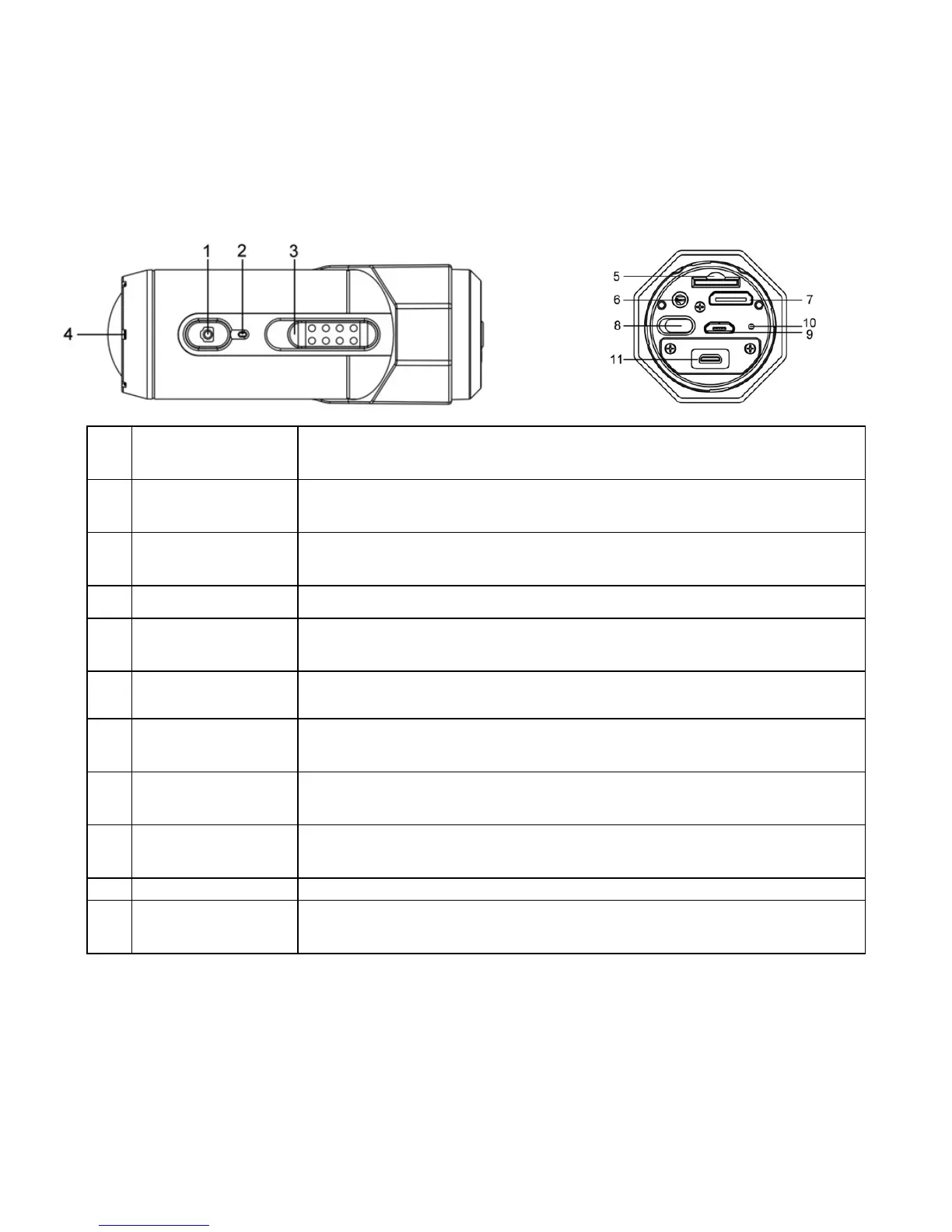
2. Functional Parts of Air Pro 2
1 Power
1. Turns the camera on or off
2. Takes a single photograph
2 LED Indicator Shows the camera status
3
Recording Slide
Switch
Slide to start or stop video recording
4 Lens High quality lens
5 MicroSD Card Slot MicroSD card storage location.
6 Mic Jack To enable you to connect to an external microphone (not included)
7 Mini HDMI Jack
To enable you to connect the camera to an HDTV with an HDMI
cable (not included)
8
Video Resolution
Switch
Select video resolution: FHD (Full HD) or HD.
9 USB Port
1. Connect to your computer for data transfer or camera setup
2. Charge your camera
10 Reset Button Reset the camera
11 PODZ Socket Connect the PODZ to the camera to perform additional functions



 To Next Page