9
Operator's Manual
ION Alpha Electric Ice Auger
Check for parts online at www.ioniceaugers.com or call 800-345-6007
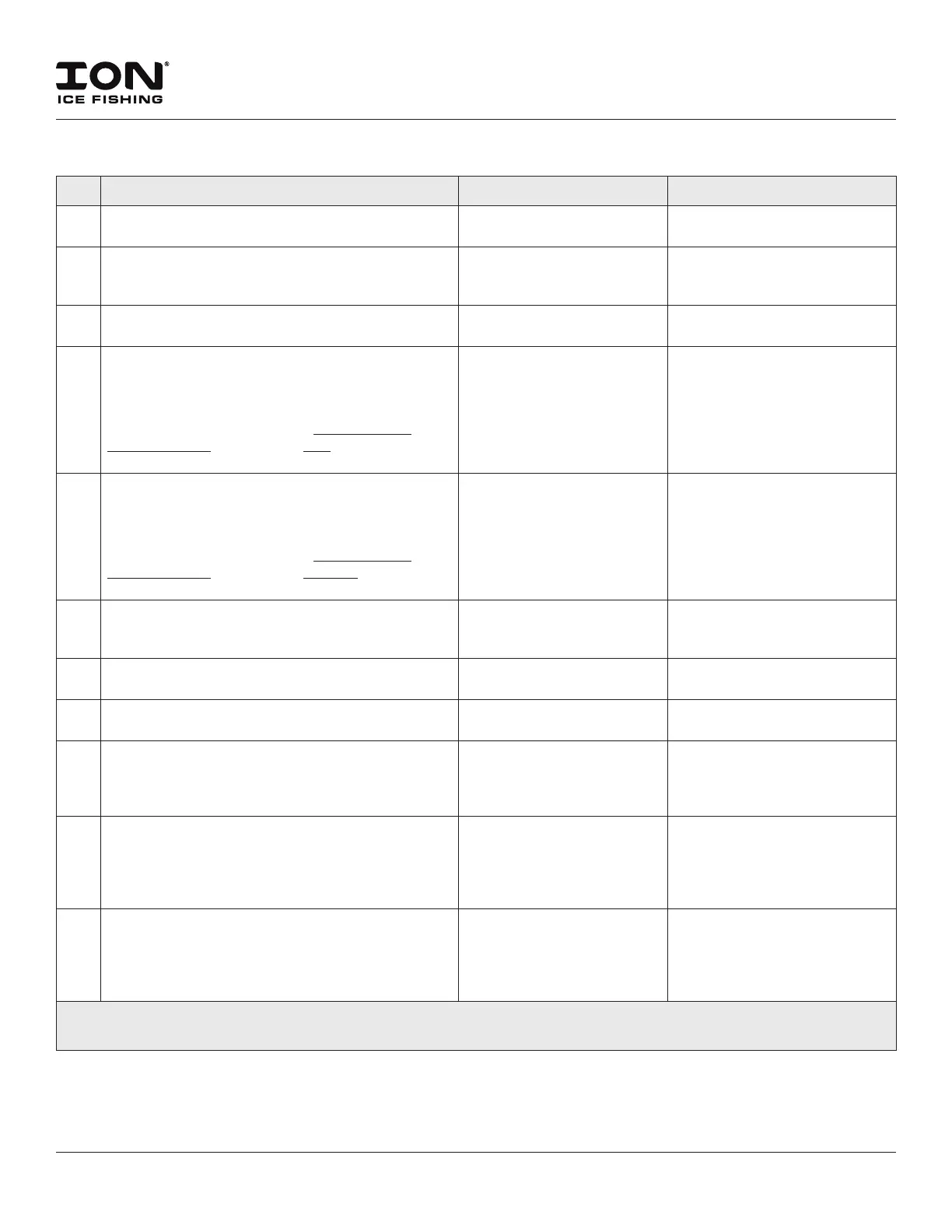
NO. PROBLEM POSSIBLE CAUSE REMEDY/ACTION
14 Drilling lights come on, powerhead will not turn, all
(3) battery LEDs indicate a full charge.
Power switch is not depressed
completely.
Hold the switch for ve seconds.
15 Drilling lights do not come on, but powerhead
functions normally.
LED system has failed or
Controller is not sending
power to the LED system.
Install LED Light Kit or replace
Controller.
16 Drilling lights stay ON all of the time; must remove
battery to turn them o.
LED board has failed. Install LED Light Kit or replace
Controller.
17 Drilling lights come on, powerhead makes a “clicking
noise” from the top of the motor cover, and will not
turn. Battery LEDs indicate a full charge. (“ON” switch
has been held down for more than 5 seconds, battery
core temperature is not frozen). WITH BATTERY
DISCONNECTED, transmission CAN be turned over by
hand, in either direction without stopping.
ION Motor is trying to turn,
but cannot due to low or
incomplete voltage to the
motor.
Remove access panel and
Controller. Check connection
between the Controller and
the Motor connector. If all
connections are good, replace
the Controller.
18 Drilling lights come on, powerhead makes a “clicking
noise” from the top of the motor cover, and will not
turn. Battery LEDs indicate a full charge. (“ON” switch
has been held down for more than 5 seconds, battery
core temperature is not frozen). WITH BATTERY
DISCONNECTED, transmission CANNOT be turned
over by hand in either direction without stopping.
ION Motor is trying to
turn, but cannot due to
transmission problems.
Replace Motor/Transmission
assembly.
19 Hole count has drastically and quickly reduced. Hole
count cannot be increased by switching batteries or
even powerheads. (The blades are new)
Auger bit is damaged or bent. Replace ice auger bit.
20 Auger jumps on the ice and will not cut. Blades are dull or damaged or
re-sharpened incorrectly.
Replace with new blades.
21 Auger spins at normal speed, but cuts slowly through
the ice.
Blades are dull or damaged or
re-sharpened incorrectly.
Replace with new blades.
22 Powerhead functions normally, but hole count is
drastically reduced. Battery indicates a full charge.
Drilling suddenly requires downward force to be
applied to the handlebars in order to cut the ice.
Blades are dull or damaged or
re-sharpened incorrectly.
Replace with new blades.
23 Powerhead with Reverse, only runs in forward. Reverse switch is faulty
(open circuit) or has
become unplugged inside
the handlebar control, or
Controller is faulty.
Remove handlebar control,
replace Reverse switch or
re-connect wiring. (If switch
and wiring is correct, replace
Controller).
24 Powerhead with Reverse, only runs in reverse. Reverse switch is faulty
(closed circuit) or wiring has
become loose on switch and
is touching each other, or
Controller is faulty.
Remove handlebar control,
replace Reverse switch or
re-connect wiring. (If switch
and wiring is correct, replace
Controller).
If above remedies fail, contact ION Customer Service at 800-345-6007 or info@ioniceaugers.com
to locate an authorized Service Center near you.


 To Next Page
 Loading...