5
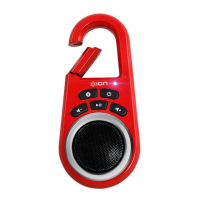
PARTS DESCRIPTION
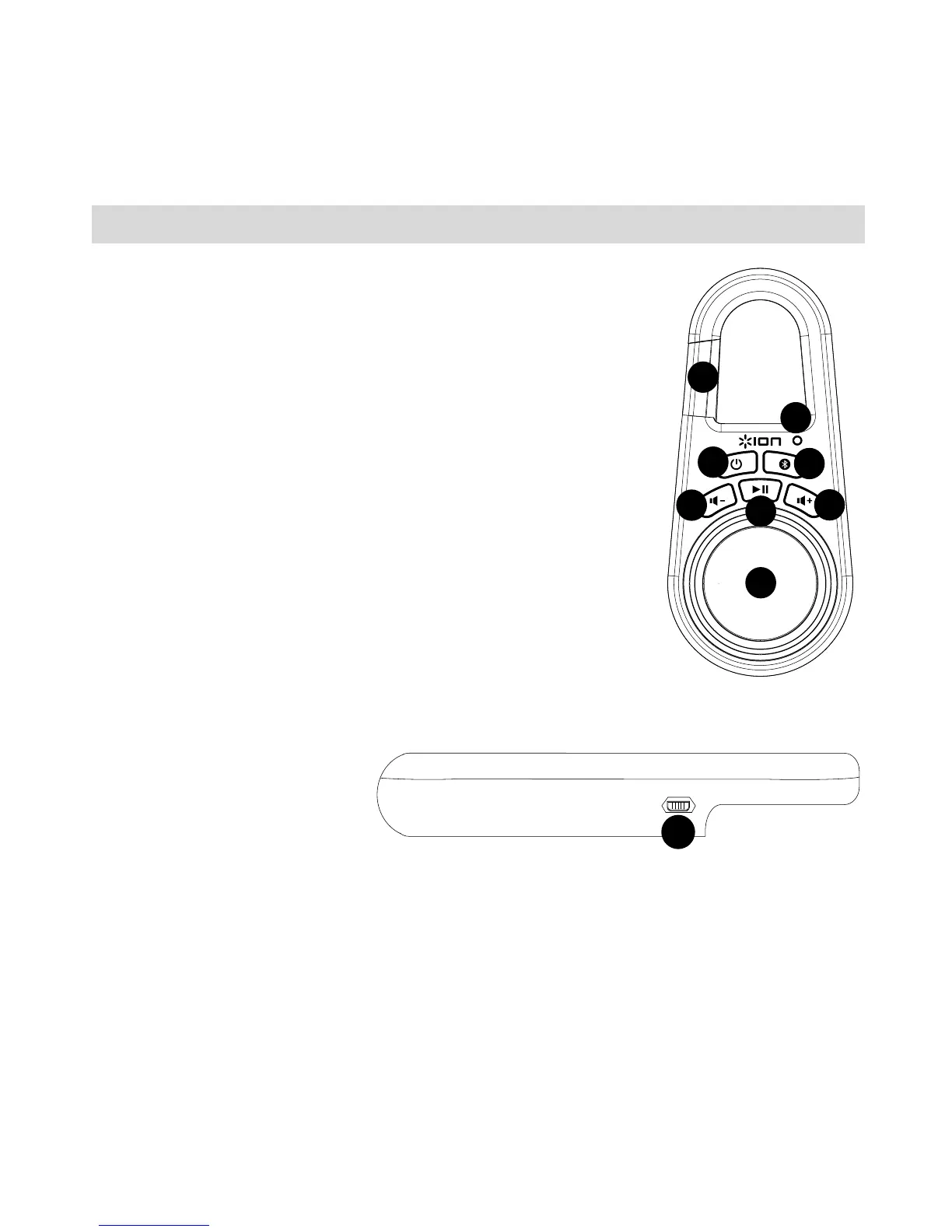
1. Power On/Off: Hold this button down for 2 seconds to
power Clipster on/off.
2. Pairing button: Hold this button down for 2 seconds to
activate pairing mode on Clipster. If you do not unpair
your device, Clipster will "remember" your device even if
it is powered off then on again.
3. LED: Indicates various states of activity on Clipster. See
the Clipster LED activity callout box for more details.
4. Volume Down: Decreases the speaker volume on
Clipster.
5. Volume Up: Increases the speaker volume on Clipster.
6. Play/Pause: Press this button to start/pause music
playback on a paired music device.
7. Speaker: This full-range speaker plays audio from a
paired Bluetooth device or a source connected to the
Aux/Stereo Linking Connector.
8. Clip: Use this carabiner style “hook” to clip to a belt loop,
backpack, or purse.
9. Micro-USB Port: Use the included micro-USB cable to
connect this port to a computer USB port to charge Clipster.


 To Next Page